
Our Short List of 3

- Best for: Readers who spend long stretches on research and news, thanks to the IPS screen and backlit keyboard.
- 15.6-inch Full HD IPS display
- AMD Ryzen 3 7320U quad-core processor with Radeon Graphics
- 8GB LPDDR5 onboard memory
- 128GB NVMe SSD

- Best for: A first laptop for someone who wants the simplest setup for searching, email, and documents.
- 15.6-inch Full HD display
- Intel dual-core processor
- 8GB RAM
- 128GB SSD plus 128GB eMMC

- Best for: People who store files locally and type numbers often, thanks to the larger SSD and numeric keypad.
- 15.6-inch Full HD (1920 x 1080) anti-glare display
- Intel Core i3-1315U processor, 6 cores and 8 threads, up to 4.5GHz
- Intel UHD Graphics
- 8GB DDR4 RAM
All 4 Picks at a Glance
| Product | Specs | Action |
|---|---|---|
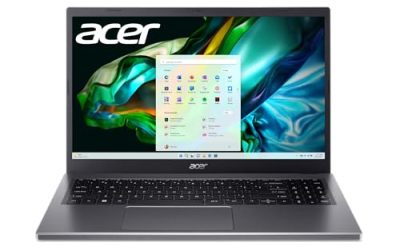
| Acer Aspire 3 A315-24P-R7VH |
| Check price on Amazon |
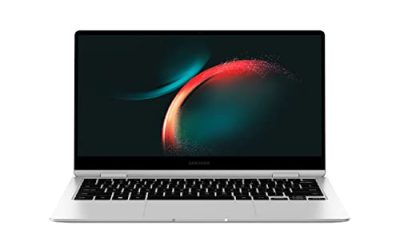
| Lenovo IdeaPad 1 15.6″ |
| Check price on Amazon |
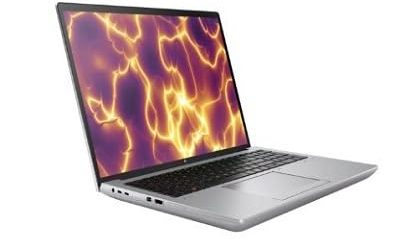
| HP 15.6″ FHD Laptop (G9) |
| Check price on Amazon |
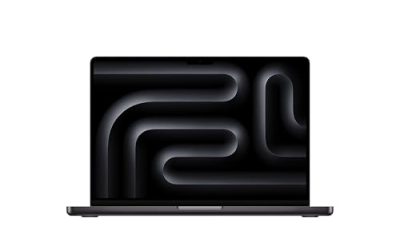
 Acer Aspire 3 A315-24P-R2SC |
| Check price on Amazon |
Key takeaways
- Find a laptop built for daily web searching: fast wake, a sharp screen, and enough memory for dozens of tabs. Four verified picks compared inside.
What's inside
As an Amazon Associate I earn from qualifying purchases. This post may contain affiliate links at no extra cost to you.
Choosing a laptop for everyday web searching is a decision about patience, not power. The machine you need is the one that wakes instantly, loads pages without hesitation, and keeps a dozen tabs open while you jump between search results, email, and a video call. A slow start-up, a dim screen, or memory that forces pages to reload turns a five-minute search into a chore, while a gaming chip or an enormous drive adds nothing to the way you actually spend your day online.
This guide is for people whose laptop lives in a browser: morning news and shopping, research for work or school, forms and bookings, and evening reading on the sofa. Every pick below comes from its Amazon listing, with the processor, memory, storage, and display quoted as stated, so you can match the machine to how many tabs you keep open and where you carry it.
Quick Picks
As an Amazon Associate we earn from qualifying purchases.
| Product | Best for | Key spec from title |
|---|---|---|
| Acer Aspire 3 A315-24P-R7VH | Long reading sessions with a sharp screen and backlit keys | Ryzen 3 7320U, 8GB LPDDR5, 128GB NVMe SSD, 15.6-inch Full HD IPS |
| Lenovo IdeaPad 1 15.6″ | The simplest first laptop for search, email, and documents | Intel dual-core, 8GB RAM, 128GB SSD + 128GB eMMC, 15.6-inch FHD |
| HP 15.6″ FHD Laptop (G9) | Storing files locally with a full keyboard and long battery | Core i3-1315U, 8GB DDR4, 256GB PCIe SSD, 15.6-inch FHD anti-glare |
| Acer Aspire 3 A315-24P-R2SC | Heavier tab loads with a faster processor and roomier drive | Ryzen 5 7520U, 8GB LPDDR5, 256GB NVMe SSD, 15.6-inch Full HD IPS |
How to Choose
Buy memory for the tabs you actually keep open
A web browser is the hungriest app most people run, because every open tab holds its own page in memory. Eight gigabytes is the working floor for daily searching: it handles a news site, a shopping cart, email, and a video call at the same time without forcing pages to reload. All four laptops in this guide list 8GB, so the differences between them sit elsewhere, in the processor and the storage. If your habit is thirty tabs plus a streaming video, you will feel the limit sooner, and the honest fix is closing tabs you have finished with rather than paying for a chip you do not need.
Pick a screen you can read for hours
Most of a web-searching laptop’s life is spent showing text, so the display deserves more of your attention than the processor. Full HD resolution keeps small print sharp, and an IPS panel holds its contrast when you lean back on the sofa or share the screen with someone beside you. Every pick here lists a 15.6-inch Full HD screen, and the two Aspire 3 models and the HP add anti-glare or IPS wording to the listing. What none of the listings promise is high brightness, so if you read near a sunny window, check the brightness figure on the listing before ordering rather than assuming it.
Treat storage as a question of local files versus the cloud
Storage decides how much of your life sits on the machine itself. The 128GB drive in the Aspire 3 R7VH and the split 128GB SSD plus 128GB eMMC in the IdeaPad 1 are enough when your files live in email and cloud drives, but they fill quickly once you start saving photos, downloads, and offline documents. The 256GB drives in the HP 15 and the Aspire 3 R2SC give you real breathing room for a local photo library and a year of downloads. All four use solid-state storage, which is what makes start-up and page loading feel quick, so the question is size, not speed.
Weigh battery life and weight together
A searching laptop earns its keep away from the desk, on the sofa, in the kitchen, and on a train, so battery life and weight matter as much as any chip. The HP 15 is the only pick here whose listing states a battery figure, up to 8 hours, while the Aspire 3 listings talk about a thin, light design and improved thermals for longer sessions without giving a number. Treat an unstated battery figure as unknown rather than generous. Wi-Fi matters too: three of the four picks list Wi-Fi 6, which holds a steadier connection on a busy home network, while the Aspire 3 R2SC lists Wi-Fi 5, which is fine for browsing but worth knowing.
The 4 Best Options
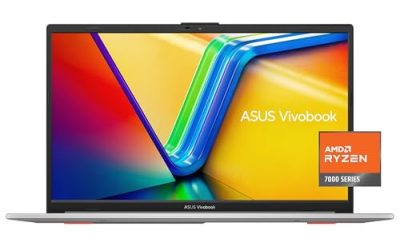
Acer Aspire 3 A315-24P-R7VH
- Best for: Readers who spend long stretches on research and news, thanks to the IPS screen and backlit keyboard.
- 15.6-inch Full HD IPS display
- AMD Ryzen 3 7320U quad-core processor with Radeon Graphics
- 8GB LPDDR5 onboard memory
- 128GB NVMe SSD
Readers who spend long stretches on research and news, thanks to the IPS screen and backlit keyboard.
The listing ships with Windows 11 Home in S Mode, so you can only install apps from the Microsoft Store until you switch out of S Mode. The 128GB drive is also the smallest here, so plan for cloud storage or an external drive.
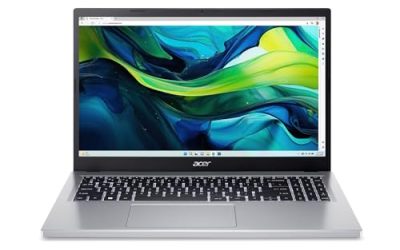
The Aspire 3 R7VH is the pick for people who read for hours, because its 15.6-inch Full HD IPS display keeps text sharp from off angles and its backlit keyboard makes evening searches in a dim room far easier. The quad-core Ryzen 3 7320U handles a browser full of research tabs alongside email without hesitation, and Wi-Fi 6 keeps video calls stable. The slim design slips easily into a bag, and the USB-C port with DisplayPort support means it can drive an external monitor at a desk.
Watch out for: The listing ships with Windows 11 Home in S Mode, so you can only install apps from the Microsoft Store until you switch out of S Mode. The 128GB drive is also the smallest here, so plan for cloud storage or an external drive.
Lenovo IdeaPad 1 15.6″
- Best for: A first laptop for someone who wants the simplest setup for searching, email, and documents.
- 15.6-inch Full HD display
- Intel dual-core processor
- 8GB RAM
- 128GB SSD plus 128GB eMMC
A first laptop for someone who wants the simplest setup for searching, email, and documents.
The listing’s marketing text is inconsistent with its title and specification table, so confirm the exact configuration shown at checkout. Storage is split across a 128GB SSD and 128GB eMMC, so check how much usable space the main drive actually offers.
The IdeaPad 1 is the straightforward choice for a first laptop or a second machine that does nothing but the basics well. Its 15.6-inch Full HD display keeps web pages and documents legible, Wi-Fi 6 holds a steady connection on a crowded home network, and the included year of Office 365 means Word, Excel, and PowerPoint are ready from the first day. The dual-core processor is modest, but it is enough for searching, email, forms, and streaming, which is exactly the workload this laptop is built around.
Watch out for: The listing’s marketing text is inconsistent with its title and specification table, so confirm the exact configuration shown at checkout. Storage is split across a 128GB SSD and 128GB eMMC, so check how much usable space the main drive actually offers.
HP 15.6″ FHD Laptop (G9)
- Best for: People who store files locally and type numbers often, thanks to the larger SSD and numeric keypad.
- 15.6-inch Full HD (1920 x 1080) anti-glare display
- Intel Core i3-1315U processor, 6 cores and 8 threads, up to 4.5GHz
- Intel UHD Graphics
- 8GB DDR4 RAM
People who store files locally and type numbers often, thanks to the larger SSD and numeric keypad.
The listing is inconsistent about the Windows edition: the title says Windows 11 while the product description says Windows 11 Pro, so confirm which edition the listing shows before buying. The title also carries a comparison claim against another processor that should not be taken at face value.
The HP 15 is the roomiest pick in this guide, and that extra space is what sets it apart for people who keep their files on the machine rather than in the cloud. Its 256GB PCIe SSD holds a year of downloads, documents, and photos with room to spare, while the Intel Core i3-1315U processor keeps multitasking smooth. The full-size keyboard with a numeric keypad is a genuine advantage for forms, budgets, and data entry, and the listing states battery life of up to 8 hours, which covers a full day of searching away from a socket.
Watch out for: The listing is inconsistent about the Windows edition: the title says Windows 11 while the product description says Windows 11 Pro, so confirm which edition the listing shows before buying. The title also carries a comparison claim against another processor that should not be taken at face value.
Acer Aspire 3 A315-24P-R2SC
- Best for: Heavy tab users who want a faster processor and a 256GB drive in the same slim, readable package.
- 15.6-inch Full HD IPS display
- AMD Ryzen 5 7520U quad-core processor with Radeon Graphics
- 8GB LPDDR5 memory
- 256GB NVMe SSD
Heavy tab users who want a faster processor and a 256GB drive in the same slim, readable package.
This model lists Wi-Fi 5 rather than Wi-Fi 6, so on a crowded home network it may feel slightly less steady than the Wi-Fi 6 picks here. Confirm the exact model number on the listing before ordering, since the Aspire 3 name covers several configurations.
The Aspire 3 R2SC is the step up for heavier browsing days, pairing the same sharp 15.6-inch Full HD IPS display as its Ryzen 3 sibling with a faster Ryzen 5 7520U processor and a roomier 256GB NVMe drive. That combination shows when you keep a research project open across many tabs while a video call runs in the background, and the larger drive means you stop thinking about storage altogether. It is the same slim Aspire 3 shape, so it carries just as easily, but it is the one to choose when your busiest browsing day is genuinely busy.
Watch out for: This model lists Wi-Fi 5 rather than Wi-Fi 6, so on a crowded home network it may feel slightly less steady than the Wi-Fi 6 picks here. Confirm the exact model number on the listing before ordering, since the Aspire 3 name covers several configurations.
Which One Fits Your Situation
A reader who lives in the browser all day
Choose the Acer Aspire 3 A315-24P-R2SC. The faster Ryzen 5 processor keeps many tabs responsive at once, the 256GB drive removes storage worry, and the Full HD IPS screen stays comfortable through long reading sessions. The slim shape also travels well between rooms, so it works as well on the sofa as at a desk. Just note the Wi-Fi 5 listing if your home network is crowded.
A first laptop for someone who wants the simplest option
Choose the Lenovo IdeaPad 1. It covers searching, email, documents, and streaming on a full-size screen, and the included year of Office 365 removes one more thing to set up. There is nothing exotic to learn or configure, which suits a buyer who wants the machine to disappear into the routine. Keep the workload light and it stays quick, and check the listed configuration at checkout.
A desk-at-home machine that also stores files locally
Choose the HP 15.6″ FHD Laptop (G9). The 256GB SSD holds local files without constant clean-ups, the numeric keypad suits forms and budgets, and the stated battery life of up to 8 hours covers a day away from the desk. The anti-glare screen also helps in a bright room. Confirm the Windows edition on the listing first, since the title and description disagree.
A carry-everywhere laptop for reading on the move
Choose the Acer Aspire 3 A315-24P-R7VH. The thin, light design and IPS display suit a machine that moves between rooms, and the backlit keyboard helps in dim light. Wi-Fi 6 keeps the connection steady when the household network is busy, and the USB-C port lets it drive an external monitor at a desk. Just plan for the 128GB drive with cloud storage, and remember it ships in S Mode.
Common Mistakes
- Buying a gaming chip for a browser workload and paying for power that never gets used.
- Choosing a dim or low-resolution screen, then spending hours a day squinting at small text.
- Picking a 128GB drive while planning to store photos and downloads locally.
- Ignoring whether the listing ships in S Mode, then finding a needed app cannot be installed.
- Assuming an unstated battery figure is generous instead of checking what the listing actually promises.
Frequently Asked Questions
How much RAM do I need for web browsing?
Eight gigabytes is the practical floor for everyday web searching, handling a dozen tabs, email, and a video call at the same time. All four laptops in this guide list 8GB, which suits a normal browsing day. If you routinely keep thirty or more tabs open alongside streaming video, close finished tabs regularly rather than expecting a browser machine to behave like a workstation.
Is a 128GB drive enough for everyday web use?
It is enough when your files live in email and cloud drives, since the browser itself needs very little local space. It becomes tight once you save photos, downloads, and offline documents on the machine. If you store files locally, choose one of the 256GB picks here, or plan for cloud storage or an external drive from the start.
Do I need Wi-Fi 6 for searching the web?
Wi-Fi 6 is not required for searching the web, but it holds a steadier connection when many devices share one home network. Three of the four picks here list Wi-Fi 6, while the Aspire 3 R2SC lists Wi-Fi 5. For basic browsing on a quiet network, Wi-Fi 5 is fine, so treat it as a tiebreaker rather than a dealbreaker.
What should I check on the listing before ordering?
Confirm the exact model number, the memory and storage figures, and the Windows edition, because laptop families reuse names across configurations. Check whether the listing ships in S Mode, which limits app installs until you switch out of it. Finally, confirm the screen size and resolution, since a sharp Full HD panel is what makes long reading sessions comfortable.
Related guides
More from Amazon
Programs that pair well with the guide above. Offers and eligibility are set by Amazon and may change.
Free shipping on eligible items, Prime Video and more. Eligible new members can start with a free trial.
Start a Prime free trialAd-free music streaming. Eligible new subscribers can start with a free trial.
Try Music Unlimited freeA Prime membership for ages 18-24 with a trial period. Eligibility is set by Amazon.
See Prime for Young AdultsAudiobooks and podcasts to listen to on the go. Eligible new members can start with a free trial.
Try Audible freeAs an Amazon Associate we earn from qualifying purchases.
Write Your Review
No reviews yet. Be the first to share your experience!