
Our Short List of 3

- Processor: Intel Core i3-N305 (8 cores, up to 3.8 GHz)
- Memory: 8 GB LPDDR5
- Storage: 128 GB UFS
- Display: 15.6-inch Full HD (1920 x 1080) IPS

- Processor: AMD Ryzen 5 7530U (6 cores, up to 4.5 GHz)
- Memory: 8 GB DDR4 with an expansion slot
- Storage: 512 GB NVMe SSD
- Display: 15.6-inch Full HD (1920 x 1080) OLED, full DCI-P3 color coverage

- Processor: Apple M4 (10-core CPU, 8-core GPU)
- Memory: 16 GB unified memory
- Storage: 256 GB SSD
- Display: 13.6-inch Liquid Retina (2560 x 1664)
All 3 Picks at a Glance
| Product | Specs | Action |
|---|---|---|
| Acer Aspire Go 15: The Entry Point for Licensing Coursework |
| Check price on Amazon |
| ASUS Vivobook 15 OLED: The Showing and Presentation Pick |
| Check price on Amazon |
| Apple MacBook Air 13 (M4): The Battery and Portability Pick |
| Check price on Amazon |
Key takeaways
- Compare the best laptops for real estate students for coursework, CRM tools, contracts, and showings, with light designs and long battery life.
What's inside
- Acer Aspire Go 15: The Entry Point for Licensing Coursework
- Lenovo IdeaPad Slim 3: The All-Rounder for Coursework and Fieldwork
- ASUS Vivobook 15 OLED: The Showing and Presentation Pick
- Lenovo ThinkPad E14 Gen 6: The Keyboard-First Business Pick
- Apple MacBook Air 13 (M4): The Battery and Portability Pick
- How to Choose
- Frequently Asked Questions
- Final Verdict
- Product and ASIN Reference
As an Amazon Associate I earn from qualifying purchases. This post may contain affiliate links at no extra cost to you.
A real estate student’s laptop has to survive two very different lives at once. During licensing coursework it is a study machine, running online course platforms, practice exams, note-taking apps, and long documents full of contract language. As soon as fieldwork starts, the same laptop becomes a mobile office that travels to showings, open houses, and client meetings, where it pulls up listings, runs a CRM, joins video calls, and opens virtual tours on whatever Wi-Fi happens to be available. That mix puts portability, battery life, and keyboard comfort ahead of raw power, because most real estate software is browser-based and none of it needs a gaming-grade processor.
The five laptops below were chosen with that workload in mind. Each one is light enough to carry between classes and properties, each one can run a full day of coursework and client work, and each one covers a different budget tier so there is a sensible option whether you are just starting a licensing course or already shadowing an agent. Specs are taken from the manufacturers’ listings, and every pick is a laptop currently sold on Amazon US.
As an Amazon Associate, we earn from qualifying purchases.
Acer Aspire Go 15: The Entry Point for Licensing Coursework
- Processor: Intel Core i3-N305 (8 cores, up to 3.8 GHz)
- Memory: 8 GB LPDDR5
- Storage: 128 GB UFS
- Display: 15.6-inch Full HD (1920 x 1080) IPS
Tier: budget
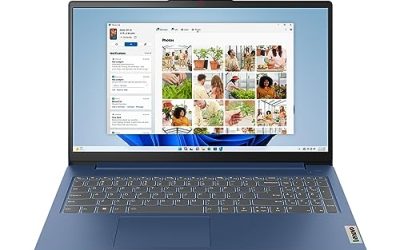
The Aspire Go 15 is the sensible starting point for a student whose main job right now is finishing a licensing course without overspending. Its Intel Core i3-N305 processor has eight efficiency cores, which is more than enough for the browser-heavy work that dominates real estate study: course portals, MLS training sites, PDF contracts, and a dozen research tabs open at once. The 15.6-inch Full HD IPS screen gives contracts and comparative market analyses room to breathe, and the full-size keyboard layout suits long note-taking sessions.
Two honest trade-offs come with the low tier. The 128 GB of storage fills up quickly once you start saving listing photos and recorded lectures, so cloud storage for coursework files is close to mandatory. The laptop also ships in Windows 11 S mode, which only allows apps from the Microsoft Store; switching out of S mode is a free, one-time settings change, and most students will want to do it so they can install the full desktop versions of CRM and e-signature tools. Battery capacity is respectable for the class, and at about 3.7 pounds it is easy to carry across campus.
Lenovo IdeaPad Slim 3: The All-Rounder for Coursework and Fieldwork
Tier: mid-range
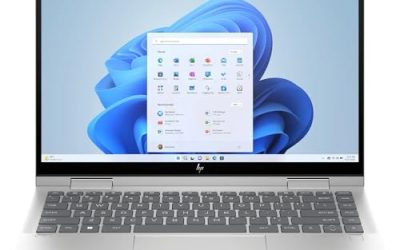
The IdeaPad Slim 3 in this configuration is where the lineup gets genuinely comfortable for a student who is already doing early agent work alongside classes. The AMD Ryzen 5 7530U and 16 GB of memory handle the multitasking pattern of real estate work well: a CRM in one window, a virtual tour streaming in another, a spreadsheet of comparables on the side, and a video call running over the top. The 512 GB SSD holds a healthy library of listing photos, floor plans, and course materials without constant housekeeping.
The touchscreen is more useful in this job than it first appears. Scrolling through long contracts, zooming into listing photos with a pinch, and tapping through presentation slides at an open house all feel natural, and clients can sign or initial on screen where your brokerage’s software supports it. Lenovo rates the battery for up to 12 hours, which covers a day of classes followed by evening showings. At roughly 3.6 pounds, it stays easy to carry despite the larger 15.6-inch display, and the Abyss Blue finish looks professional in front of clients.
Specs
- Processor: AMD Ryzen 5 7530U (6 cores, up to 4.5 GHz)
- Memory: 16 GB DDR4
- Storage: 512 GB SSD
- Display: 15.6-inch Full HD (1920 x 1080) IPS touchscreen
- Graphics: AMD Radeon Graphics
- Wireless: Wi-Fi 6
- Weight: about 3.6 lb (1.62 kg)
- Battery: rated up to 12 hours by the manufacturer
- Operating system: Windows 11 Home
ASUS Vivobook 15 OLED: The Showing and Presentation Pick
- Processor: AMD Ryzen 5 7530U (6 cores, up to 4.5 GHz)
- Memory: 8 GB DDR4 with an expansion slot
- Storage: 512 GB NVMe SSD
- Display: 15.6-inch Full HD (1920 x 1080) OLED, full DCI-P3 color coverage
Tier: mid-range
Real estate is a visual business, and the Vivobook 15 OLED earns its place here because of its screen. The 15.6-inch OLED panel covers the full DCI-P3 color range with a 600-nit peak brightness, so listing photos and virtual tours look rich and accurate when you turn the laptop around to show a client. That same color accuracy helps when you are editing your own listing photos or building a marketing flyer between classes.
Underneath, the Ryzen 5 7530U and 512 GB SSD deliver the same dependable everyday performance as the other mid-range pick, and the backlit keyboard with a dedicated number pad is a quiet advantage for the spreadsheet side of the job, from commission estimates to coursework in real estate math. The 8 GB of memory is the one modest spec, though the design includes an expansion slot if needs grow later. A fingerprint reader speeds up sign-ins between appointments, the hinge lays flat for sharing the screen across a table, and at about 3.75 pounds it remains a reasonable daily carry.
Lenovo ThinkPad E14 Gen 6: The Keyboard-First Business Pick
Tier: premium
If your study style involves typing for hours, the ThinkPad E14 Gen 6 is built around exactly that. ThinkPad keyboards are the reference point for laptop typing, with deep, well-spaced keys and the TrackPoint pointing stick in the middle for cursor work without leaving the home row. For a student drafting essays on contract law, writing follow-up emails, and filling in transaction notes all day, that keyboard is a genuine quality-of-life upgrade, and the backlit keys help during evening study sessions.
The hardware is business-grade throughout: an Intel Core Ultra 5 125U processor, 16 GB of DDR5 memory, and Windows 11 Pro, which adds the security and management features brokerages tend to prefer when you start handling client documents. The 14-inch WUXGA display runs at 1920 x 1200, and the extra vertical space shows more of a contract or spreadsheet per screen than a standard Full HD panel. The chassis is tested against military-grade durability standards, the webcam has a privacy shutter for client calls, and at about 3.17 pounds it is the lightest Windows option in this roundup. The 256 GB SSD is the one modest figure, so plan on cloud storage for photo archives.
Specs
- Processor: Intel Core Ultra 5 125U (12 cores, up to 4.3 GHz)
- Memory: 16 GB DDR5
- Storage: 256 GB SSD
- Display: 14-inch WUXGA (1920 x 1200) IPS anti-glare
- Graphics: Intel Graphics
- Wireless: Wi-Fi 6E
- Weight: about 3.17 lb (1.44 kg)
- Battery: lithium polymer, rated for a full workday
- Operating system: Windows 11 Pro
Apple MacBook Air 13 (M4): The Battery and Portability Pick
- Processor: Apple M4 (10-core CPU, 8-core GPU)
- Memory: 16 GB unified memory
- Storage: 256 GB SSD
- Display: 13.6-inch Liquid Retina (2560 x 1664)
Tier: premium
The MacBook Air with the M4 chip is the pick for a student who values battery life and a light bag above everything else. At 2.7 pounds it disappears into a tote or backpack, and Apple’s battery rating of up to 18 hours means it can cover a full day of classes, a round of showings, and an evening study session on one charge. The M4 processor is far more power than coursework or CRM tools require, which translates into instant responses when you are flipping between a virtual tour, a document signing, and a video call with a client.
The 13.6-inch Liquid Retina display is sharp and color-accurate for reviewing listing photography, the 12MP Center Stage camera keeps you framed properly on video calls, and Touch ID makes unlocking the machine between appointments effortless. The fanless design also means it stays silent in quiet classrooms and client meetings. The one check to make before buying is software: nearly all modern MLS platforms, CRM systems, and e-signature tools are browser-based and run fine on macOS, but if your school or brokerage relies on a specific Windows-only desktop program, choose one of the Windows picks above instead.
How to Choose
Start with how you will actually use the machine during your first year. If you are only completing a licensing course, the budget tier is enough, because course platforms, practice exams, and document work are light tasks. If you are already interning or shadowing at a brokerage, step up to 16 GB of memory, since the daily reality of agent work is many browser tabs, a CRM, a spreadsheet, and a video call all open at once, and memory is what keeps that mix smooth.
Weight and battery deserve more attention than processor speed. You will carry this laptop to classes, coffee meetings, and properties, so every pound matters, and a machine that dies mid-afternoon forces you to plan your day around outlets. Anything under about 3.8 pounds with a manufacturer battery rating that covers a full day is a sound target. Screen size is a trade-off in the other direction: a 15.6-inch display is kinder for side-by-side document work and client presentations, while a 13 or 14-inch model is easier to carry and fits better on a lecture-hall desk.
Keyboard comfort is easy to overlook and hard to fix later. Real estate students type constantly, from study notes to contract summaries to client emails, so look for a full-size layout, decent key travel, and backlighting if you study at night. A number pad helps with real estate math and spreadsheets, though it usually means choosing the larger chassis. Finally, check storage honestly: listing photos, recorded lectures, and virtual tour files add up, so treat 512 GB as the comfortable mark, or commit to cloud storage if you choose a 256 GB model. Also confirm that any must-have school or brokerage software runs on the operating system you pick, since a small number of legacy desktop tools remain Windows-only.
Frequently Asked Questions
How much RAM does a real estate student actually need?
For coursework alone, 8 GB is workable, but 16 GB is the better buy for anyone moving into agent work. A CRM, an MLS session, a virtual tour, a spreadsheet, and a video call running together will push an 8 GB machine into slowdowns, while 16 GB keeps that everyday mix responsive for years.
Is a MacBook or a Windows laptop better for real estate coursework?
Both work well, because licensing courses, MLS platforms, CRM systems, and e-signature tools are overwhelmingly browser-based today. Choose a MacBook for battery life and portability, or a Windows laptop if your school or brokerage uses a specific Windows-only desktop program, or if you want a touchscreen or number pad at a lower tier.
Can a budget laptop handle virtual tours and listing photos?
Yes. Virtual tours stream through the browser, and viewing or lightly editing listing photos is well within the ability of an entry-level modern processor. Where a budget laptop shows its limits is storage space and multitasking, so pair it with cloud storage and keep the number of open programs reasonable.
What screen size works best for classes and showings?
A 14-inch screen is the balance point for most students: large enough for documents and spreadsheets, small enough for lecture-hall desks and a light bag. Choose 15.6 inches if you present to clients from the laptop often or work with documents side by side, and 13 inches if you walk or commute a lot and want the lightest possible carry.
Final Verdict
Every laptop here can carry a real estate student from the first licensing module to the first closing table, so the right choice is about fit rather than power. Pick the Acer Aspire Go 15 if the goal is finishing coursework at the lowest sensible tier, the Lenovo IdeaPad Slim 3 for the best all-round balance of memory, storage, and touchscreen flexibility, or the ASUS Vivobook 15 OLED if client-facing visuals matter most. Choose the ThinkPad E14 Gen 6 if you type for hours and want business-grade durability, and the MacBook Air if battery life and the lightest possible bag top your list. Match the machine to how your days actually look, and it will serve you well past graduation.
Product and ASIN Reference
| Product | ASIN |
|---|---|
| Acer Aspire Go 15 (AG15-31P-3947) | B0CV5ZSR17 |
| Lenovo IdeaPad Slim 3 15ABR8 (82XM0032US) | B0C3LYJ33P |
| ASUS Vivobook 15 OLED (M1505YA-DS52) | B0BVV7MPJX |
| Lenovo ThinkPad E14 Gen 6 (21M70006US) | B0D6VZPPH4 |
| Apple MacBook Air 13-inch M4 (MW0W3LL/A) | B0DZD91W4F |
Related guides
More from Amazon
Programs that pair well with the guide above. Offers and eligibility are set by Amazon and may change.
Free shipping on eligible items, Prime Video and more. Eligible new members can start with a free trial.
Start a Prime free trialAd-free music streaming. Eligible new subscribers can start with a free trial.
Try Music Unlimited freeA Prime membership for ages 18-24 with a trial period. Eligibility is set by Amazon.
See Prime for Young AdultsAudiobooks and podcasts to listen to on the go. Eligible new members can start with a free trial.
Try Audible freeAs an Amazon Associate we earn from qualifying purchases.

Write Your Review
No reviews yet. Be the first to share your experience!