
Key takeaways
- Looking for a laptop with a metal body that stays solid for years? Compare five aluminum laptops for everyday work, study, travel, and video calls.
What's inside
As an Amazon Associate I earn from qualifying purchases. This post may contain affiliate links at no extra cost to you.
The real decision is not aluminum versus plastic in the abstract; it is whether the laptop you carry every day will still feel solid after a year of bags, desks, and commutes. An aluminum chassis resists flex, spreads heat better than plastic, and usually keeps a thin machine rigid without adding much weight. The trade-off is cost and, on some models, a colder touch in winter and a body that shows scratches more readily.
This guide is for students, office workers, and frequent travelers who want a durable everyday laptop, plus buyers who care about build quality as much as speed. The five laptops below were chosen from names and specifications listed on their Amazon product pages, with the aluminum build confirmed for each model.
Quick Picks
As an Amazon Associate we earn from qualifying purchases
| Product | Best for | Key spec from title |
|---|---|---|
| Apple MacBook Air 13 (M4) | Light everyday carry with long battery life | 13.6-inch Liquid Retina display |
| HP Spectre x360 14 | A convertible with a large screen and touch display | 14-inch 2.8K OLED touchscreen |
| ASUS Zenbook 14 Q425MA | Office work with a bright OLED touch display | 14-inch OLED touch display |
| Dell XPS 13 | The thinnest Windows ultraportable in this group | 13.4-inch 2.5K touchscreen |
| Acer Swift 14 AI | All-day battery life with AI features on the go | 14.5-inch WQXGA touchscreen |
How to Choose
Check What “Aluminum” Actually Means
Not every laptop sold as a metal machine is built the same way. Some models use a single piece of machined aluminum for the base and lid, which resists twisting and feels solid when you pick the machine up by a corner. Others use an aluminum lid over a plastic base, or a magnesium-aluminum alloy that is lighter but can feel different under the palm. Before buying, look at the materials line on the product page and check whether the base, lid, and palm rest are all metal. A full metal body usually survives daily knocks better, while a mixed build can still flex near the screen hinge.
Balance Weight Against Rigidity
Aluminum adds strength without the bulk of older metal designs, but weight still varies a lot across this group. The lightest machines here sit near 2.2 pounds, while the heaviest convertible passes 3 pounds, and that gap matters when a laptop rides in a bag all day. A heavier shell often means a stiffer base and less keyboard flex, which suits people who type hard or work on uneven surfaces. Lighter machines trade a little of that stiffness for comfort on the move. Decide how much you carry the laptop versus how much you type on it, and let that answer set your weight limit before you compare processors or screens.
Match the Screen and Keyboard to Daily Work
The display and keyboard decide how pleasant a laptop feels after eight hours, so weigh them as heavily as the processor. OLED panels in this group show deep blacks and strong contrast, which suits photo work and late-night reading, while high-resolution LCD panels stay sharp for documents and spreadsheets. Touchscreens add flexibility for notes and presentations but collect fingerprints and use more battery. Try to confirm the keyboard layout, key travel, and backlighting from the listing, since a cramped or shallow keyboard will bother you every day far more than a slightly slower chip.
Look Past the Shell at Ports, Battery, and Upgrades
A beautiful aluminum body hides the details that cause regret later, so check the practical parts before you commit. Count the ports and confirm whether charging, video output, and accessories all share the same few USB-C sockets, since a thin laptop with two ports can force you to carry a hub. Check the battery size in watt-hours and the listed battery life, then remember that bright OLED screens and touch input drain power faster. Finally, confirm whether memory and storage are soldered or replaceable, because most thin aluminum laptops fix both at purchase and leave no room to add more later.
The 5 Best Options
Apple MacBook Air 13 (M4)

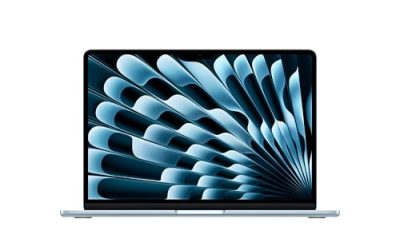
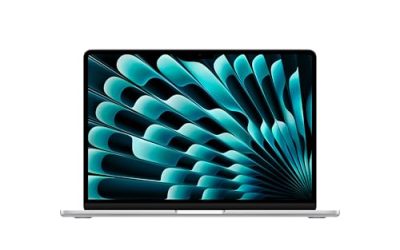
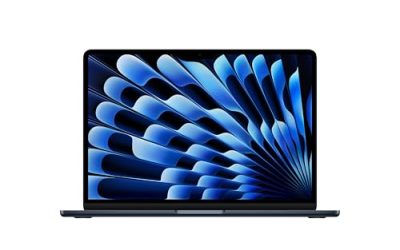
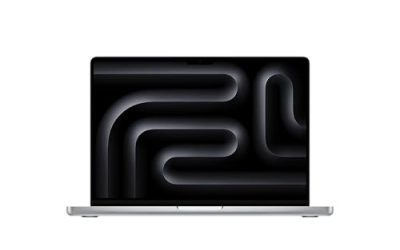
Apple’s thinnest laptop pairs a fanless aluminum unibody with the M4 chip, and that combination makes it the quietest machine in this group. The 13.6-inch Liquid Retina display is bright and sharp for documents, video calls, and streaming, while the 16GB of unified memory keeps everyday multitasking smooth. At 2.73 pounds and under half an inch thick, it slips into almost any bag, and the 12MP Center Stage camera keeps you framed during calls. The sealed, portless-feeling design means fewer moving parts to wear out over years of daily use.
Specs
- Apple M4 chip
- 13.6-inch Liquid Retina display
- 16GB unified memory
- 256GB SSD storage
- 12MP Center Stage camera
- Touch ID
- 2.73 pounds; 11.97 x 8.46 x 0.44 inches
Best for: Students and travelers who want the lightest, quietest everyday laptop.
Watch out for: Memory and storage are fixed at purchase, so pick the configuration that will still fit your needs in two or three years.
HP Spectre x360 14

HP’s convertible wraps a CNC-milled aluminum chassis around a 14-inch 2.8K OLED touchscreen, giving it the richest display in this group. The Core Ultra 7 155H processor and 32GB of memory handle heavy multitasking, large spreadsheets, and photo work without strain, while the 2TB SSD leaves room for years of files. The 360-degree hinge turns the laptop into a tablet for notes or presentations, and the fingerprint reader and 9MP camera add convenience for sign-in and video calls. At 3.19 pounds it is the heaviest machine here, so it suits a desk-first routine more than constant travel.
Specs
- Intel Core Ultra 7 155H processor, 16 cores, up to 4.8 GHz
- 14-inch 2880 x 1800 OLED touchscreen, 120 Hz
- 32GB LPDDR5 memory, 7467 MHz
- 2TB NVMe SSD
- Intel Arc graphics
- 2 Thunderbolt 4 ports, Wi-Fi 6E, Bluetooth 5.3
- Fingerprint reader, backlit keyboard, 9MP IR camera
- 68Wh battery with 65W adapter
- 12.35 x 8.68 x 0.67 inches; 3.19 pounds
- Windows 10 Home; Nightfall Black
Best for: Desk-based workers who want a premium convertible with a large OLED touch display.
Watch out for: This Amazon listing is a seller-upgraded bundle, and the box is opened for customizing and testing, so confirm what is included and the warranty terms before buying.
ASUS Zenbook 14 Q425MA

ASUS built the Zenbook 14 around a slim aluminum body that weighs about 2.2 pounds, making it one of the lightest Windows laptops in this group. The 14-inch OLED touch display runs at 1920 x 1200 with 500 nits of brightness, so text stays crisp and readable even near a window. The Core Ultra 7 155H processor, 16GB of DDR5 memory, and 1TB SSD cover office work, study, and light creative tasks with ease, while the 75Wh battery is rated for 12 hours. Harman Kardon speakers round out a machine that feels made for long days away from a desk.
Specs
- Intel Core Ultra 7 155H processor
- 14-inch OLED touch display, 1920 x 1200, 500 nits
- 16GB DDR5 memory, 7467 MHz
- 1TB SSD
- Windows 11 Pro
- 12-hour battery life; 75Wh battery
- Harman Kardon speakers
- Wi-Fi 6E, Bluetooth 5.0, HDMI
- Backlit keyboard; Silver
Best for: Commuters and students who want a light Windows laptop with a bright OLED screen.
Watch out for: The listing’s processor table names a different chip than the title, and some buyers report receiving Windows 11 Home instead of Pro, so confirm the exact configuration with the seller.
Dell XPS 13

Dell’s XPS 13 is the thinnest machine in this group at 12.7mm, and its CNC aluminum body keeps the 2.2-pound frame rigid despite the slim profile. The 13.4-inch 2.5K touchscreen uses Dell’s InfinityEdge design for narrow bezels and a 120Hz refresh rate that makes scrolling feel smooth, with up to 500 nits for bright rooms. The six-core Core 5 320 processor, 8GB of LPDDR5x memory, and 512GB SSD handle everyday work, streaming, and video calls, while Wi-Fi 7 keeps wireless connections fast. It is the clearest pick for buyers who want the smallest premium Windows laptop.
Specs
- Intel Core 5 320 processor, 6 cores, up to 4.6 GHz
- 13.4-inch 2.5K (2560 x 1600) touchscreen, 120 Hz, 500 nits
- 8GB LPDDR5x memory, 7467 MT/s
- 512GB SSD
- Wi-Fi 7, backlit keyboard
- CNC aluminum chassis; 12.7mm thin; 2.2 pounds
Best for: Travelers who want the smallest and lightest premium Windows ultraportable.
Watch out for: 8GB of memory is fixed and cannot be added to later, so heavy multitaskers should plan around that limit.
Acer Swift 14 AI

Acer’s Swift 14 AI brings a premium aluminum build to a long-lasting Copilot+ laptop, and its 14.5-inch WQXGA touchscreen runs at 120Hz for smooth scrolling and video. The Snapdragon X Elite chip with 12 cores and 16GB of memory handles everyday work and AI features quietly, while the 74Wh battery and 65W charger support long days away from an outlet. A fingerprint reader, backlit keyboard, and Wi-Fi 7 cover the daily essentials, and the Steel Gray finish keeps the machine looking understated in meetings and lectures. It is a strong fit for buyers who want modern AI features without a heavy machine.
Specs
- Qualcomm Snapdragon X Elite X1E-78-100, 12 cores, up to 3.4 GHz
- 14.5-inch WQXGA (2560 x 1600) touchscreen, 120 Hz
- 16GB LPDDR5X memory
- 1TB PCIe NVMe SSD
- Qualcomm Adreno graphics; Copilot+ PC
- Fingerprint reader, backlit keyboard
- Wi-Fi 7, Bluetooth 5.4
- 74Wh battery; 65W PSU, Type-C power-in
- Windows 11 Home; Steel Gray; 3.1 pounds
Best for: Students and mobile workers who want long battery life with AI features.
Watch out for: Some apps built only for older Windows chips may run through emulation, so check compatibility for any must-have software before buying.
Which One Fits Your Situation
You Carry Your Laptop Everywhere
Pick the MacBook Air or the Zenbook 14. Both weigh close to 2.2 to 2.7 pounds and slide into a small bag without strain, and their aluminum bodies resist the knocks of daily travel. The MacBook Air is quieter with its fanless design, while the Zenbook adds a touch OLED screen for Windows users.
You Work at a Desk Most of the Day
Pick the HP Spectre x360. Its 14-inch 2.8K OLED screen, 32GB of memory, and 2TB of storage suit large documents, photo work, and long sessions, and the convertible hinge works well for presentations. The extra weight matters less when the laptop mostly stays in one place.
You Want a Touchscreen or a Convertible
Pick the Spectre x360 for a full convertible, or the Zenbook 14 for a standard laptop with touch. The Spectre folds flat for notes and reading, while the Zenbook keeps the familiar clamshell shape with a bright OLED touch panel. The Dell XPS 13 also offers touch in the thinnest body here.
You Want the Longest Battery Life
Pick the Acer Swift 14 AI. Its Snapdragon chip and 74Wh battery are built for long unplugged days, and the efficient design stays cool during light work. The MacBook Air is the other strong choice, with a fanless build that sips power during browsing, writing, and video calls.
Common Mistakes
- Buying for the metal shell alone and ignoring soldered memory, since most thin aluminum laptops fix RAM at purchase.
- Choosing the lightest laptop without checking the screen, since a dim panel makes daily work harder than a heavier body ever will.
- Assuming every aluminum laptop has the same ports, when some thin models share charging and accessories across two USB-C sockets.
- Picking a seller-upgraded bundle without reading what was changed, since opened-box upgrades can differ from a sealed retail unit.
- Forgetting to confirm the operating system edition, since some listings mix Windows 11 Home and Pro across similar configurations.
Frequently Asked Questions
Is an aluminum laptop worth it for everyday use?
Yes, for most daily users. Aluminum resists flex and dents better than plastic, spreads heat across the body, and keeps a thin laptop rigid over years of carrying. The main trade-offs are a higher starting cost and a shell that can show scratches, so a sleeve is a sensible add-on for travel. Choose the screen, memory, and battery first, then let the metal body be the tiebreaker.
Does aluminum make a laptop heavier?
Not necessarily. Aluminum is denser than plastic, but makers use thin machined panels, so many aluminum laptops weigh between 2.2 and 3.2 pounds. The lightest machines in this guide sit near 2.2 pounds, while the convertible passes 3 pounds because of its hinge and touch screen. Check the listed weight rather than assuming metal always means heavy.
Can aluminum laptops overheat more than plastic ones?
Aluminum conducts heat, so the body can feel warm during heavy work, which is actually the metal spreading heat away from the processor. Fanless models stay silent but slow down under sustained load, while fanned models push air through vents to hold speed. Keep vents clear, avoid using the laptop on soft bedding, and expect the palm rest to warm up during long video calls or large file work.
Should I buy a seller-upgraded laptop?
It depends on the listing. Seller-upgraded laptops can offer more memory or storage for less, but the box has been opened and parts may come from a third party. Read the listing carefully, confirm the exact configuration and warranty, and check the return policy before buying. If you want the simplest purchase, choose a sealed retail configuration instead.
Related guides
More from Amazon
Programs that pair well with the guide above. Offers and eligibility are set by Amazon and may change.
Free shipping on eligible items, Prime Video and more. Eligible new members can start with a free trial.
Start a Prime free trialAd-free music streaming. Eligible new subscribers can start with a free trial.
Try Music Unlimited freeA Prime membership for ages 18-24 with a trial period. Eligibility is set by Amazon.
See Prime for Young AdultsAudiobooks and podcasts to listen to on the go. Eligible new members can start with a free trial.
Try Audible freeAs an Amazon Associate we earn from qualifying purchases.




Write Your Review
No reviews yet. Be the first to share your experience!