
Key takeaways
- Compare five laptops for psychology students, from silent library machines to light campus carriers, with memory, battery, and screen guidance.
What's inside
As an Amazon Associate I earn from qualifying purchases. This post may contain affiliate links at no extra cost to you.
Psychology students live in documents, datasets, and video calls. A laptop for this major has to carry a full day of lectures, library reading, and statistics work without weighing down a backpack or dying before the last seminar. The real decision is not raw power; it is the balance of a comfortable keyboard, a screen that stays readable for hours, enough memory for a statistics app plus a browser full of tabs, and a battery that survives a day away from an outlet.
This guide is written for psychology undergraduates, graduate students running analyses, and part-time students who study between shifts. The five laptops below were chosen from the names and specifications shown on their Amazon product pages, with weight, battery life, memory, and screen quality checked against what a psychology workload actually demands.
Quick Picks
As an Amazon Associate we earn from qualifying purchases
| Product | Best for | Key spec from title |
|---|---|---|
| Apple MacBook Air 13 (M4) | Silent, fanless study days in the library | 16GB Unified Memory, 256GB SSD Storage |
| LG gram 14 | The lightest bag for walking between classes | 16GB RAM, 1TB SSD |
| HP Pavilion Aero 13 | A bright screen with room for every dataset | 16GB LPDDR5, 2TB SSD |
| ASUS Vivobook 14 | Straightforward writing and research work | 12GB DDR4, 256GB SSD |
| Acer Swift Go 14 OLED | Long reading sessions on a sharp OLED screen | 8GB LPDDR5, 512GB SSD |
How to Choose
Put the Keyboard and Screen First
Psychology work means hours of typing essays, lab reports, and discussion posts, so the keyboard matters more than the processor badge. Look for a backlit keyboard with well-spaced keys and a trackpad that tracks cleanly, because a cramped keyboard slows every assignment. The screen matters just as much: a 14-inch display with an anti-glare finish keeps dense journal articles readable under library lights, and a taller 16:10 shape shows more of a page at once. If the listing names brightness in nits, a brighter panel holds up better near windows.
Choose Memory for Statistics Software
Statistics tools such as SPSS, R, and JASP run beside a browser, a word processor, and a PDF reader, and that combination eats memory fast. Sixteen gigabytes of RAM is the comfortable floor for a psychology student who keeps several programs open during an analysis session, and it leaves room for the larger datasets used in research methods courses. Eight gigabytes still works for writing and reading, but it forces more tab-closing and waiting when a dataset grows. Check the listing for the exact memory figure, and remember that most thin laptops solder the memory in place, so the amount bought on day one is the amount carried for four years.
Weigh Battery Life and Weight Together
A psychology student’s day runs from a morning lecture to an afternoon lab and an evening study group, often with no outlet in sight. A laptop that lists a long battery life and weighs under three pounds changes that day completely, because it moves from bag to desk without a charger hunt. Treat the listing’s battery figure as a best case, since real use with Wi-Fi, video calls, and a bright screen drains power faster. A 72-watt-hour battery in a light frame beats a bigger battery in a heavy frame, and a laptop that charges over USB-C can top up from a shared charger in the library.
Check Storage, Ports, and the Webcam
Lecture slides, recorded talks, journal PDFs, and datasets pile up fast, so 512 gigabytes of storage is a safer starting point than 256, and a 1-terabyte drive removes the storage question for most of a degree. Ports matter in the lab: a laptop with USB-C, USB-A, and HDMI connects to projectors, external drives, and a second monitor without a bag full of adapters. The webcam deserves attention too, because online supervision meetings and group calls are a weekly reality; a 1080p camera or better keeps a student visible, and a privacy shutter adds peace of mind in shared housing.
The 5 Best Options
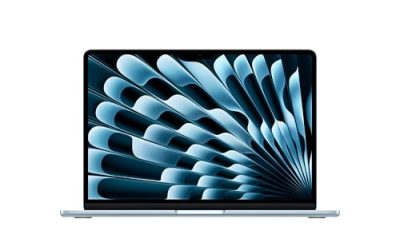
Apple MacBook Air 13 with M4 Chip

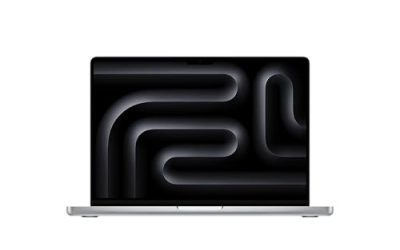
The MacBook Air fits the library life better than almost anything else in this group, because it has no fan at all and stays silent through long reading sessions. The M4 chip handles a statistics app, a browser full of journal tabs, and a word processor at the same time without breaking stride, and the 13.6-inch Liquid Retina display keeps dense text crisp for hours. With up to 18 hours of battery life on the listing, it covers a full day of lectures and study groups, and at 2.73 pounds it disappears into a backpack. Touch ID unlocks the machine quickly between classes.
Specs
- 13.6-inch Liquid Retina display, 2560-by-1664, 500 nits brightness
- Apple M4 chip, 10-core CPU with 4 performance cores and 6 efficiency cores
- 16GB unified memory
- 256GB SSD storage
- Up to 18 hours of battery life, 53.8-watt-hour battery
- 2.73 pounds, 0.44 inches thin
- 12MP Center Stage camera with Desk View
- Two Thunderbolt 4 ports, MagSafe 3 charging, Touch ID
Best for: Psychology students who want a silent, fanless laptop for all-day library work.
Watch out for: The listing shows only two Thunderbolt 4 ports and no USB-A port, so a hub is needed for older drives and lab equipment; storage is 256GB, so large datasets and video files need an external drive or cloud storage.
LG gram 14 with Ryzen AI 7

The LG gram is the lightest machine here, and that matters when a student walks across campus four times a day with a full bag. At 2.47 pounds it is easy to forget, yet the Ryzen AI 7 chip and 16GB of memory give it real headroom for statistics work, and the 1TB drive holds years of papers, slides, and datasets without juggling external storage. The 72-watt-hour battery is the largest in this group, and the listing claims up to 32 hours of video playback, which points to long stretches away from an outlet. The anti-glare screen stays readable in bright lecture halls.
Specs
- 14-inch 1920 x 1200 IPS anti-glare display, 350 nits
- AMD Ryzen AI 7 450 processor, 8 cores, up to 5.1 GHz
- 16GB LPDDR5X memory
- 1TB SSD storage
- 2.47 pounds, 0.67 inches thin
- 72-watt-hour battery, up to 32 hours of video playback on the listing
- Wi-Fi 6E, Bluetooth 5.4, backlit keyboard
- Windows 11 Home, Copilot+ PC
Best for: Students who carry their laptop everywhere and want the longest battery life in the group.
Watch out for: The memory is soldered, so 16GB cannot be upgraded later; the listing’s 32-hour battery figure is a video-playback claim, and real mixed use with video calls will be shorter.
HP Pavilion Aero 13

The Pavilion Aero 13 pairs a bright 400-nit screen with a featherweight 2.2-pound frame, which makes it a strong pick for students who read and write in sunny study spots. The Ryzen 7 8840U and 16GB of memory handle statistics software and dozens of browser tabs, and the 2TB drive is the largest storage in this group, so datasets, recorded lectures, and a full library of PDFs fit without cleanup chores. The 5MP camera with a privacy shutter suits online supervision meetings, and the backlit keyboard helps during late-night writing sessions.
Specs
- 13.3-inch 1920 x 1200 IPS display, 400 nits, anti-glare, full sRGB coverage
- AMD Ryzen 7 8840U, 8 cores, up to 5.1 GHz
- 16GB DDR5 memory
- 2TB NVMe SSD storage
- 2.2 pounds, 0.69 inches thin
- 43-watt-hour battery, up to 8 hours of average use
- 5MP IR camera with privacy shutter, backlit keyboard
- Wi-Fi 6E, Bluetooth 5.3, Windows 10 Home on the listing
Best for: Students who want the brightest screen and the most storage in a very light laptop.
Watch out for: The listing names Windows 10 Home, so confirm the operating system before buying; the box may be opened by the seller to install the advertised upgrade, and the 43-watt-hour battery is the smallest in this group.
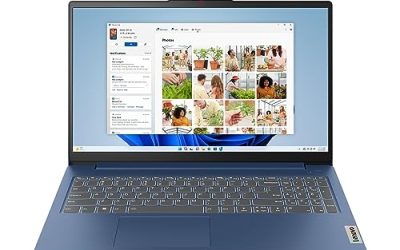
ASUS Vivobook 14

The Vivobook 14 is the straightforward workhorse of this group, built for students who mainly write essays, read papers, and run statistics software without fuss. The Core i5-1334U with 12GB of memory keeps a word processor, a browser, and a statistics app moving together, and the anti-glare 14-inch screen stays comfortable through long reading sessions. At 3.09 pounds it is the heaviest machine here, yet it still slips into a backpack easily, and the privacy shutter on the 720p camera is a thoughtful touch for shared flats and dorm rooms.
Specs
- 14-inch 1920 x 1080 anti-glare display, 250 nits
- Intel Core i5-1334U, 10 cores, up to 4.6 GHz
- 12GB DDR4 memory
- 256GB NVMe SSD storage
- 3.09 pounds, 0.7 inches thin
- 42-watt-hour battery, up to 6 hours of average use
- 720p HD camera with privacy shutter
- Intel Iris Xe Graphics, Wi-Fi 5, Bluetooth 5, Windows 11 Home
Best for: Students who want a simple, dependable laptop for writing and research.
Watch out for: The 250-nit screen is the dimmest in this group and can wash out near bright windows; the seller may open the box to install the advertised configuration, and one buyer note on the listing mentions a memory shortfall, so check the installed memory on arrival.
Acer Swift Go 14 OLED

The Swift Go 14 OLED is the pick for students who spend whole evenings reading journal articles, because its 14-inch OLED panel shows deep blacks and sharp text that stay easy on the eyes. The Core Ultra 5 chip and 512GB drive handle writing, research, and statistics work, while the 1440p webcam keeps a student clear on video calls and the fingerprint reader unlocks the laptop fast between classes. At 2.87 pounds with two Thunderbolt ports, it travels well and connects to a monitor at a library desk. The 8GB of memory is the one compromise to weigh.
Specs
- 14-inch OLED display, 2880 x 1800, 90 Hz, 400 nits
- Intel Core Ultra 5 125H, 14 cores, up to 4.5 GHz
- 8GB LPDDR5 memory
- 512GB SSD storage
- 2.87 pounds, 0.59 inches thin
- 1440p QHD webcam, fingerprint reader
- Wi-Fi 6E, 2 Thunderbolt ports, Intel Evo
- 8-hour battery life, Windows 11 Home
Best for: Students who read for hours and want the sharpest screen in the group.
Watch out for: The 8GB of memory is the smallest in this group and cannot be upgraded, so heavy statistics datasets and many open tabs will feel tight; the glossy OLED finish can reflect overhead lights.
Which One Fits Your Situation
You Live in the Library
Pick the MacBook Air. Its fanless design stays silent in quiet rooms, the battery covers a full day, and the crisp display keeps long articles readable. If the student works mostly in macOS apps and cloud documents, the 256GB drive is workable with external storage for big datasets.
You Walk Everywhere Between Classes
Pick the LG gram 14. At 2.47 pounds with the biggest battery here, it is the easiest laptop to carry all day, and the 1TB drive means no storage juggling. The anti-glare screen and 16GB of memory suit a full schedule of lectures, labs, and study groups.
You Run Statistics and Keep Everything
Pick the HP Pavilion Aero 13. The 2TB drive swallows datasets, recorded lectures, and years of PDFs, while 16GB of memory and a bright screen keep analysis sessions comfortable. Just confirm the operating system on the listing and plan around the smaller battery with a charger in the bag.
You Read for Hours and Want the Best Screen
Pick the Acer Swift Go 14 OLED. The high-resolution OLED panel makes dense articles and late-night reading easier, and the sharp webcam suits group calls. Accept the 8GB memory limit only if the workload is mostly reading and writing rather than large datasets.
Common Mistakes
- Buying the cheapest laptop with 8GB of memory and a small drive, then discovering that statistics software and a browser full of tabs slow it down in the first semester.
- Choosing a heavy 15-inch machine for a schedule that runs across campus, and carrying it in a bag that already holds textbooks and a water bottle.
- Ignoring the webcam and microphone, then joining weekly supervision calls from a dark, noisy room with a camera that barely shows a face.
- Forgetting that most thin laptops solder memory and storage in place, so the configuration bought on day one is the configuration used for the whole degree.
- Picking a laptop by the processor name alone without checking the screen brightness, battery size, and keyboard layout that shape every study session.
Frequently Asked Questions
Do psychology students need a powerful laptop?
Most psychology work is writing, reading, and statistics, not heavy computing. A modern mid-range processor with 16GB of memory handles SPSS, R, and JASP alongside a browser and a word processor. Power matters only for students who also edit video or run large simulations, and even then a strong ultrabook is usually enough.
Is 8GB of memory enough for a psychology degree?
Eight gigabytes covers writing, reading, and light statistics work, but it leaves little room when a dataset grows or many tabs stay open. Sixteen gigabytes is the safer choice for a four-year degree, because it keeps analysis sessions smooth and avoids the slowdowns that appear when memory runs short.
Mac or Windows for psychology students?
Both work well, since the main tools — word processors, browsers, SPSS, R, and JASP — run on either system. Choose macOS for a silent, long-battery machine like the MacBook Air, or Windows for a wider choice of laptops, better compatibility with university lab software, and more ports on most models.
How much storage does a psychology student need?
Start with 512GB if possible, since lecture recordings, journal PDFs, datasets, and backups add up over four years. A 256GB drive works when most files live in cloud storage, but a 1TB or 2TB drive removes the need to delete files or carry an external drive every day.
Related guides
More from Amazon
Programs that pair well with the guide above. Offers and eligibility are set by Amazon and may change.
Free shipping on eligible items, Prime Video and more. Eligible new members can start with a free trial.
Start a Prime free trialAd-free music streaming. Eligible new subscribers can start with a free trial.
Try Music Unlimited freeA Prime membership for ages 18-24 with a trial period. Eligibility is set by Amazon.
See Prime for Young AdultsAudiobooks and podcasts to listen to on the go. Eligible new members can start with a free trial.
Try Audible freeAs an Amazon Associate we earn from qualifying purchases.




Write Your Review
No reviews yet. Be the first to share your experience!