
Key takeaways
- Find the best laptops for music students, from DAW sessions and recording to notation, classes, and carrying gear across campus.
What's inside
As an Amazon Associate I earn from qualifying purchases. This post may contain affiliate links at no extra cost to you.
A music student asks a laptop to do several jobs at once, and most of them are invisible until something goes wrong. A DAW session with a dozen tracks needs steady processing, a recording take needs a quiet machine, and a theory class needs a battery that survives the whole afternoon. Add notation software, sample libraries, and video calls with a teacher, and the laptop becomes the practice room, the studio, and the classroom in one bag.
This guide is for music students at school or university who record, compose, practice, and study on the same machine. Each laptop below was chosen from the names and specifications on its Amazon listing, with quiet operation, enough memory for audio work, and portability given the most weight, because those are the qualities a student notices every day on campus.
Quick Picks
As an Amazon Associate we earn from qualifying purchases
| Product | Best for | Key spec from title |
|---|---|---|
| Apple MacBook Air 13 M4 | Silent recording and daily carry | M4 chip, 12MP Center Stage camera |
| ASUS Vivobook S 14 OLED | Big DAW sessions with room to grow | Ultra 7 258V, 32GB RAM, 1TB SSD |
| Lenovo IdeaPad Slim 3 | A light budget pick for classwork | Ryzen 5 7520U, 15.6-inch FHD display |
| HP Pavilion 15 | Large screen for scores and timelines | Ryzen 7 5700U, 15.6-inch display |
| Acer Swift Go 14 | Sharp display for notation and mixing | Ultra 5 125H, 14-inch OLED display |
How to Choose
Put quiet operation first
Recording is the one task where a noisy laptop ruins the result, since a spinning fan lands directly on the microphone. Fanless machines such as the MacBook Air record in silence, while laptops with efficient chips stay quiet during light sessions and only spin up under heavy loads. Before buying, check whether the listing or the manufacturer mentions fanless design or quiet cooling, and remember that a machine built for gaming will often run its fans during ordinary audio work. When silence matters most, a cooler-running chip beats a faster one that needs constant airflow.
Make sure memory and storage fit audio work
Audio projects grow faster than most students expect, since sample libraries, recorded takes, and project files pile up across a term. Sixteen gigabytes of memory is the sensible starting point for a DAW with several tracks and plugins, while thirty-two gives real comfort for larger arrangements. Storage matters just as much: a 512GB drive is the practical floor, and a 1TB drive removes the weekly chore of moving old projects to an external disk. Fast solid-state storage also shortens the time a project takes to load, which adds up across many short practice sessions.
Check the ports for an audio interface
Most music students connect an audio interface, a MIDI keyboard, or headphones, so the port selection decides how much extra gear the setup needs. A full-size USB-A port takes a MIDI controller directly, while a USB-C port with good throughput handles a modern interface. A headphone jack with low latency matters for monitoring, and Bluetooth alone is a poor substitute for wired monitoring during recording. Counting the ports on the listing before ordering avoids the surprise of needing a hub for every piece of equipment in the bag.
Balance weight against screen size
A music student carries the laptop between practice rooms, lecture halls, and home, so every extra pound shows up by the end of the day. A 13-inch or 14-inch machine slips into a bag beside sheet music and cables, while a 15-inch screen shows more of a score or a DAW timeline at once. The right balance depends on the routine: students who mostly work at a desk can favor the bigger screen, while those who move constantly should favor the lighter body. Battery life tips the scale further, since a machine that lasts through classes needs no charger hunt between lessons.
The 5 Best Options
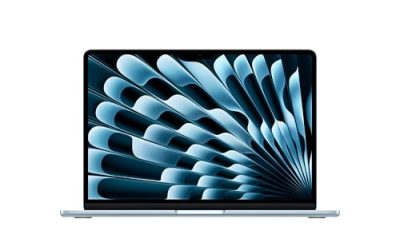
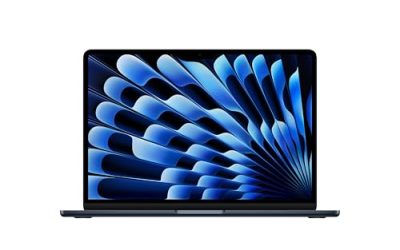
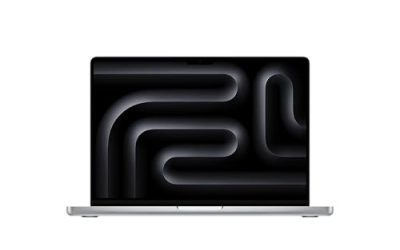
Apple MacBook Air 13 M4

The MacBook Air 13 with the M4 chip is the strongest all-round pick for a music student, mainly because it has no fan at all. Recording takes stay clean with no machine noise in the background, and the M4 chip still handles DAW sessions, notation software, and video lessons without strain. Sixteen gigabytes of unified memory covers typical student projects, and the light body makes the walk between practice rooms easy. The 12MP Center Stage camera also keeps the student framed during online lessons with a teacher.
Specs
- Apple M4 chip with 10-core CPU and 10-core GPU
- 16GB unified memory
- 256GB SSD storage
- 13.6-inch Liquid Retina display
- 12MP Center Stage camera
- Touch ID
Best for: Students who record often and want a silent, light laptop for campus life.
Watch out for: The 256GB drive fills up fast with sample libraries, so plan external storage for large projects.
ASIN: B0DZD91W4F
ASUS Vivobook S 14 OLED

The Vivobook S 14 OLED suits students whose projects keep growing beyond the basics. Thirty-two gigabytes of memory and a 1TB drive handle large sample libraries, many-track sessions, and video coursework without the slowdowns that come from a full disk. The OLED display shows notation and DAW timelines with sharp contrast, which helps during long editing sessions, and the Core Ultra 7 processor keeps plugins responsive. At 1.3 kilograms it stays easy to carry, so the extra power does not cost portability.
Specs
- Intel Core Ultra 7 258V processor
- 32GB RAM
- 1TB SSD storage
- 14-inch WUXGA OLED display
- Copilot+ PC with Windows 11
Best for: Students running large DAW projects and sample libraries.
Watch out for: The OLED screen looks superb, though long static notation sessions can risk image retention over time.
ASIN: B0DV99XJD8
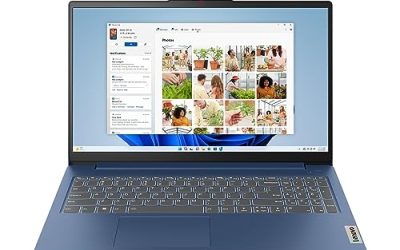
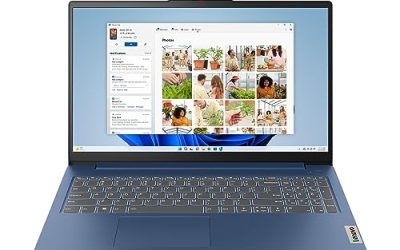
Lenovo IdeaPad Slim 3

The IdeaPad Slim 3 works as the budget-friendly pick for students whose heaviest work is notation, theory apps, and light recording. Its Ryzen 5 processor and 8GB of memory handle everyday study software comfortably, and the 15.6-inch display shows a full score without constant scrolling. Windows 11 Home runs the common student tools, and the fingerprint reader signs the machine in quickly between classes. The slim body and modest weight make it an easy carry for a student who mainly needs a reliable machine for coursework.
Specs
- AMD Ryzen 5 7520U processor
- 8GB memory
- 256GB SSD storage
- 15.6-inch Full HD display, 1920 x 1080
- AMD Radeon 610M graphics
- Fingerprint reader, full-function Type-C port
- Windows 11 Home
Best for: Students on a tight budget who mainly need notation, theory, and light recording.
Watch out for: Eight gigabytes of memory is soldered and cannot grow later, so heavy DAW sessions may struggle.
ASIN: B0C6BQ21D7
HP Pavilion 15

The Pavilion 15 fits students who want a large screen for reading scores and arranging tracks. Its 15.6-inch display shows more of a DAW timeline at once, and the Ryzen 7 processor with 16GB of memory handles multi-track sessions better than a basic study laptop. A full keyboard with a numeric keypad helps with data entry and shortcuts, while the 512GB drive holds a term of projects without constant cleanup. The machine suits a student who works mostly at a desk or in a practice room with a bag nearby.
Specs
- AMD Ryzen 7 5700U processor
- 16GB RAM
- 512GB NVMe SSD storage
- 15.6-inch HD IPS display
- AMD Radeon graphics
- Numeric keypad, HDMI, USB-A and USB-C
- Windows 11
Best for: Students who want a big screen and solid memory for arranging and mixing.
Watch out for: This listing comes from a seller-upgraded configuration, so confirm the exact memory and storage on the listing before ordering.
ASIN: B0CBVQ75F7
Acer Swift Go 14

The Swift Go 14 suits students who read notation and mix on the move. Its 14-inch OLED display renders sheet music and waveforms with sharp detail, and the Core Ultra 5 processor with Intel Arc graphics keeps the interface smooth during editing. Eight gigabytes of memory covers typical student projects, while the 512GB drive holds a reasonable library of samples and recordings. Intel Evo certification signals responsive wake times and solid battery behavior, both useful between classes, and the thin body fits easily beside folders and cables.
Specs
- Intel Core Ultra 5 125H processor
- 8GB LPDDR5 RAM
- 512GB SSD storage
- 14-inch OLED display, 2880 x 1800
- Intel Arc graphics
- Wi-Fi 6E
- Intel Evo Edition
Best for: Students who want a sharp OLED screen for notation and mixing in a light body.
Watch out for: Eight gigabytes of memory limits very large projects, so heavy sample users should plan carefully.
ASIN: B0D78QPSSC
Which One Fits Your Situation
Recording takes in a quiet room
Pick the MacBook Air 13 M4 when recording quality comes first. With no fan at all, it adds nothing to the microphone signal, and the M4 chip still runs a DAW session smoothly. The Vivobook S 14 OLED is the Windows alternative, though its fan may join in during heavier sessions.
Composing with large sample libraries
Choose the ASUS Vivobook S 14 OLED for big composing projects and orchestral templates. Thirty-two gigabytes of memory and a 1TB drive hold large libraries without constant juggling, and the OLED display keeps long editing sessions readable. The Pavilion 15 is the larger-screen backup when the budget favors screen size over memory.
Mostly classes, notation, and theory
Go with the Lenovo IdeaPad Slim 3 when the workload is mainly study software, notation, and light recording. It covers the daily routine at a friendly weight and size, and the fingerprint reader speeds up logins between lessons. The Acer Swift Go 14 adds a sharper screen for students who read a lot of notation.
Mixing and arranging on a big screen
Take the HP Pavilion 15 when the DAW timeline needs room to breathe. The 15.6-inch display shows more tracks at once, and sixteen gigabytes of memory keeps the session responsive during long mixing work. The Vivobook S 14 OLED trades a little screen size for more memory and a better display.
Common Mistakes
- Choosing a loud gaming laptop and recording fan noise onto every take.
- Buying eight gigabytes of memory and then loading a sample library that needs twice as much.
- Picking a tiny drive and spending the term moving projects to external storage.
- Forgetting to check ports and discovering the audio interface needs a hub.
- Carrying a heavy 15-inch machine everywhere when most work happens in one practice room.
Frequently Asked Questions
How much RAM does a music student need?
Sixteen gigabytes covers most student DAW work, including several tracks, plugins, and a browser open for reference. Thirty-two gigabytes suits larger sample libraries and orchestral templates that load many instruments at once. Eight gigabytes works for notation and light recording, though it struggles once a project grows past a handful of tracks.
Is a MacBook better than a Windows laptop for music students?
Both work well, and the choice often follows the software the school uses. MacBooks record silently and run the major DAWs smoothly, while Windows laptops offer more choice and often more memory for the same money. Checking which DAW and plugins the course requires settles the question faster than any brand debate.
Do I need a dedicated graphics card for music work?
No, music production runs almost entirely on the processor and memory, so integrated graphics are enough for DAW sessions and notation. A dedicated GPU only matters when the student also edits video or plays games. Money spent on a better processor or more memory pays off far more for audio work.
Can I use Bluetooth headphones for recording?
Bluetooth headphones add delay, which makes monitoring during recording unreliable, so wired headphones or monitors are the better choice for takes. Bluetooth works fine for listening back to a finished mix or for casual practice. A laptop with a good headphone jack keeps monitoring simple without extra gear.
Related guides
More from Amazon
Programs that pair well with the guide above. Offers and eligibility are set by Amazon and may change.
Free shipping on eligible items, Prime Video and more. Eligible new members can start with a free trial.
Start a Prime free trialAd-free music streaming. Eligible new subscribers can start with a free trial.
Try Music Unlimited freeA Prime membership for ages 18-24 with a trial period. Eligibility is set by Amazon.
See Prime for Young AdultsAudiobooks and podcasts to listen to on the go. Eligible new members can start with a free trial.
Try Audible freeAs an Amazon Associate we earn from qualifying purchases.




Write Your Review
No reviews yet. Be the first to share your experience!