
Key takeaways
- Compare five laptops for social media marketing with color-accurate screens, strong editing speed, and light bodies for shoots and daily posting.
What's inside
As an Amazon Associate I earn from qualifying purchases. This post may contain affiliate links at no extra cost to you.
Choosing a laptop for social media marketing means balancing two jobs at once. The machine has to edit photos and short videos quickly, and it also has to keep a dozen browser tabs, scheduling tools, and chat apps open without slowing down. A screen that shows colors the way followers will see them matters as much as raw speed, because a post that looks washed out on a phone will not earn a second glance. Battery life matters too, since much of this work happens on location, in cafes, or at events rather than at a desk.
This guide is for solo creators, small agency teams, and brand managers who plan, shoot, edit, and publish content every day. The five laptops below were chosen from the names and specifications shown on their Amazon product pages, with an eye toward color-accurate screens, enough memory for editing apps, and light bodies that travel well. Each one suits a different way of working, from quick phone-style edits to full video projects.
Quick Picks
As an Amazon Associate we earn from qualifying purchases
| Product | Best for | Key spec from title |
|---|---|---|
| MacBook Air 13 M4 | Everyday posting and editing on the go | 13.6-inch Liquid Retina display, M4 chip |
| MacBook Pro 14 M4 | Heavy video edits and color-critical work | 14.2-inch Liquid Retina XDR display, M4 chip |
| ASUS Vivobook Pro 16X OLED | Large-screen editing with a dedicated GPU | 16-inch 3.2K OLED display, RTX 4070 |
| Lenovo Yoga Slim 7x | All-day shoots with a bright touch OLED | 14.5-inch 3K OLED touch display, Snapdragon X Elite |
| Acer Swift Go 14 OLED | A light OLED laptop for daily content work | 14-inch OLED display, Intel Core Ultra 5 |
How to Choose
Put the screen first
Followers judge a post by how it looks on their phones, so the laptop screen has to show colors faithfully. Look for a display that covers the P3 color gamut, because that range matches what modern phones show, and check the brightness figure for outdoor shoots. OLED panels give deep blacks and strong contrast, which helps when grading short video clips. A sharp resolution also matters when cropping photos for different formats. Before buying, confirm the exact panel in the listing, since the same model name can hide several screen options.
Match memory and storage to your editing apps
Photo editors and video editors eat memory, and social media work adds browser tabs, scheduling dashboards, and design tools on top. Sixteen gigabytes of memory is the floor for smooth editing, while thirty-two gigabytes suits creators who cut longer videos or keep several projects open at once. Storage matters too, because raw clips and photo libraries grow fast. A 512-gigabyte drive is a workable start, and a one-terabyte drive gives more room before an external drive becomes necessary. Check whether the memory is soldered, since that decides if an upgrade is possible later.
Weigh weight and battery against power
Marketing work rarely stays at one desk. Creators film at events, draft captions in cafes, and publish from the road, so a laptop that weighs under three pounds and lasts a full working day earns its place in the bag. Thinner machines usually trade some power for portability, and that trade is fine for photo edits and short clips. Creators who render longer videos should accept a heavier body and a bigger charger in exchange for a stronger chip and a dedicated graphics card. Read the battery figure on the listing with care, since makers measure it under light use.
Check the camera, ports, and keyboard
Live streams, video calls with clients, and talking-head clips all depend on the built-in camera, so look for a 1080p camera or better, and check whether the listing mentions a privacy shutter. Ports matter just as much, because creators move photos from cameras and phones every day. A card reader saves carrying a dongle, and a fast USB-C port speeds up transfers from an external drive. The keyboard deserves attention too, since captions, scripts, and comments are written all day. A backlit keyboard with comfortable key travel makes late-night publishing sessions far less tiring.
The 5 Best Options
Apple MacBook Air 13 (M4, 2025)

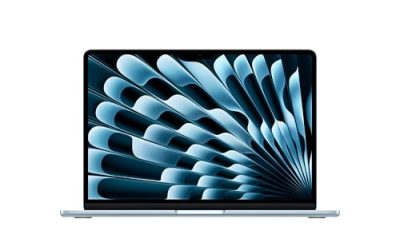
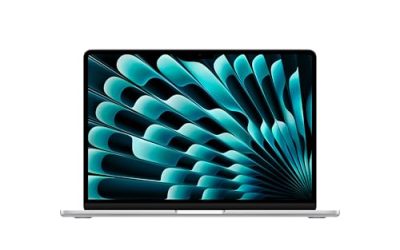
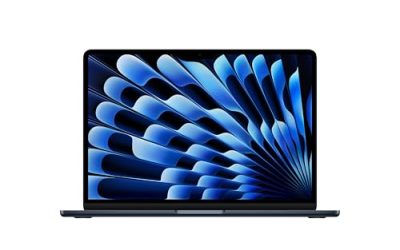
The MacBook Air 13 pairs the M4 chip with a 13.6-inch Liquid Retina display that shows one billion colors, so photos and graphics look the way followers will see them on their phones. It weighs 2.73 pounds and runs up to 18 hours on a charge, which suits creators who work from cafes, events, and client offices. The 12-megapixel Center Stage camera keeps video calls framed well, and two Thunderbolt 4 ports plus MagSafe charging cover the basics. Adobe Creative Cloud runs smoothly on macOS, and the silent, fanless design never interrupts a recording session.
Specs
- 13.6-inch Liquid Retina display, 2560-by-1664 resolution, 500 nits brightness
- Apple M4 chip, 10-core CPU, 8-core GPU, 16-core Neural Engine
- 16GB unified memory, 256GB SSD storage
- Up to 18 hours of video streaming battery life
- 12MP Center Stage camera, four-speaker sound system
- 2.73 pounds, two Thunderbolt 4 ports, MagSafe 3 charging
Best for: Solo creators who edit and publish from anywhere and want the lightest bag.
Watch out for: Storage and memory are not user-upgradeable, and the machine has only two USB-C ports.
ASIN: B0DZDCPMGK
Apple MacBook Pro 14 (M4, 2024)

The MacBook Pro 14 is the step up for creators who edit longer videos and grade color seriously. Its 14.2-inch Liquid Retina XDR display reaches 1600 nits of peak brightness with a one-million-to-one contrast ratio, which makes judging exposure and skin tones far easier. The M4 chip handles 4K timelines without stuttering, and the 12-megapixel Center Stage camera, three studio microphones, and six speakers cover live streams and client calls. Three Thunderbolt 4 ports, an SDXC card slot, and HDMI mean fewer dongles when moving footage from a camera.
Specs
- 14.2-inch Liquid Retina XDR display, 1600 nits peak brightness, 1,000,000:1 contrast
- Apple M4 chip, 10-core CPU, 10-core GPU
- 16GB unified memory, 512GB SSD storage
- 12MP Center Stage camera, three studio-quality microphones, six speakers
- Three Thunderbolt 4 ports, SDXC card slot, HDMI port, MagSafe 3 charging
- All-day battery life, supports up to two external displays
Best for: Creators who edit 4K video and need a color-accurate screen plus a card reader.
Watch out for: It is heavier and thicker than the Air, and memory and storage are fixed at purchase.
ASIN: B0DLHWM5FB
ASUS Vivobook Pro 16X OLED (K6604)

The Vivobook Pro 16X OLED gives Windows creators a big canvas for editing. Its 16-inch 3.2K OLED panel runs at 120 hertz with a P3 color gamut and PANTONE validation, so graded clips and product photos look consistent across devices. The Intel Core i9-13980HX processor and NVIDIA GeForce RTX 4070 graphics card chew through video exports and effects, while the ASUS DialPad speeds up brush and saturation changes in editing apps. Dual Thunderbolt 4 ports and a standard SD card reader make moving footage from a camera quick and simple.
Specs
- 16-inch 3.2K (3200 x 2000) OLED display, 120Hz refresh rate, P3 color gamut, PANTONE Validated
- Intel Core i9-13980HX processor, up to 5.6 GHz, 24 cores
- NVIDIA GeForce RTX 4070 laptop GPU, 8GB GDDR6
- 16GB RAM, 1TB M.2 NVMe PCIe 4.0 SSD
- Wi-Fi 6E, dual Thunderbolt 4 ports, SD card reader, ASUS DialPad
- 4.19 pounds, Windows 11 Home
Best for: Windows creators who want a large OLED screen and a dedicated GPU for video work.
Watch out for: At 4.19 pounds it is the heaviest laptop here, and battery life is shorter than the ultraportables.
ASIN: B0C48D8B7W
Lenovo Yoga Slim 7x (Snapdragon X Elite)

The Yoga Slim 7x is built for creators who work on the move. Its 14.5-inch 3K OLED touch display reaches 1000 nits of peak brightness with a P3 color gamut, so posts and thumbnails stay vivid even near a window. The Snapdragon X Elite chip and 32 gigabytes of memory keep editing apps, browsers, and scheduling tools running side by side, while the 70-watt-hour battery supports long days away from a charger. At 2.82 pounds with a MIL-STD-810H tested body, it survives the daily commute between shoots, and Wi-Fi 7 keeps uploads fast.
Specs
- 14.5-inch 3K (2944 x 1840) OLED touch display, P3 color gamut, 1000 nits peak brightness, 90Hz
- Snapdragon X Elite X1E-78-100 processor, 3.40 GHz, 12 cores
- 32GB LPDDR5X memory, 1TB SSD storage
- 1080P FHD IR hybrid camera with dual microphone and e-shutter
- 70Wh battery, Rapid Charge Express, Wi-Fi 7, Bluetooth 5.4
- 2.82 pounds, 3x USB-C (USB4 40Gbps), Windows 11 Pro
Best for: Creators who need a bright touch OLED, long battery life, and a light body for shoot days.
Watch out for: It runs Windows on ARM, so check that every editing app and plug-in you rely on supports it.
ASIN: B0FBMMMMWX
Acer Swift Go 14 OLED (SFG14-72)

The Swift Go 14 OLED is the lightest Windows pick for everyday content work. Its 14-inch OLED panel shows 2880-by-1800 pixels with deep blacks and vivid color, which flatters product photos and short clips without any extra calibration fuss. The Intel Core Ultra 5 processor and 16 gigabytes of memory handle photo edits, caption writing, and scheduling dashboards at the same time, while the 2.91-pound aluminum body slips into a small bag. Two Thunderbolt 4 ports, a microSD card reader, and up to nine hours of battery life cover a full day of shooting and posting.
Specs
- 14-inch OLED display, 2880 x 1800 resolution, 90Hz refresh rate
- Intel Core Ultra 5 125H processor, Intel Arc graphics
- 16GB LPDDR5X memory, 512GB PCIe Gen 4 SSD
- 2.91 pounds, aluminum body, Windows 11 Home
- Two USB-C ports with Thunderbolt 4, microSD card reader, Wi-Fi 6E
- Up to 9 hours of battery life, fast charging
Best for: Creators who want an OLED screen in a light, portable body for daily posting work.
Watch out for: The same model family also sells an 8GB configuration, so confirm the 16GB configuration before ordering.
ASIN: B0CNF7KCWS
Which One Fits Your Situation
Solo creators posting every day
Pick the MacBook Air 13. It is light enough to carry everywhere, its battery lasts a full working day, and the Liquid Retina display shows colors faithfully. The M4 chip handles photo edits and short video clips without fuss, and the 12-megapixel camera keeps live streams looking sharp.
Small teams editing video together
Choose the MacBook Pro 14 or the Vivobook Pro 16X OLED. The Pro 14 suits teams that grade color and cut 4K footage, thanks to its XDR display and card reader. The Vivobook suits Windows teams that need a large OLED screen and a dedicated graphics card for effects and exports.
Creators who shoot on location all day
Take the Lenovo Yoga Slim 7x. Its bright 1000-nit OLED touch display stays readable outdoors, the battery supports long shoot days, and the 2.82-pound body with a durable tested frame travels well. Wi-Fi 7 speeds up uploads from the field, and the touch screen helps with quick edits between takes.
Marketers starting out on a tighter setup
Start with the Acer Swift Go 14 OLED. It brings an OLED screen, 16 gigabytes of memory, and a light aluminum body to daily posting work without the weight of a workstation. It handles photo edits, captions, and scheduling tools together, and its card reader and Thunderbolt ports cover camera transfers.
Common Mistakes
- Buying for processor speed alone and ignoring the screen, then discovering colors look wrong on followers’ phones.
- Choosing 8 gigabytes of memory to save money, then watching editing apps slow down once browser tabs and scheduling tools pile up.
- Picking a heavy workstation laptop for a job that happens mostly on location, and leaving it at home because it is too much to carry.
- Forgetting to check whether the exact configuration in the listing matches the memory, storage, and screen shown in the article.
- Assuming every editing app runs the same on every chip, and finding out too late that a plug-in does not support the new platform.
Frequently Asked Questions
How much memory does a social media laptop need?
Sixteen gigabytes is the practical minimum for photo editing, short video clips, and the browser tabs that scheduling tools add. Creators who cut longer videos, work with large photo libraries, or keep several projects open at once will feel the difference with 32 gigabytes. Check the listing carefully, because memory is soldered on many thin laptops and cannot be upgraded later.
Is an OLED screen worth it for social media work?
Yes, for most creators. OLED panels show deep blacks and vivid colors, which helps when grading short clips and judging product photos. Look for a panel that covers the P3 color gamut, since that matches what modern phones display. The trade-off is shorter battery life on some models, so weigh screen quality against how long you work away from a charger.
Can a light laptop handle video editing for social media?
Yes, for the short clips that dominate social feeds. Modern thin laptops with current chips and 16 gigabytes of memory cut 1080p and 4K clips smoothly, especially with proxy files. Longer projects, heavy effects, and color grading benefit from a dedicated graphics card and more memory, so match the machine to the length and complexity of your usual edits.
Do I need a Mac or a Windows laptop for marketing work?
Both work well, and the choice comes down to the apps you already use. Mac laptops suit creators deep in Apple tools and Final Cut Pro, with strong battery life and color-accurate screens. Windows laptops offer more hardware choice, touch screens, and OLED options at more sizes. Pick the system your editing apps, scheduling tools, and team already run on.
Related guides
More from Amazon
Programs that pair well with the guide above. Offers and eligibility are set by Amazon and may change.
Free shipping on eligible items, Prime Video and more. Eligible new members can start with a free trial.
Start a Prime free trialAd-free music streaming. Eligible new subscribers can start with a free trial.
Try Music Unlimited freeA Prime membership for ages 18-24 with a trial period. Eligibility is set by Amazon.
See Prime for Young AdultsAudiobooks and podcasts to listen to on the go. Eligible new members can start with a free trial.
Try Audible freeAs an Amazon Associate we earn from qualifying purchases.




Write Your Review
No reviews yet. Be the first to share your experience!