
Key takeaways
- Compare five laptops for Java programming, from a 64GB ThinkPad to a silent MacBook Air, and pick the right machine for your IDE, builds, and emulators.
What's inside
As an Amazon Associate I earn from qualifying purchases. This post may contain affiliate links at no extra cost to you.
Choosing a laptop for Java programming is less about raw gaming power and more about surviving a full workday inside an IDE. A Java developer keeps IntelliJ IDEA or Eclipse open beside a running application server, a build tool compiling in the background, a browser full of documentation tabs, and often a database or a container or two. The machine that handles that mix without stuttering is the one that keeps a developer in flow instead of waiting on a progress bar.
This guide is written for Java developers, computer science students, and backend engineers who build Spring Boot services, Android apps, or enterprise systems. It also suits anyone moving from a desktop to a first serious coding laptop. Each laptop below was picked from its name and specifications on its Amazon page, with memory, processor, storage, display, and keyboard weighed against what Java work actually demands.
Quick Picks
As an Amazon Associate we earn from qualifying purchases
| Product | Best for | Key spec from title |
|---|---|---|
| Lenovo ThinkPad T14 Gen 5 | Everyday Java work with a dependable keyboard | 32GB DDR5 RAM |
| Apple MacBook Air 15 M4 | Long coding sessions away from a power outlet | 24GB unified memory |
| Lenovo ThinkPad X1 Carbon Gen 12 | A light 64GB machine for large codebases | 64GB LPDDR5X RAM |
| ASUS Zenbook 14 AI OLED | Sharp text and long battery in a light frame | 14-inch OLED touchscreen |
| Lenovo Legion Pro 5i Gen 9 | Emulators, containers, and heavy builds | 64GB DDR5 RAM and 8TB SSD |
How to Choose
Start with 32GB of RAM when your IDE is never alone
IntelliJ IDEA alone can hold several gigabytes while it indexes a project, and the JVM running your application takes more. Add Gradle or Maven, a local database, a browser with a dozen tabs, and a Docker container, and 16GB starts to feel tight. With 32GB, builds, tests, and a running server share memory without forcing the system to swap to disk. If you run Android emulators or several containers at once, 64GB is the safer pick. Check whether the memory is soldered before you buy, because soldered RAM cannot be upgraded later, so the amount you choose on day one is the amount you live with.
Pick a processor with strong single-core speed for faster builds
Java builds are a mix of single-threaded and multi-threaded work. Compiling a large project, running unit tests, and starting a Spring Boot application all lean on how fast one core can go, while parallel test runs and background indexing use the extra cores. A modern eight-core processor with a high boost clock handles both sides well. Look for a recent generation chip rather than chasing the highest core count alone, because an older chip with more cores can still compile more slowly than a newer chip with fewer, faster cores. The laptops in this guide pair current processors with fast storage, so the build step is rarely the bottleneck.
Choose a keyboard and screen you can face for eight hours
Java developers type all day, so the keyboard matters as much as the processor. Look for firm keys with clear travel, a layout that keeps the arrow keys and brackets easy to reach, and a backlit keyboard for late sessions. ThinkPad keyboards set the standard here, and the MacBook keyboard is quiet and consistent. For the screen, a 14-inch panel suits travel, while a 15-inch or 16-inch panel shows more code beside the debugger. An OLED or high-resolution IPS panel keeps small text crisp, and an anti-glare coating helps in bright rooms. Test the brightness range, because a dim screen strains the eyes during long sessions.
Check ports, battery, and which operating system fits your stack
A Java laptop needs to connect to the rest of your setup. Two USB-C ports support a dock, an external monitor, and fast storage at once, while an HDMI port and a USB-A port save you from carrying adapters. Battery life matters when you code in a library, a cafe, or a meeting room without an outlet nearby; the efficiency of Apple silicon and the large batteries in the Windows machines here both cover a workday. Finally, match the operating system to your stack: macOS runs Java and Docker well, Windows pairs with WSL for Linux tooling, and Linux-friendly hardware suits developers who run Linux as their daily system.
The 5 Best Options
Lenovo ThinkPad T14 Gen 5

The ThinkPad T14 Gen 5 is the workhorse pick for Java developers who want a dependable keyboard and a machine that disappears into the workday. Its Ryzen 7 PRO processor and 32GB of DDR5 memory keep IntelliJ IDEA, a running Spring Boot service, and a browser full of documentation moving together without hesitation. The 14-inch touchscreen gives extra room for reading stack traces, while two Thunderbolt 4 ports, HDMI, Ethernet, and USB-A cover a desk setup without a dongle bag. At just over three pounds it travels well between home, office, and classroom.
Specs
- 8-core AMD Ryzen 7 PRO 8840U processor, up to 5.1 GHz
- 32GB DDR5 SDRAM, 4800 MHz
- 1TB PCI-E NVMe M.2 SSD
- 14-inch WUXGA (1920 x 1200) IPS touchscreen, 400 nits, anti-glare
- AMD Radeon 780M graphics
- Windows 11 Pro
- Backlit keyboard, fingerprint reader, TrackPoint
- 5.0MP plus IR camera with privacy shutter
- 2 x Thunderbolt 4, 2 x USB-A, HDMI 2.1, RJ-45 Ethernet
- 52.5Wh battery, 65W AC adapter; 3.06 lbs
Best for: Java developers who want a reliable keyboard and strong everyday performance in a portable frame.
Watch out for: The listing gives up to six hours of battery life, so plan on carrying the charger for long days away from an outlet.
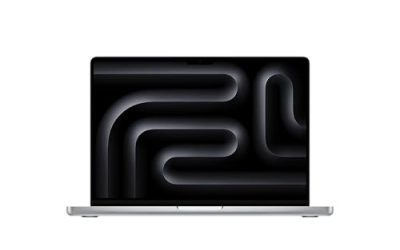
Apple MacBook Air 15 M4

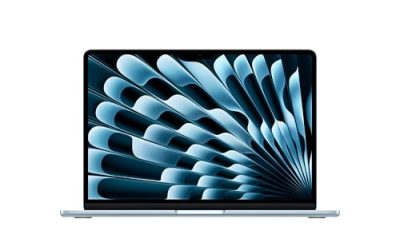
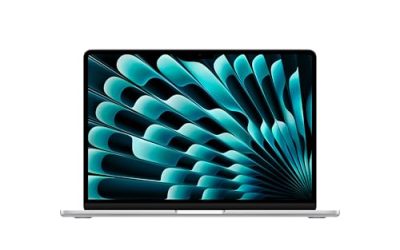
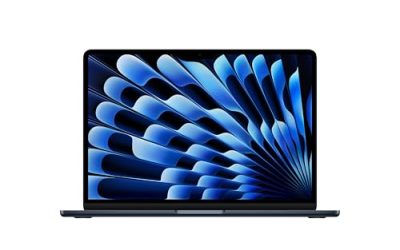
The 15-inch MacBook Air with the M4 chip suits Java developers who work away from a desk and want the battery to outlast the day. Its 24GB of unified memory holds an IDE, a local server, and a browser without strain, while the M4 chip compiles and runs tests quickly and quietly with no fan. The larger 15.3-inch Liquid Retina display shows an editor and a terminal side by side, and two Thunderbolt 4 ports plus MagSafe charging keep the desk setup simple. It is the quietest machine in this guide, and the lightest way to carry a big screen.
Specs
- Apple M4 chip, 10-core CPU
- 24GB unified memory
- 512GB SSD storage
- 15.3-inch Liquid Retina display, 2880-by-1864 resolution
- Up to 18 hours of battery life
- Two Thunderbolt 4 ports, MagSafe charging port, headphone jack
- Wi-Fi 6E, Bluetooth 5.3; supports up to two external displays
- 12MP Center Stage camera, three mics, six speakers with Spatial Audio
- Touch ID; backlit keyboard; Sky Blue
Best for: Developers who code in libraries, cafes, and meeting rooms and want a silent machine with a big screen.
Watch out for: The memory is unified and fixed at purchase, so choose the 24GB configuration if you run containers or emulators beside your IDE.
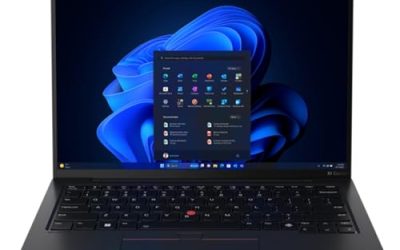
Lenovo ThinkPad X1 Carbon Gen 12

The X1 Carbon Gen 12 is the pick for Java developers who carry a laptop everywhere and still want 64GB of memory for large codebases. Its Core Ultra 7 vPro processor and fast LPDDR5X memory handle heavy indexing, parallel test runs, and several services at once, while the 14-inch 2.8K OLED display keeps small code text sharp for long sessions. At about 2.4 pounds it is the lightest machine here, and the MIL-STD 810H-tested frame, backlit keyboard, and Thunderbolt 4 ports make it a calm companion for travel, client sites, and conference rooms.
Specs
- Intel Core Ultra 7 165U vPro processor, up to 4.9 GHz, 12 cores, 14 threads
- 64GB LPDDR5X-6400MHz memory (soldered)
- 1TB Gen4 Performance SSD
- 14-inch 2.8K (2880 x 1800) OLED display, anti-glare, 400 nits, 120Hz, 100 percent DCI-P3
- 1080p FHD IR plus RGB camera with privacy shutter
- 57Wh battery; Wi-Fi 6E, Bluetooth 5.3
- 2 x Thunderbolt 4, 2 x USB-A, HDMI 2.1
- MIL-STD 810H tested; backlit keyboard; 2.41 lbs
- Windows 11 Pro
Best for: Developers with large monorepos or many services who want maximum memory in the lightest frame.
Watch out for: The memory is soldered, so 64GB is fixed; also note the seller is a third-party store, so check the seller and return terms before ordering.
ASUS Zenbook 14 AI OLED

The Zenbook 14 AI pairs a sharp OLED touchscreen with a modern Ryzen AI processor, making it a strong choice for Java developers who read code for hours. Its 32GB of memory and 1TB SSD keep an IDE, a build tool, and a local database moving smoothly, while the 14-inch OLED panel renders small text with clear contrast. The 75Wh battery supports long sessions away from an outlet, and USB 4, HDMI, and a USB-A port cover monitors and peripherals. At under three pounds, it slips into a bag beside a notebook and a charger.
Specs
- AMD Ryzen AI 7 350 processor, up to 5.0 GHz, 8 cores, 16 threads; XDNA NPU up to 50 TOPS
- 32GB LPDDR5x memory
- 1TB SSD
- 14-inch WUXGA (1920 x 1200) OLED touchscreen, 100 percent DCI-P3, 500 nits peak HDR brightness
- Integrated AMD Radeon graphics
- 75Wh battery; Wi-Fi 6E, Bluetooth 5.3
- 1 x USB 4 Type-C, 1 x USB 3.2 Gen 2 Type-C, 1 x USB-A, HDMI 2.1
- FHD IR camera with privacy shutter; Dolby Atmos; backlit keyboard
- Windows 11 Professional; 2.82 lbs
Best for: Developers who want a vivid OLED screen and a light frame for reading and writing code all day.
Watch out for: The glossy OLED panel can reflect bright light, so it suits indoor work better than sunny outdoor coding.
Lenovo Legion Pro 5i Gen 9

The Legion Pro 5i Gen 9 is the heavy-lifting pick for Java developers who run Android emulators, Docker containers, and long builds at the same time. Its 64GB of DDR5 memory and 8TB of SSD storage swallow local repositories, images, and virtual devices, while the i9 processor and RTX 4070 graphics keep compiles and emulator frames moving. The 16-inch 240Hz display shows an IDE, a terminal, and a running app side by side. It is a desk-first machine, so treat it as a portable workstation rather than a featherweight travel laptop.
Specs
- Intel Core i9-14900HX processor, up to 5.8 GHz, 24 cores, 32 threads
- 64GB DDR5 memory
- 8TB M.2 SSD
- 16-inch WQXGA (2560 x 1600) IPS display, 240Hz, 500 nits, 100 percent DCI-P3, HDR 400
- NVIDIA GeForce RTX 4070 graphics, 8GB GDDR6
- 1080p FHD webcam with electronic privacy shutter
- 4-zone RGB backlit keyboard, 100 percent anti-ghosting
- Wi-Fi 6E, Bluetooth; 2 x USB-C, 4 x USB-A, HDMI 2.1, Ethernet
- Windows 11 Pro; Microsoft Office Pro lifetime license included; 5.51 lbs
Best for: Developers who run emulators, containers, and heavy builds together and need maximum memory and storage.
Watch out for: The listing states the original seal is opened for the memory and storage upgrade, and at 5.51 pounds it is the heaviest machine in this guide.
Which One Fits Your Situation
You write Java all day at a desk
Pick the ThinkPad T14 Gen 5. Its keyboard stays comfortable through long sessions, 32GB of memory covers an IDE plus a running server, and the Thunderbolt 4 ports, HDMI, and Ethernet connect a full desk setup without adapters. It is light enough to carry home, yet it feels built for a full workday.
You code on the move and want battery life
Pick the MacBook Air 15 M4. The M4 chip and up to 18 hours of battery life carry you through a day of coding without hunting for an outlet, and the 15.3-inch display gives your editor room to breathe. It runs silently, weighs little for its screen size, and the 24GB of memory handles an IDE and a local server together.
You run emulators and containers beside your IDE
Pick the Legion Pro 5i Gen 9. With 64GB of memory and 8TB of storage, Android emulators, Docker containers, and a running application server share the machine without crowding each other. The i9 processor keeps builds moving, and the 16-inch display fits an editor, a terminal, and a running app at once.
You want the lightest 64GB machine for big projects
Pick the ThinkPad X1 Carbon Gen 12. It packs 64GB of memory into a frame of about 2.4 pounds, so large codebases, parallel tests, and several services travel with you anywhere. The 2.8K OLED display keeps code crisp, and the backlit keyboard and Thunderbolt 4 ports cover long days on the road.
Common Mistakes
- Buying 8GB of memory for Java work, then watching the IDE, the JVM, and the browser fight over it.
- Choosing a laptop with soldered memory without checking the amount, since it cannot be upgraded later.
- Picking a small SSD and then running out of room for repositories, SDKs, Docker images, and emulator files.
- Judging a laptop by its processor alone while ignoring the keyboard, screen, and battery you live with every day.
- Ordering a seller-upgraded configuration without reading the listing notes about the opened box and the seller.
Frequently Asked Questions
How much RAM do I need for Java programming?
16GB is the floor for comfortable Java work with an IDE and a browser open. 32GB is the sweet spot for most developers, because it leaves room for a running server, a build tool, and a local database at the same time. Choose 64GB if you run Android emulators, several Docker containers, or large enterprise codebases, since those workloads consume memory quickly.
Is a MacBook good for Java development?
Yes. Modern MacBooks run IntelliJ IDEA, Eclipse, JDKs, Maven, and Gradle well, and Docker Desktop works on Apple silicon. The M4 chip compiles quickly and the battery lasts through long sessions. One thing to check is whether a library or tool you rely on ships a native Apple silicon build, since a few older tools still run through translation.
Do I need a dedicated graphics card for Java work?
No, most Java work runs well on integrated graphics. Compiling code, running servers, and writing tests depend on the processor, memory, and storage, not the GPU. A dedicated card helps mainly with Android emulators, GPU-accelerated tooling, and games or 3D work done on the same machine. If your day is backend code and builds, spend the budget on more memory instead.
Which laptop is best for IntelliJ IDEA?
The best IntelliJ machine pairs 32GB of memory with a fast SSD and a recent multi-core processor, so indexing and builds stay quick. A sharp, comfortable screen and a good keyboard matter just as much, because you stare at code and type for hours. Any laptop in this guide meets that bar; pick by weight, battery, and operating system rather than by brand alone.
Related guides
More from Amazon
Programs that pair well with the guide above. Offers and eligibility are set by Amazon and may change.
Free shipping on eligible items, Prime Video and more. Eligible new members can start with a free trial.
Start a Prime free trialAd-free music streaming. Eligible new subscribers can start with a free trial.
Try Music Unlimited freeA Prime membership for ages 18-24 with a trial period. Eligibility is set by Amazon.
See Prime for Young AdultsAudiobooks and podcasts to listen to on the go. Eligible new members can start with a free trial.
Try Audible freeAs an Amazon Associate we earn from qualifying purchases.




Write Your Review
No reviews yet. Be the first to share your experience!