
Key takeaways
- The 5 best system software picks for laptops, from Microsoft 365 and McAfee Total Protection to Norton 360, Malwarebytes, and Photoshop Elements.
What's inside
As an Amazon Associate I earn from qualifying purchases. This post may contain affiliate links at no extra cost to you.
A new laptop is only as useful as the software running on it, and the first programs most people need are the same: an office suite for documents, security software to keep the machine safe, and a photo editor for the pictures that pile up. The mistake is buying software by brand habit alone, because the right choice depends on how many devices you own, whether you need a subscription or a one-time purchase, and whether the license covers the whole household or just one machine.

This article is for laptop owners setting up a new machine or replacing expired software, who want system software that is easy to install, easy to renew, and matched to real daily use. The five products below were picked from their names and specifications on the Amazon product page, covering productivity, security, and photo editing.
Quick Picks
As an Amazon Associate we earn from qualifying purchases
| Product | Best for | Key spec from title |
|---|---|---|
| Microsoft 365 Personal | Office apps for one person | 12-month subscription, 1 person |
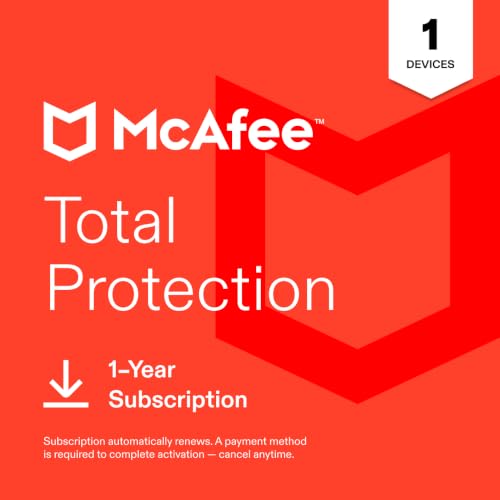
| McAfee Total Protection 1-Device | Security for a single laptop | 1-year subscription, 1 device |
| Norton 360 | All-in-one security with VPN | Antivirus, VPN, password manager |
| Malwarebytes Premium | Extra malware and web protection | Real-time malware protection |
| Adobe Photoshop Elements 2025 | Photo editing without a subscription | Photo editor with AI tools |
How to Choose
Count your devices before choosing a license
Software licenses are sold by device count, and buying the wrong size wastes money or leaves a machine unprotected. A one-device license suits a single laptop, while a multi-device plan covers a household with a laptop, a phone, and a tablet. Microsoft 365 Personal covers one person across devices, while McAfee’s one-device plan covers exactly one machine. Write down every device you want covered, then match the license to that list instead of guessing at checkout. A family plan, where one exists, can cover several people at once, which is cheaper than buying the same license three times for three laptops.
Decide between a subscription and a one-time purchase
Most security and office software is sold as a yearly subscription with automatic renewal, which means the software stays updated but the cost repeats every year. A one-time purchase, like Photoshop Elements, costs once and does not renew, but it also stops getting new features after a while. Subscriptions suit software that needs constant updates, such as antivirus and office apps, while a one-time purchase suits a tool you use occasionally and do not need to keep current. Set a reminder a week before the renewal date, so you can cancel, switch, or renew on your own terms instead of discovering the charge after it happens.
Check what the suite actually includes
An office suite is more than a word processor, and a security suite is more than an antivirus scan. Microsoft 365 Personal includes Word, Excel, PowerPoint, Outlook, and 1TB of OneDrive cloud storage, while McAfee Total Protection adds a VPN, identity monitoring, and a password manager to its antivirus. Read the included-features list on the Amazon product page and compare it with what you already have, because paying for a VPN you never use, or a cloud drive you already own, is money spent twice.
Confirm the license works on your system
Software licenses are tied to platforms and versions, and a license bought for Windows may not cover a Mac, while an older version may not run on the newest operating system. Check the supported platforms on the product page, and confirm whether the license is a download code, a product key, or a boxed disc. A download code arrives by email and activates online, while a boxed copy needs a drive or a download link to install. If the license arrives as a download code, save the confirmation email, because it holds the key you need if you ever reinstall the software on a new laptop.
The 5 Best Options
Microsoft 365 Personal
Microsoft 365 Personal is the productivity pick in this list, giving one person a 12-month subscription to Word, Excel, PowerPoint, Outlook, and OneNote, plus 1TB of OneDrive cloud storage. The apps work on a laptop, a tablet, and a phone under the same account, and files sync through OneDrive so a document started on a laptop can be finished anywhere. It suits students, freelancers, and office workers who live in Office documents every day and want the latest features without buying each app separately.
Specs
- 12-month subscription for 1 person
- Word, Excel, PowerPoint, Outlook, and OneNote included
- 1TB OneDrive cloud storage
- Works on PC, Mac, tablet, and phone
- Auto-renewing subscription with instant download
Best for: Anyone who writes, calculates, and presents in Office apps every day.
Watch out for: The subscription renews automatically after 12 months, so check the renewal terms and turn off auto-renewal if you do not want it.
McAfee Total Protection 1-Device
McAfee Total Protection for one device is the security pick for a single laptop, combining antivirus with a secure VPN, scam protection, identity monitoring, safe browsing, and a password manager in one yearly subscription. It runs on Windows 11, Mac, iOS, and Android, and the download code activates online without a disc. It is a good fit for a laptop owner who wants one security product that covers the common threats instead of buying antivirus, VPN, and password tools separately.
Specs
- 1-year subscription with auto-renewal, 1 device
- Antivirus with AI scam detection
- Secure VPN for unsecured Wi-Fi
- Identity monitoring and safe browsing warnings
- Password manager included
Best for: A single laptop that needs complete security coverage in one subscription.
Watch out for: The license covers one device only, so a household with several machines needs a larger plan.
Norton 360
Norton 360 is the all-in-one security pick, bundling antivirus, a VPN, a password manager, and cloud backup into a single subscription. Its antivirus runs in the background and blocks threats before they reach the laptop, while the VPN protects browsing on public Wi-Fi and the password manager stores logins securely. It suits households and travelers who want security, privacy, and backup handled by one product, with one renewal date to remember.
Specs
- Antivirus with real-time threat protection
- Secure VPN for private browsing
- Password manager for stored logins
- Cloud backup for important files
- 1-year subscription with auto-renewal
Best for: Laptop owners who want antivirus, VPN, and backup in a single package.
Watch out for: The exact device count and features vary by edition, so confirm the listing covers the number of devices you own.
Malwarebytes Premium
Malwarebytes Premium is the extra-layer pick, built to catch the malware, ransomware, and malicious websites that a basic antivirus can miss. It runs alongside most antivirus products rather than replacing them, adding real-time protection, web blocking, and ransomware shields to a laptop that already has built-in security. It suits users who download a lot of files, click through many links, or want a second opinion on anything suspicious before it runs.
Specs
- Real-time malware and ransomware protection
- Web protection that blocks malicious sites
- Runs alongside most antivirus software
- Lightweight background scanning
- 1-year subscription with auto-renewal
Best for: Users who want a second layer of protection on top of their existing antivirus.
Watch out for: It is designed as a companion to antivirus, not a full replacement, so do not rely on it alone for complete security.
Adobe Photoshop Elements 2025
Adobe Photoshop Elements 2025 is the photo editing pick, offering a one-time purchase instead of a monthly subscription. Its AI-powered tools handle common edits such as removing objects, replacing backgrounds, and fixing lighting, while the organizer keeps photos sorted by date, place, and people. It suits laptop owners who edit photos regularly but do not want to pay every month for a full Creative Cloud plan, and who prefer to own their software outright.
Specs
- One-time purchase, no monthly subscription
- AI-powered editing tools for objects and backgrounds
- Photo organizer with face and place sorting
- Guided edits for common fixes
- Works on Windows and Mac
Best for: Hobby photographers who want capable editing software without a subscription.
Watch out for: It is a one-time purchase, so new features arrive only with a new version, and support ends sooner than a subscription product.
Which One Fits Your Situation
You need Office apps for daily work
Choose Microsoft 365 Personal. It covers Word, Excel, and PowerPoint for one person, with 1TB of OneDrive storage for syncing files between devices. Remember to check the auto-renewal setting after the first year. Files sync through OneDrive so a document started on a laptop can be finished on a phone, and the apps receive new features during the subscription instead of waiting for a new version.
You want one security product for a single laptop
Choose McAfee Total Protection 1-Device. It combines antivirus, VPN, scam protection, and a password manager in one subscription, and it activates by download code. If you have more than one device, look at a multi-device plan instead. The secure VPN protects browsing on public Wi-Fi, the identity monitoring watches for misuse of your details, and the password manager stores logins so you do not reuse weak ones.
You travel and use public Wi-Fi often
Choose Norton 360. Its VPN and password manager protect logins and browsing on unsecured networks, and the cloud backup keeps important files safe if the laptop is lost or damaged. The cloud backup stores copies of important files off the laptop, so a lost or damaged machine does not mean losing photos, documents, and work in progress.
You edit photos but hate subscriptions
Choose Adobe Photoshop Elements 2025. It is a one-time purchase with AI editing tools and an organizer, and it avoids the monthly cost of a full Creative Cloud plan. Accept that new features only come with a new version. The organizer sorts photos by date, place, and people, and the guided edits walk a beginner through common fixes such as lighting, color, and cropping.
Common Mistakes
- Buying a one-device security license for a household with three machines, and leaving two of them unprotected.
- Letting a subscription auto-renew without checking the renewal terms, then paying for a year of software you stopped using.
- Assuming a photo editor includes cloud storage, when the storage belongs to a different product in the same brand.
- Installing two full antivirus products at once, which can slow the laptop and cause conflicts.
- Buying a download code and expecting a disc, or buying a boxed copy with no drive to read it.
Frequently Asked Questions
Is Microsoft 365 Personal enough for one laptop?
Yes, for one person it covers Word, Excel, PowerPoint, Outlook, and OneNote, plus 1TB of OneDrive storage. The same account also works on a tablet and a phone, so one subscription can cover a person’s devices. The subscription also includes the mobile apps, so a document edited on a laptop is available on a phone without buying anything extra.
Do I need both antivirus and Malwarebytes?
Malwarebytes Premium is designed to run alongside antivirus software, adding a second layer that catches malware and malicious sites. It is not a full replacement for antivirus, so keep your main security product installed as well. The two products complement each other, with the antivirus handling known threats and Malwarebytes watching for newer malware and suspicious websites.
What is the difference between a subscription and a one-time purchase?
A subscription charges every year and keeps the software updated with new features. A one-time purchase costs once and does not renew, but it stops getting new features, so it suits tools you use occasionally rather than daily. A subscription also means support and security updates keep coming, while a one-time purchase may stop receiving updates after a few years.
Can I install this software on a Mac as well as Windows?
It depends on the product. Microsoft 365 Personal and McAfee Total Protection both work on Windows and Mac, while other products may be Windows-only. Check the supported platforms on the Amazon product page before buying. Some products cover both platforms under one license, while others need a separate license for each system, so read the platform list on the product page.
Related guides
More from Amazon
Programs that pair well with the guide above. Offers and eligibility are set by Amazon and may change.
Free shipping on eligible items, Prime Video and more. Eligible new members can start with a free trial.
Start a Prime free trialAd-free music streaming. Eligible new subscribers can start with a free trial.
Try Music Unlimited freeA Prime membership for ages 18-24 with a trial period. Eligibility is set by Amazon.
See Prime for Young AdultsAudiobooks and podcasts to listen to on the go. Eligible new members can start with a free trial.
Try Audible freeAs an Amazon Associate we earn from qualifying purchases.









Write Your Review
No reviews yet. Be the first to share your experience!