
Key takeaways
- Find the best light laptops for students: light, long-lasting picks for class, the library and travel, compared on weight, RAM, storage and display quality.
What's inside
- Quick Picks
- 1. Apple MacBook Air 13-inch Laptop with M4 Chip — Best Overall Light Laptop for Students
- 2. ASUS Vivobook S 14 OLED — Best Windows All-Rounder with a Bright OLED Screen
- 3. Acer Swift Go 14 OLED — Best Value OLED Light Laptop
- 4. LG gram 14 — Lightest Pick in This Guide
- Buying Guide: How to Choose a Light Laptop for Students
- FAQ
- Conclusion
As an Amazon Associate I earn from qualifying purchases. This post may contain affiliate links at no extra cost to you.
A student laptop lives in a backpack, not on a desk. It is carried between lectures, opened on a crowded library table, and charged from whatever outlet is free. That routine is why weight matters as much as speed: a machine that is a pound lighter can be the difference between a bag that feels manageable at 8 a.m. and one that feels punishing by 4 p.m. The best light laptops for students therefore need to stay light enough to carry all day, and capable enough for essays, research, video calls, and presentations.
Every laptop below is a complete, lightweight laptop. According to the Amazon listings used for this guide, each model weighs under three pounds, has a 13- or 14-inch display, and comes with solid-state storage and enough memory for everyday student work. The picks cover both macOS and Windows, a premium all-rounder, two vivid OLED options, and the lightest Windows machine in the group.
As an Amazon Associate, we earn from qualifying purchases.
Quick Picks
| Laptop | Best for | Weight | Display | RAM / Storage | Processor |
|---|---|---|---|---|---|
| Apple MacBook Air 13-inch (M4) | Best overall light laptop for students | About 2.7 lb class | 13.6-inch Liquid Retina | 16GB / 256GB SSD | Apple M4 |
| ASUS Vivobook S 14 OLED | Best Windows all-rounder with a bright OLED screen | 2.87 lb | 14-inch WUXGA OLED | 32GB / 1TB SSD | Intel Core Ultra 7 258V |
| Acer Swift Go 14 OLED | Best value OLED light laptop | 2.87 lb | 14-inch OLED, 2880 x 1800 | 8GB / 512GB SSD | Intel Core Ultra 5 125H |
| LG gram 14 | Lightest pick in this guide | 2.47 lb | 14-inch display | 32GB / 512GB SSD | Intel Core Ultra 5 325 |
1. Apple MacBook Air 13-inch Laptop with M4 Chip — Best Overall Light Laptop for Students

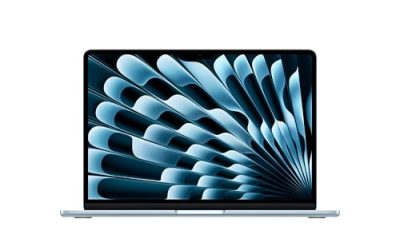
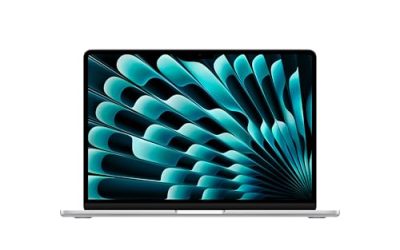
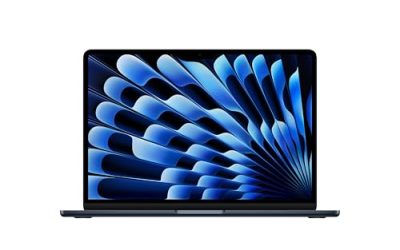
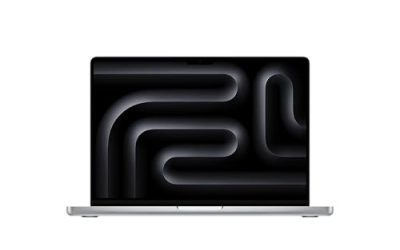
The MacBook Air has long been the default answer to what light laptop to buy for university, and the M4 version keeps that position. According to the Amazon listing, this configuration is the Apple 2025 MacBook Air 13-inch laptop with the M4 chip, a 13.6-inch Liquid Retina display, 16GB of unified memory, and 256GB of SSD storage, in Sky Blue, with a 12MP Center Stage camera, Touch ID, and support for Apple Intelligence. That covers the core student workload — writing, research, video lectures, and video calls — without a heavy machine.
Weight is the first advantage. The 13-inch MacBook Air is in the light class that makes a real difference in a backpack, and its thin aluminium body slips easily into a sleeve alongside notebooks. According to the Amazon listing, the display supports one billion colours, and the 13.6-inch size is large enough for split-screen work — a document on one side and lecture notes on the other — without making the laptop bulky.
The M4 chip and 16GB of unified memory are well matched to student life. Unified memory is shared efficiently between the processor and graphics, so everyday multitasking feels smooth, and 16GB is a sensible baseline for students who keep a browser, a word processor, a PDF reader, and a video-call app open at the same time. The 256GB SSD is the main compromise. It is enough for documents and cloud-based work, but students who store large video files locally may need an external drive or a higher-storage configuration.
Another practical strength is the fanless design. Without a fan, the laptop stays silent in a quiet library or lecture hall. The 12MP Center Stage camera listed on the Amazon page is also useful for online classes, because it keeps the speaker framed as they move. Touch ID makes signing in quick, and macOS integrates well with an iPhone or iPad.
There are limits to consider. This is a macOS machine, so students whose courses require Windows-only software should check compatibility with their department before choosing it. The port selection is also slim, with USB-C ports rather than USB-A and HDMI, so a small adapter may be needed for projectors or older USB drives.
Who should choose it: Students who want a light, silent premium laptop, value a sharp display, already use Apple devices, and do most of their work in a browser, office apps, and cloud services.
Key specifications (according to the Amazon listing): 13.6-inch Liquid Retina display; Apple M4 chip; 16GB unified memory; 256GB SSD storage; 12MP Center Stage camera; Touch ID; Sky Blue finish; model MC6T4LL/A.
2. ASUS Vivobook S 14 OLED — Best Windows All-Rounder with a Bright OLED Screen

For students who want Windows, a vivid screen, and generous memory and storage in a light body, the ASUS Vivobook S 14 OLED is a strong all-round choice. According to the Amazon listing, this is the ASUS Vivobook S 14 Copilot+ PC with a 14-inch WUXGA OLED display, an Intel Core Ultra 7 Series 2 258V processor, 32GB of RAM, and a 1TB SSD, in black, with an all-metal design and a weight of 2.87 lb.
The headline feature is the OLED display. OLED panels offer deep blacks and vivid colours, so text looks crisp and slides look clear. A 14-inch screen is also useful for coursework: larger than a 13-inch panel for split-screen research and writing, yet still easy to carry.
The 32GB of RAM and 1TB SSD are the other reasons this model stands out. Thirty-two gigabytes gives headroom for heavy multitasking, large spreadsheets, and data work. A 1TB SSD removes the storage anxiety that comes with a 256GB machine, so students can keep lecture recordings, project files, and applications on the laptop itself without relying on an external drive.
The Intel Core Ultra 7 258V processor is part of Intel’s newer AI PC line, and the listing identifies this machine as a Copilot+ PC. That means it is built for current Windows 11 features and for the everyday performance students need for office work, browsing, video calls, and light creative work. It is not a gaming laptop, but for coursework and general productivity, the specification is generous.
At 2.87 lb, it is not the lightest laptop in this guide, but most students will notice the difference compared with a 3.5 lb or 4 lb machine after a full day. The all-metal construction described on the listing should also feel more durable in a bag than a plastic-bodied budget laptop.
Who should choose it: Windows users who want a bright OLED screen, 32GB of RAM, and 1TB of storage in a light laptop, with headroom for demanding coursework.
Key specifications (according to the Amazon listing): 14-inch WUXGA OLED display; Intel Core Ultra 7 258V processor; 32GB RAM; 1TB SSD; all-metal design; 2.87 lb; Copilot+ PC; Intel Evo.
3. Acer Swift Go 14 OLED — Best Value OLED Light Laptop

The Acer Swift Go 14 OLED offers a similar idea to the Vivobook above — a light 14-inch Windows laptop with a vivid OLED screen — at a more value-focused specification. According to the Amazon listing, this is the Acer Swift Go 14 Intel Evo Edition with a 14-inch OLED WQXGA+ display at 2880 x 1800, an Intel Core Ultra 5 125H processor, Intel Arc graphics, 8GB of LPDDR5 memory, and a 512GB SSD, with Wi-Fi 6E, weighing 2.87 lb (model SFG14-73-58EP, 2024).
The display is the main reason to choose this laptop. A 2880 x 1800 OLED panel is sharper than a standard Full HD screen, and OLED contrast makes text, slides, and video look clear and punchy. According to the Amazon listing, the Swift Go is an AI-ready laptop with Copilot for Windows.
The Intel Core Ultra 5 125H processor with Intel Arc graphics is capable for essays, research, presentations, video calls, and spreadsheets, and it can handle light photo editing. Students should be realistic about the 8GB of memory, however. Eight gigabytes is enough for everyday coursework if browser tabs are kept under control, but it is the lowest memory figure in this guide and leaves less headroom than 16GB or 32GB. Students in data-heavy or design-heavy courses should consider a 16GB model instead.
The 512GB SSD is a sensible middle ground — twice the storage of the base MacBook Air configuration in this guide — and Wi-Fi 6E, listed on the Amazon page, is useful on a crowded campus network. The trade-offs are clear: a beautiful high-resolution OLED display and a light body, paired with 8GB of RAM that suits general coursework but not the heaviest multitasking.
Who should choose it: Students who want an OLED screen and a light Windows laptop on a tighter budget, whose coursework is mainly writing, research, presentations, and browsing.
Key specifications (according to the Amazon listing): 14-inch OLED WQXGA+ display, 2880 x 1800; Intel Core Ultra 5 125H processor; Intel Arc graphics; 8GB LPDDR5 memory; 512GB SSD; Wi-Fi 6E; 2.87 lb; Intel Evo Edition; model SFG14-73-58EP.
4. LG gram 14 — Lightest Pick in This Guide

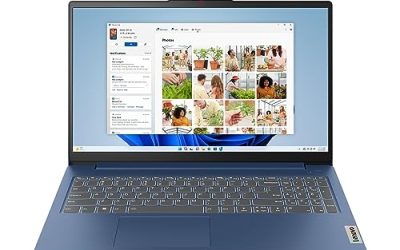
If weight is the single most important factor, the LG gram 14 is the pick to look at first. According to the Amazon listing, this is the LG gram 14-inch thin and lightweight laptop with Windows 11 Home, described as a Copilot+ PC, powered by an Intel Core Ultra 5 325 processor, with 32GB of RAM and a 512GB SSD, in Essence White. The listing gives the weight as 2.47 lb. That makes it the lightest laptop in this guide by a clear margin — about 0.4 lb lighter than the 2.87 lb models — and that difference is noticeable when a laptop is carried for hours alongside books, a charger, and a water bottle.
The model number on the listing is 14Z90U-G.AS63U1, a 2026 model, and the combination of a 14-inch display with a sub-2.5 lb body is rare. Students who walk a large campus, use public transport, or carry their laptop in a shoulder bag will feel the benefit most.
Despite the low weight, the specification is not stripped back. According to the Amazon listing, the gram 14 in this configuration has 32GB of RAM, the joint-highest memory figure in this guide, and a 512GB SSD. That pairing suits students who multitask heavily or work with larger files. The Intel Core Ultra 5 325 processor is a current-generation chip for everyday productivity and video calls, and the Copilot+ PC label signals support for current Windows 11 AI features.
Before buying, note that the gram’s light weight comes from a lightweight chassis, so use a padded sleeve, as with any thin laptop. The 512GB SSD is adequate for most students, but those who store large video libraries locally should plan for cloud storage or an external drive. Also confirm that your course software runs on Windows 11 Home, the operating system listed for this model. The gram 14 does not have the OLED screen of the ASUS or Acer picks, so students who prioritise screen vibrancy may prefer one of those. Students who prioritise carrying comfort will find the gram hard to beat.
Who should choose it: Students who walk or commute a lot, carry their laptop all day, and want the lightest machine in this guide without dropping to 8GB of RAM.
Key specifications (according to the Amazon listing): 14-inch display; Intel Core Ultra 5 325 processor; 32GB RAM; 512GB SSD; 2.47 lb; Windows 11 Home; Copilot+ PC; Essence White; model 14Z90U-G.AS63U1.
Buying Guide: How to Choose a Light Laptop for Students
Weight: aim for under 3 lb. According to the Amazon listings in this guide, every pick weighs under three pounds, from 2.47 lb for the LG gram 14 to 2.87 lb for the ASUS and Acer models. Also consider the charger: a compact USB-C charger adds less weight than a large brick.
Screen size: 13 or 14 inches is the sweet spot. A 13-inch laptop is the most portable, while a 14-inch laptop gives a little more room for split-screen work. All four picks are 13.6 or 14 inches. According to the Amazon listings, the Acer Swift Go 14 has a 2880 x 1800 OLED display and the ASUS Vivobook S 14 has an OLED display, while the MacBook Air has a 13.6-inch Liquid Retina display.
RAM: 16GB is the safe baseline, 32GB is headroom. For most students, 16GB is a sensible baseline, as offered by the MacBook Air. Thirty-two gigabytes, as listed for the ASUS Vivobook S 14 and the LG gram 14, gives extra headroom for heavy multitasking. Eight gigabytes, as listed for the Acer Swift Go 14, is workable for general coursework but leaves less room to grow.
Storage: 512GB is comfortable, 256GB needs a plan. A 512GB SSD, as listed for the Acer and LG models, is comfortable for most students. A 1TB SSD, as listed for the ASUS Vivobook, removes storage worries almost entirely. A 256GB SSD, as listed for the base MacBook Air configuration, is enough if most work lives in the cloud.
Processor and software compatibility. For essays, research, video calls, and office work, a current Intel Core Ultra 5, Core Ultra 7, or Apple M4 chip is more than enough. More important is compatibility: some courses require Windows-only or macOS-only software. Check with your department before ordering, and check whether your university offers free software, cloud storage, or a virtual desktop service.
Battery, keyboard, and ports. A laptop that can last through a day of lectures without a charger is far more useful than one that needs an outlet by lunchtime. Check the battery details on the Amazon listing for the exact configuration you are considering. Students type a lot, so a comfortable, backlit keyboard matters. USB-C is now standard, but HDMI and USB-A can still be useful for projectors and older drives; if a laptop has only USB-C ports, budget for a small adapter.
FAQ
How light should a laptop be for a student?
Aim for under 3 lb. According to the Amazon listings in this guide, the picks range from 2.47 lb to 2.87 lb, which is light enough to carry in a backpack all day. A laptop over 3.5 lb can still work, but it will feel noticeably heavier by the end of the day.
Is 8GB of RAM enough for a student laptop?
It can be enough for general coursework — writing, research, presentations, browsing, and video calls — if tabs and applications are kept under control. It is the minimum in this guide, however, and leaves less headroom than 16GB or 32GB. Students who multitask heavily or take data- or design-heavy courses should choose 16GB or more.
Is a MacBook Air or a Windows laptop better for students?
Neither is better for every student. The MacBook Air suits students who already use Apple devices, value a silent, light machine, and work mainly in a browser and office apps. A Windows laptop suits students whose courses require Windows-only software, or who prefer Windows and want a wider choice of models. Check your course software requirements first.
Do I need an OLED screen for studying?
No, but it can make reading, slides, and video look clearer and more vivid. According to the Amazon listings, the ASUS Vivobook S 14 and the Acer Swift Go 14 both have OLED displays. A good non-OLED display, such as the Liquid Retina display on the MacBook Air, is also sharp and comfortable for long study sessions.
How much storage do students need on a laptop?
For most students, 512GB is comfortable, and 1TB is generous. A 256GB SSD can work if most files live in cloud storage. According to the Amazon listings, the ASUS Vivobook S 14 has 1TB, the Acer Swift Go 14 and LG gram 14 have 512GB, and the MacBook Air configuration listed here has 256GB.
Conclusion
The best light laptop for students is the lightest machine that still runs your course software comfortably and has enough memory and storage for the next few years. For most students, that means a 13- or 14-inch laptop under 3 lb, with at least 16GB of RAM and at least 512GB of storage where the budget allows.
If you want a single all-round recommendation, the Apple MacBook Air 13-inch with the M4 chip is the strongest general pick: light, silent, with a sharp display and 16GB of memory, according to the Amazon listing. If you want Windows with generous memory and storage and a vivid screen, the ASUS Vivobook S 14 OLED is the most complete Windows option here. If you want an OLED screen on a tighter budget and your workload is mainly writing and research, the Acer Swift Go 14 OLED is the value choice — with the caveat that its 8GB of RAM needs careful consideration. And if carrying weight is your top priority, the LG gram 14 is the lightest pick at 2.47 lb, according to the Amazon listing, without dropping to 8GB of RAM.
Before you order, check the exact configuration on the Amazon listing — especially storage and memory — and confirm that your course software runs on the operating system you choose.
Related guides
More from Amazon
Programs that pair well with the guide above. Offers and eligibility are set by Amazon and may change.
Free shipping on eligible items, Prime Video and more. Eligible new members can start with a free trial.
Start a Prime free trialAd-free music streaming. Eligible new subscribers can start with a free trial.
Try Music Unlimited freeA Prime membership for ages 18-24 with a trial period. Eligibility is set by Amazon.
See Prime for Young AdultsAudiobooks and podcasts to listen to on the go. Eligible new members can start with a free trial.
Try Audible freeAs an Amazon Associate we earn from qualifying purchases.




Write Your Review
No reviews yet. Be the first to share your experience!