
Key takeaways
- The 5 best air laptops for work and travel, from the MacBook Air M4 to the LG gram 14 and Zenbook 14 OLED, compared by weight, screen, and battery life.
What's inside
As an Amazon Associate I earn from qualifying purchases. This post may contain affiliate links at no extra cost to you.
An air laptop is not just a thin laptop. The real decision is how much weight you are willing to carry every day against how much screen, keyboard comfort, and battery life you get in return. A machine that weighs under three pounds changes how you work on planes, in cafes, and between meetings, but only if the keyboard stays comfortable and the battery survives a full day away from an outlet.
This guide is for commuters, students, and frequent travelers who want a light laptop without giving up a usable screen or all-day battery life. Every pick below was chosen from the names and specifications listed on its Amazon product page, with weight, display, memory, and storage taken from the listing itself.
Quick Picks
As an Amazon Associate we earn from qualifying purchases
| Product | Best for | Key spec from title |
|---|---|---|
| Apple MacBook Air M4 13-inch | Everyday carry with the longest usable day | 13.6-inch Liquid Retina display, M4 chip, 16GB memory |
| Apple MacBook Air M3 15-inch | A bigger screen that still travels light | 15.3-inch Liquid Retina display, M3 chip, 16GB memory |
| LG gram 14-inch | Windows users who count every ounce | Intel Core Ultra 5, 32GB RAM, 512GB SSD |
| ASUS Zenbook 14 OLED Q415 | A vivid OLED screen in a slim frame | 14-inch OLED touchscreen, Intel Core Ultra 5 125H |
| Acer Swift Go 14 OLED | A sharp OLED display for work and media | 14-inch OLED 2880 x 1800 display, Intel Core Ultra 5 125H |
How to Choose
Start with weight and thickness, not the spec sheet
An air laptop earns its name in your bag, so check the listed weight and thickness before anything else. The models in this guide sit around two and a half to three pounds, which is light enough to carry in a shoulder bag all day without strain. Anything much heavier stops feeling like an air laptop once you add a charger, a notebook, and a water bottle. Compare the dimensions on the listing as well, because a slim laptop that is wide can still be awkward on a tray table or a small cafe desk.
Match the screen to your eyes and your work
A 13-inch screen keeps the laptop small, while a 15-inch screen gives documents and timelines room to breathe, so decide which matters more before you shop. Resolution and panel type matter too: the OLED models in this guide show deeper blacks and stronger color than standard IPS panels, which helps with photo work and long reading sessions. Touch support is a bonus on some models, but it adds weight and cost, so treat it as a tiebreaker rather than a requirement.
Check memory and storage before the processor
For everyday work, 16GB of memory is the practical floor, and the picks here start at that level or higher, with the LG gram going to 32GB. Storage matters just as much: 256GB fills quickly once you sync cloud files and keep a photo library, so a 512GB drive is the safer choice if you keep files locally. A faster processor helps with video calls and large spreadsheets, but memory and storage decide whether the laptop still feels quick two years from now.
Confirm battery life and charging in real terms
Manufacturers quote battery life under gentle conditions, so read the listing for battery size and charging details instead of taking the headline number at face value. A larger battery, such as the 72Wh pack in the LG gram, usually means more hours away from an outlet, while fast charging softens a short battery on travel days. Also check the ports: two Thunderbolt or USB-C ports plus a headphone jack cover most travel needs, but a laptop with only one USB-C port will force you to carry a hub.
The 5 Best Options
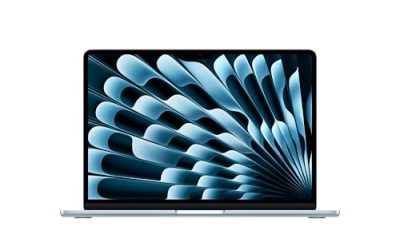
Apple MacBook Air M4 13-inch

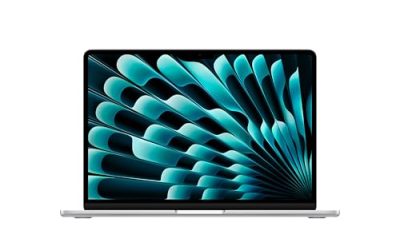
The 13-inch MacBook Air with the M4 chip is the reference point for this category because it pairs a quiet, fanless design with a bright 13.6-inch Liquid Retina display and 16GB of unified memory. The 12MP Center Stage camera keeps you framed during video calls, Touch ID handles sign-ins without a password, and the 256GB SSD is enough for cloud-first work. At about 2.7 pounds and under half an inch thick, it disappears into a bag and runs cool on a lap.
Specs
- 13.6-inch Liquid Retina display
- Apple M4 chip
- 16GB unified memory
- 256GB SSD storage
- 12MP Center Stage camera
- Touch ID
- About 2.7 pounds, 0.44 inches thick
Best for: Commuters and students who want the lightest everyday MacBook.
Watch out for: The 256GB drive fills fast if you store large photo or video libraries locally, so check your storage habits first.
Apple MacBook Air M3 15-inch

The 15-inch MacBook Air with the M3 chip answers the one complaint people have about the 13-inch model: the screen feels small for split-screen work. Its 15.3-inch Liquid Retina display gives documents, spreadsheets, and timelines more room while the machine stays slim and fanless, and the 16GB of unified memory and 256GB SSD match the smaller model. The backlit keyboard and Touch ID carry over, so the experience is familiar, just roomier.
Specs
- 15.3-inch Liquid Retina display
- Apple M3 chip
- 16GB unified memory
- 256GB SSD storage
- Backlit keyboard
- Touch ID
Best for: Travelers who want a large screen without a heavy laptop.
Watch out for: The bigger footprint needs a larger bag and more desk space, so measure your usual carry before choosing it over the 13-inch model.
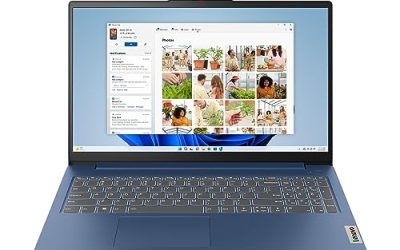
LG gram 14-inch

The LG gram 14-inch is the lightest Windows option in this guide, built around an Intel Core Ultra 5 processor with 32GB of memory and a 512GB SSD. Its 14-inch 1920 x 1200 IPS display uses a taller 16:10 ratio that shows more of a document at once, and the 72Wh battery is sized for long days away from a charger. Windows 11 Home and Copilot+ features come installed, so it works as a productivity machine straight out of the box.
Specs
- 14-inch 1920 x 1200 IPS display, 16:10 ratio
- Intel Core Ultra 5 325 processor
- 32GB LPDDR5X RAM
- 512GB SSD storage
- 72Wh battery
- About 2.5 pounds
Best for: Windows users who want maximum memory and battery in the lightest frame.
Watch out for: The light chassis trades some rigidity for weight, so handle the lid with care and use a padded sleeve.
ASUS Zenbook 14 OLED Q415

The Zenbook 14 OLED Q415 brings a 14-inch FHD+ OLED touchscreen to the thin-and-light category, with an Intel Core Ultra 5 125H processor, 8GB of DDR5 memory, and a 512GB SSD. The OLED panel shows strong color and deep blacks, which makes it a good fit for photo editing and long reading sessions, and the touchscreen adds a direct way to scroll and annotate. The listing also notes a long battery life of up to 15 hours, plus an FHD webcam for calls.
Specs
- 14-inch FHD+ OLED touchscreen display
- Intel Core Ultra 5 125H processor, 14 cores
- 8GB DDR5 RAM
- 512GB SSD storage
- FHD webcam
- Windows 11 Home with Copilot
Best for: Readers and photo editors who want an OLED screen on a slim laptop.
Watch out for: 8GB of memory is the floor for heavy multitasking, so close unused browser tabs and apps during demanding work.
Acer Swift Go 14 OLED

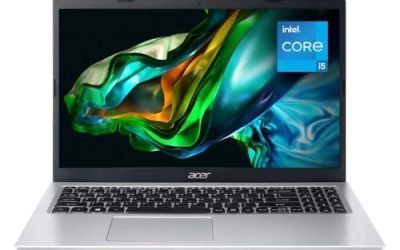
The Acer Swift Go 14 OLED pairs a sharp 14-inch OLED display at 2880 x 1800 resolution with an Intel Core Ultra 5 125H processor, Intel Arc graphics, 8GB of LPDDR5 memory, and a 512GB SSD. It carries Intel Evo verification, which covers responsiveness and battery behavior, and Wi-Fi 6E keeps wireless connections fast on modern networks. The aluminum body stays thin and light, so it suits a bag that already holds a notebook and a charger.
Specs
- 14-inch OLED display, 2880 x 1800 resolution
- Intel Core Ultra 5 125H processor
- Intel Arc graphics
- 8GB LPDDR5 RAM
- 512GB SSD storage
- Wi-Fi 6E
- Intel Evo Edition
Best for: Workers who want a high-resolution OLED screen for documents and media.
Watch out for: The 8GB memory limit means very large spreadsheets or dozens of open tabs can slow it down, so check your usual workload first.
Which One Fits Your Situation
You carry one bag everywhere and hate weight
Pick the LG gram 14-inch. At about 2.5 pounds with 32GB of memory and a 72Wh battery, it is the lightest Windows pick here and the one least likely to make your shoulder ache by evening. The taller screen also helps when you read long documents on the move. Windows 11 and Copilot+ features come ready to use, so it works as a productivity machine from day one.
You live in the Apple ecosystem
Pick the MacBook Air M4 13-inch. It syncs with an iPhone and iPad, runs cool without a fan, and the 13.6-inch display is big enough for most work while the machine stays small. Choose the 15-inch M3 model only if you regularly split the screen between two apps. Both models share the same quiet design and the same Touch ID sign-in, so the choice comes down to screen size.
You edit photos or watch video after work
Pick the ASUS Zenbook 14 OLED Q415 or the Acer Swift Go 14 OLED. Both use OLED panels with strong color and contrast, and the Zenbook adds a touchscreen for direct editing. The Acer has the sharper resolution, so it suits detailed image work. Either one makes long reading sessions easier on the eyes than a standard IPS panel.
You want the biggest screen that still counts as light
Pick the Apple MacBook Air M3 15-inch. The 15.3-inch display gives you room for side-by-side windows, yet the laptop stays slim and fanless, so it still feels like an air laptop in a bag rather than a desktop replacement. The larger screen also makes video calls and presentations easier to follow when you work away from a desk.
Common Mistakes
- Choosing the thinnest laptop without checking the listed weight, which is what your shoulder actually feels.
- Picking a 256GB drive when your photo library and synced cloud folders already exceed it.
- Assuming every thin laptop has a good webcam, instead of checking the camera spec on the listing.
- Ignoring the port count and then needing a hub for a monitor, a mouse, and a charger at once.
- Buying a touchscreen model for the novelty and then never using touch, while carrying the extra weight and cost.
Frequently Asked Questions
Are air laptops powerful enough for everyday work?
Yes, for the work most people do daily. The models in this guide run office apps, browsers with many tabs, video calls, and light photo editing without trouble, because they pair modern processors with at least 8GB of memory and fast SSD storage. Heavy video rendering or 3D work is a different workload and suits a thicker machine with a dedicated graphics chip.
Is a 13-inch or 15-inch air laptop better for travel?
A 13-inch laptop is easier to carry and fits smaller bags and tray tables, while a 15-inch laptop gives you more screen space for split-screen work. If you travel by plane or train often, the 13-inch size is the safer default, and the 15-inch model makes sense if you work with documents side by side for hours at a time.
Does an OLED screen matter on a laptop?
It matters if you read, edit photos, or watch video for long stretches. OLED panels show deeper blacks and stronger color than standard IPS panels, so text looks crisp and images look richer. The trade-off is that OLED screens can cost more and use more power on bright white pages, so weigh the visual gain against your budget.
How much memory does an air laptop need?
For everyday work, 16GB is the practical starting point, and the LG gram in this guide goes to 32GB for heavier multitasking. An 8GB model still works for browsing, documents, and calls, but it leaves less headroom when you open many tabs or large files, so check how many apps you usually keep open before choosing.
Do thin laptops overheat on a lap?
The fanless MacBook Air models in this guide are designed to run without a fan, so they stay quiet and cool during normal work. Windows thin laptops use small fans that spin up under load, which is normal, but keeping vents clear and avoiding soft surfaces like beds helps airflow and keeps the machine comfortable.
Related guides
More from Amazon
Programs that pair well with the guide above. Offers and eligibility are set by Amazon and may change.
Free shipping on eligible items, Prime Video and more. Eligible new members can start with a free trial.
Start a Prime free trialAd-free music streaming. Eligible new subscribers can start with a free trial.
Try Music Unlimited freeA Prime membership for ages 18-24 with a trial period. Eligibility is set by Amazon.
See Prime for Young AdultsAudiobooks and podcasts to listen to on the go. Eligible new members can start with a free trial.
Try Audible freeAs an Amazon Associate we earn from qualifying purchases.




Write Your Review
No reviews yet. Be the first to share your experience!