
Key takeaways
- The 5 best laptops for chemical engineering students, with strong CPUs, 16GB or more RAM, and portable designs for lectures, labs, and simulation work.
What's inside
As an Amazon Associate I earn from qualifying purchases. This post may contain affiliate links at no extra cost to you.
Chemical engineering students need a laptop that handles MATLAB, Aspen Plus-style process simulation, and big spreadsheets without stalling, while still fitting in a backpack for lectures and labs. The real decision is not the brand on the lid but the balance between processor power, memory, storage speed, and weight, because a machine that is fast on a desk and miserable to carry will slow a student down every day.
This guide is written for chemical engineering undergraduates, graduate students running heavier simulations, and students who split time between lecture halls, computer labs, and group project rooms. The five laptops below were chosen from the names and specifications shown on their Amazon product pages, with attention to processor strength, memory size, screen quality, and portability.
Quick Picks
As an Amazon Associate we earn from qualifying purchases
| Product | Best for | Key spec from title |
|---|---|---|
| Lenovo ThinkPad T14 Gen 5 | Long simulation sessions with large models | Ryzen 7 PRO 8840U, 32GB RAM, 1TB SSD |
| Dell XPS 14 | Premium build with a sharp 14.5-inch display | Core Ultra 7 155H, 16GB RAM, 512GB SSD |
| ASUS Zenbook 14 OLED | Bright OLED screen work in labs and libraries | Ryzen 7 8840HS, 16GB RAM, OLED touchscreen |
| Apple MacBook Air M4 | All-day lectures with no charger in the bag | Apple M4 chip, 16GB unified memory, 18-hour battery life |
| Acer Swift Go 14 | Everyday value with a touchscreen for notes | Core Ultra 7 155H, 16GB RAM, touchscreen display |
How to Choose
Put the processor and memory first
Simulation and numerical work in chemical engineering lean on the processor and on memory. MATLAB scripts, process flowsheet solvers, and computational fluid dynamics runs all reward more cores and more RAM, so 16GB is the sensible floor and 32GB is the safer pick for students who run large models or keep many applications open at once. A modern multi-core chip such as an Intel Core Ultra 7 or an AMD Ryzen 7 PRO keeps iterative calculations moving, while a soldered 8GB machine will feel cramped by the second year. Check whether the memory can be upgraded later, because a laptop bought in year one should still cope in year four.
Match the operating system to your software
Before choosing a laptop, check which operating system the course software expects. MATLAB and Python run well on Windows and macOS, but some process simulation tools used in chemical engineering are Windows-only, and a Mac would need a lab computer or a virtual machine for those assignments. Windows laptops also tend to offer more choice in ports and upgradeable parts, while macOS machines bring long battery life and a quiet design. Ask the department which tools the first two years require, then pick the system that runs them without workarounds, because a workaround that fails before a deadline is worse than a slightly heavier laptop.
Weigh portability against screen size
A chemical engineering student carries a laptop between lectures, labs, the library, and group meetings, so weight and battery life matter as much as raw speed. A 14-inch machine near three pounds with a full day of battery is easy to carry and still shows enough of a flowsheet or a data table to work comfortably. Larger screens help when comparing simulation outputs side by side, but they add weight and drain the battery faster. Look for a bright display that stays readable near lab windows, a keyboard that suits long typing sessions, and enough ports for a mouse, a flash drive, and an external monitor in a dorm room.
Plan storage and connectivity for lab work
Simulation files, lab data sets, and course materials add up quickly, so a 512GB solid-state drive is the practical minimum and 1TB gives real breathing room for a four-year degree. A fast NVMe drive also shortens the time it takes to open large models and save results. Check the port selection before buying: Thunderbolt or USB-C ports handle external displays and fast storage, HDMI connects to lab projectors, and Wi-Fi 6E keeps large downloads moving on crowded campus networks. A fingerprint reader and a webcam with a privacy shutter are useful extras for shared spaces and video calls with project partners.
The 5 Best Options
Lenovo ThinkPad T14 Gen 5

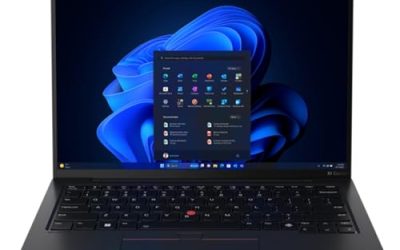
The ThinkPad T14 Gen 5 is the workhorse pick for chemical engineering students who run demanding software every day. Its AMD Ryzen 7 PRO 8840U processor has eight cores that reach up to 5.1 GHz, and the 32GB of DDR5 memory gives large MATLAB models and flowsheet simulations room to breathe. The 1TB NVMe drive holds years of lab data, while the 14-inch WUXGA touchscreen with an anti-glare finish stays readable under bright lab lights. At 3.06 pounds with Thunderbolt 4 ports, a fingerprint reader, and a spill-resistant keyboard, it is built for the daily carry between lectures, labs, and study rooms.
Specs
- AMD Ryzen 7 PRO 8840U processor, 8 cores, up to 5.1 GHz
- 32GB DDR5 SDRAM, 4800 MHz
- 1TB PCI-E NVMe M.2 SSD
- 14-inch WUXGA (1920 x 1200) IPS touchscreen, anti-glare, 400 nits
- AMD Radeon 780M graphics
- Windows 11 Pro
- 2 Thunderbolt 4 ports, 2 USB-A ports, HDMI 2.1, RJ-45, Wi-Fi 6E, Bluetooth 5.3
- 52.5Wh battery with 65W AC adapter
- 3.06 lbs, 12.44 x 8.81 x 0.70 inches
- Fingerprint reader, backlit keyboard, 5.0MP plus IR camera with privacy shutter
Best for: students who run large simulations daily and want 32GB of memory in a portable frame.
Watch out for: the listed configuration comes from a third-party seller bundle that includes a free flash drive, so confirm the exact configuration and warranty terms before ordering.
Dell XPS 14

The Dell XPS 14 suits students who want a premium aluminium laptop with a sharp display for long hours of coursework. Its Intel Core Ultra 7 155H processor and 16GB of memory handle MATLAB, spreadsheets, and browser-based tools side by side, while the 512GB SSD keeps the system responsive. The 14.5-inch Full HD Plus display uses the InfinityEdge design, so the screen feels larger than the compact chassis suggests. Windows 11 Pro and Intel Arc graphics round out a machine that moves easily from a lecture hall to a lab bench, and the platinum finish looks at home in any classroom.
Specs
- Intel Core Ultra 7 155H processor
- 16GB memory
- 512GB SSD
- 14.5-inch Full HD Plus (1920 x 1200) InfinityEdge display
- Intel Arc graphics
- Windows 11 Pro
- Platinum finish
Best for: students who want a premium-feeling laptop with a sharp, compact display for lectures and labs.
Watch out for: the opened Amazon page was a thin cached copy with no buy box visible, so check the listing live for the current configuration and availability.
ASUS Zenbook 14 OLED

The Zenbook 14 OLED is the pick for students who stare at plots, diagrams, and data tables for hours. Its 14-inch OLED touchscreen shows deep blacks and crisp text at 1920 x 1200, which makes long reading sessions easier on the eyes. The AMD Ryzen 7 8840HS processor reaches up to 5.1 GHz across eight cores, and 16GB of LPDDR5X memory with a 512GB NVMe SSD keeps simulation work moving. Wi-Fi 6E and Bluetooth 5.3 handle campus networks and wireless accessories, while the 75Wh battery and 2.65-pound ultra-portable frame make it easy to carry all day.
Specs
- AMD Ryzen 7 8840HS processor, 8 cores, up to 5.1 GHz
- 16GB LPDDR5X RAM, 5200 MHz
- 512GB NVMe M.2 SSD
- 14-inch OLED touchscreen, 1920 x 1200
- AMD Radeon 780M graphics
- Wi-Fi 6E, Bluetooth 5.3
- 75Wh battery
- About 2.65 lbs
- Windows 11 Home
Best for: students who spend long hours reading plots and data on a bright, high-contrast screen.
Watch out for: the 16GB of memory is the maximum for this configuration, so it cannot be expanded later if workloads grow.
Apple MacBook Air M4

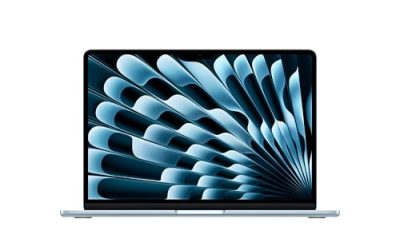
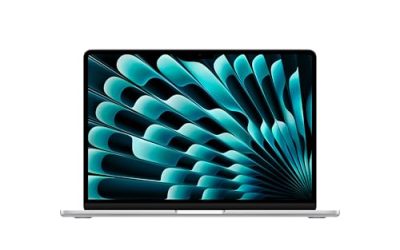
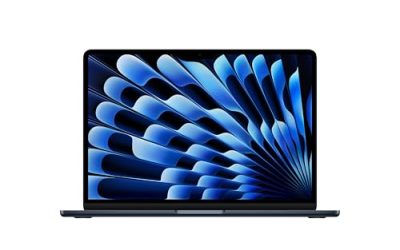
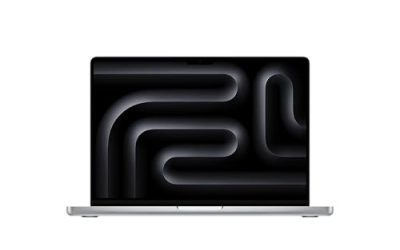
The MacBook Air with the M4 chip is the lightest way to get through a full day of lectures without hunting for a power outlet. Apple lists up to 18 hours of battery life, so lectures, library sessions, and group work rarely need a charger in the bag. The M4 chip with 16GB of unified memory runs MATLAB, Python, and office tools smoothly, while the 13.6-inch Liquid Retina display renders text and charts crisply. Two Thunderbolt 4 ports, MagSafe charging, Wi-Fi 6E, and a 12MP Center Stage camera cover connectivity and video calls, and the whole machine slips easily into a backpack.
Specs
- Apple M4 chip
- 16GB unified memory
- 256GB SSD storage
- 13.6-inch Liquid Retina display, supports 1 billion colors
- 12MP Center Stage camera
- Touch ID
- Up to 18 hours of battery life
- 2 Thunderbolt 4 ports, MagSafe 3 charging port, headphone jack
- Wi-Fi 6E, Bluetooth 5.3
- Supports up to two external displays
Best for: students who want the longest battery life and the lightest bag for lecture-heavy days.
Watch out for: some chemical engineering simulation tools are Windows-only, so check course software requirements before choosing macOS; also, the 256GB of storage fills quickly with large data sets.
Acer Swift Go 14

The Acer Swift Go 14 is the value pick for students who want a capable touchscreen laptop without a premium price tag. Its Intel Core Ultra 7 155H processor and 16GB of LPDDR5X memory handle MATLAB, document work, and multitasking between lectures, while the 512GB SSD leaves room for course files. The 14-inch WUXGA touchscreen with full sRGB coverage is handy for annotating lecture slides and sketching process diagrams. A fingerprint reader, backlit keyboard, and up to 12.5 hours of battery life round out a thin and light Intel Evo laptop that is easy to carry across campus.
Specs
- Intel Core Ultra 7 155H processor
- 16GB LPDDR5X RAM
- 512GB SSD
- 14-inch WUXGA (1920 x 1200) IPS touchscreen, full sRGB coverage
- Intel Arc graphics
- Backlit keyboard, fingerprint reader, microSD slot
- Windows 11 Home
- Up to 12.5 hours of battery life
- Intel Evo Edition thin and light
Best for: students who want a touchscreen and strong everyday performance at a friendlier budget.
Watch out for: the Amazon page returned an access error when opened directly, so confirm the listing live before ordering.
Which One Fits Your Situation
Running heavy simulations most days
Pick the ThinkPad T14 Gen 5. Its 32GB of memory and eight-core Ryzen 7 PRO processor give large MATLAB models and flowsheet runs the headroom they need, and the 1TB drive holds years of results. The spill-resistant keyboard suits daily lab use. Thunderbolt 4 ports connect lab displays and fast storage without fuss.
Carrying one laptop everywhere
Pick the MacBook Air M4. Its long battery life and light frame mean lectures, library sessions, and group work rarely need a charger, and the crisp Liquid Retina display makes reading comfortable. Just confirm that every course tool runs on macOS before committing. The 256GB drive fills fast, so plan on external storage for large data sets.
Working with plots and data all day
Pick the ASUS Zenbook 14 OLED. The high-contrast OLED touchscreen makes plots, diagrams, and dense tables easier to read for hours, and the Ryzen 7 processor with 16GB of memory keeps simulation work moving. Its light frame and long battery life suit full days on campus.
Stretching a student budget
Pick the Acer Swift Go 14. It pairs a Core Ultra 7 processor with 16GB of memory and a touchscreen for annotating slides, at a friendlier outlay than the premium picks. The Dell XPS 14 is the alternative when build quality and display sharpness matter more than saving money.
Common Mistakes
- Buying 8GB of memory to save money, then watching large MATLAB models crawl in the second year.
- Choosing a Mac without checking whether the course simulation software runs on macOS.
- Picking the lightest laptop available and ending up with a dim screen that is hard to read in bright labs.
- Ignoring storage and filling a 256GB drive with lab data before the first semester ends.
- Forgetting to check port selection, then needing adapters for lab projectors and external monitors every week.
Frequently Asked Questions
How much RAM does a chemical engineering student need?
16GB is the practical minimum for MATLAB, spreadsheets, and browser work running together. Students who run large process simulations or computational fluid dynamics models should aim for 32GB, because those workloads use memory heavily. A laptop with upgradeable memory is a plus, since it lets a student add RAM later instead of replacing the whole machine.
Do chemical engineering students need a dedicated graphics card?
Most coursework does not need one. Integrated graphics handle MATLAB plots, flowsheets, and everyday 3D views, and the laptops in this guide rely on integrated graphics for that reason. A dedicated card only becomes useful for heavy computational fluid dynamics visualisation or GPU-accelerated work, which most undergraduates meet in a lab rather than on a personal laptop.
Is a MacBook a good choice for chemical engineering?
It can be, for MATLAB, Python, writing, and everyday study, and the battery life is hard to beat. The catch is software: some process simulation tools are Windows-only, so a Mac owner may need a lab computer or a virtual machine for those assignments. Check the department software list first, and choose Windows if any required tool has no Mac version.
What screen size works best for engineering coursework?
A 14-inch screen is the sweet spot for most students: large enough for flowsheets and data tables, light enough to carry all day. A 13.6-inch machine is even easier to carry but feels cramped with two windows open. Whatever the size, pick a bright display with good contrast for long reading sessions.
Related guides
More from Amazon
Programs that pair well with the guide above. Offers and eligibility are set by Amazon and may change.
Free shipping on eligible items, Prime Video and more. Eligible new members can start with a free trial.
Start a Prime free trialAd-free music streaming. Eligible new subscribers can start with a free trial.
Try Music Unlimited freeA Prime membership for ages 18-24 with a trial period. Eligibility is set by Amazon.
See Prime for Young AdultsAudiobooks and podcasts to listen to on the go. Eligible new members can start with a free trial.
Try Audible freeAs an Amazon Associate we earn from qualifying purchases.




Write Your Review
No reviews yet. Be the first to share your experience!