
Key takeaways
- Find the best laptops for social workers for field visits, case notes, and long days away from the office — durable, portable picks with strong battery life.
What's inside
As an Amazon Associate I earn from qualifying purchases. This post may contain affiliate links at no extra cost to you.
Introduction
The best laptops for social workers are the ones that keep up with a working day that rarely happens in one place. A social worker may start at a desk, spend the middle of the day on home visits, write notes in a car between appointments, and finish with a video call from a community centre. The laptop has to be light enough to carry all day, tough enough to survive a busy bag, and reliable enough that case notes are never lost to a dead battery.

Social work is mostly writing, reading, searching, emailing, video calling, and working in case management systems. It needs a comfortable keyboard, a clear display, enough memory to keep a browser, a case system, email, and a video call open together, and storage for documents and offline forms.
Quick answer: For most social workers, a 14-inch or 15.6-inch Windows laptop with at least 8GB of memory, a 256GB solid-state drive, and a full HD display is the sensible starting point. Choose the lighter machine for all-day visits, and the larger screen for desk-based assessment work.
Quick Picks
Our Short List of 3
All 4 Picks at a Glance
| Product | Specs | Action |
|---|---|---|
| Acer Aspire 3 (B0CH3YM6LZ) | Check price on Amazon | |
| Dell Inspiron 15 3535 (B0GSTWY3T3) | Check price on Amazon | |
 Lenovo ThinkPad E14 Gen 5 (B0BYBKZ7XD) | Check price on Amazon | |
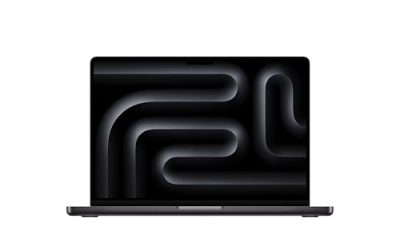
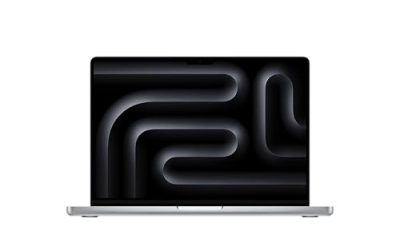
 Apple MacBook Air 13 with M4 chip (B0DZDC3WW5) | Check price on Amazon |
How to Choose the Best Laptops for Social Workers
Portability for Home Visits and Field Work
A 14-inch laptop is easier to carry from house to house, fits on a small table or a car seat, and is less tiring to hold while knocking on a door. A 15.6-inch laptop gives more screen space for long forms, but it is heavier and takes up more room in a bag that already holds files and a phone charger. If you do three or four home visits a day, a lighter 14-inch or 13.6-inch machine will make a noticeable difference by Friday.
Battery Life for Long Days Away From a Socket
Social workers cannot always count on finding a socket. A home visit may last an hour with no convenient place to plug in, and a community hall may have one socket for a whole room. Real battery life depends on screen brightness, Wi-Fi, video calls, and how many programs are open, so charge whenever you are back at base and keep a charger in your bag.
Durability and Build Quality
A field laptop gets knocked, bumped, and carried in all weathers. It is put down on uneven surfaces, carried in a bag with keys and a water bottle, and opened and closed many times a day. A flimsy body that flexes when you pick it up by a corner is a warning sign. A firmer chassis, a keyboard that does not flex, and a steady hinge will cope better with that routine. Business laptops such as the ThinkPad line are designed for this kind of use, and they often include spill-resistant keyboards.
Keyboard Comfort for Case Notes and Assessments
Social workers write a lot: case notes, assessments, care plans, referral letters, court reports, and supervision records. A cramped keyboard with small keys will slow you down and tire your hands. A full-size keyboard with well-spaced keys, a clear layout, and a backlit option is much easier to use in dim rooms, evening visits, and cars. A comfortable trackpad matters too, because you will not always have room for a mouse during a home visit.
Memory, Storage, and Performance for Case Management Systems
Case management systems, email, a browser with many tabs, a video calling app, and a word processor can all be open at the same time. That is why memory matters more than raw processor speed for most social work. A laptop with 8GB of memory can handle ordinary documentation, but 16GB gives more headroom when several programs are open together, and it helps the laptop stay useful for longer. A solid-state drive, or SSD, makes a laptop start faster and open files faster than an older hard drive. A 256GB SSD is enough for documents, but 512GB gives more room for training materials and offline files.
Screen Quality, Webcam, and Video Calls
Video calls are now a normal part of social work, from supervision and team meetings to remote check-ins with clients. A clear webcam, a decent microphone, and speakers that are loud enough to hear in a busy office all matter. A full HD display with a resolution of 1920 by 1080 is the minimum to look for, because it keeps text sharp and makes long documents easier to read. An IPS display usually gives better viewing angles, which helps when you are showing a document to a client sitting beside you. A touchscreen can be useful for tapping through forms, but it is not essential.
Security, Privacy, and Agency Compatibility
Social workers handle highly sensitive personal information, so security is not an optional extra. A fingerprint reader or Windows Hello makes it easier to lock and unlock the machine quickly without writing a password down. Windows 11 Pro, included on two laptops in this guide, adds business features that many agencies use for device management and encryption. Check with your employer before you buy, because some agencies only support Windows laptops, some require specific security software, and some provide a laptop themselves.
The Best Laptops for Social Workers Reviewed
Lenovo IdeaPad Slim 3 (B0C3MNPB8P)
The Lenovo IdeaPad Slim 3 is the straightforward choice in this guide. It is a 15.6-inch laptop with a full HD display, an AMD Ryzen 3 7320U processor, 8GB of memory, and a 256GB SSD, running Windows 11. That combination is designed for everyday work: writing documents, using email and a browser, working in web-based case systems, and joining video calls. The larger screen helps with long assessment forms and care plans, and the slim design fits a standard laptop bag.
Who it suits: Social workers and social work students who need a reliable laptop for writing, email, browsing, and video calls, and who want a larger screen without moving to a heavier business machine.
Who should skip it: Workers who regularly keep many programs and browser tabs open at once should look at one of the 16GB models below. Partial-fit flag: the Ryzen 3 processor and 8GB of memory are entry-level for this list, so treat this as a documentation-first laptop rather than a do-everything machine.
Acer Aspire 3 (B0CH3YM6LZ)
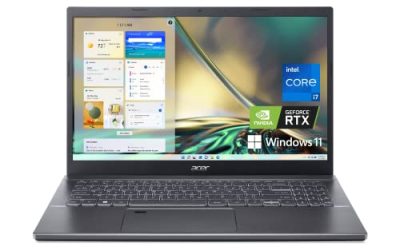
The Acer Aspire 3 adds a touchscreen and more storage to the everyday formula. It has a 15.6-inch full HD IPS touch display, an AMD Ryzen 5 7520U processor, 8GB of LPDDR5 memory, and a 512GB SSD, with Wi-Fi 6 and Windows 11. The IPS display gives wider viewing angles than a basic panel, which helps when you are sitting beside a client and looking at the same screen. The touchscreen makes it easy to tap through forms and scroll through long notes without always reaching for the trackpad.
The Ryzen 5 processor is a step up from the Ryzen 3 above, and it handles multitasking more comfortably when you have a case system, email, a browser, and a video call open at the same time. The 512GB SSD gives more room for documents, training materials, downloaded forms, and offline files.
Who it suits: Social workers who like a touchscreen for form filling and quick navigation, and who want more storage and a more capable processor than the entry-level pick.
Who should skip it: Workers who want the lightest possible laptop for all-day field work may find a 15.6-inch touchscreen machine heavier than a 14-inch or 13.6-inch alternative. The 8GB of memory is still the limiting factor for very heavy multitasking.
Dell Inspiron 15 3535 (B0GSTWY3T3)
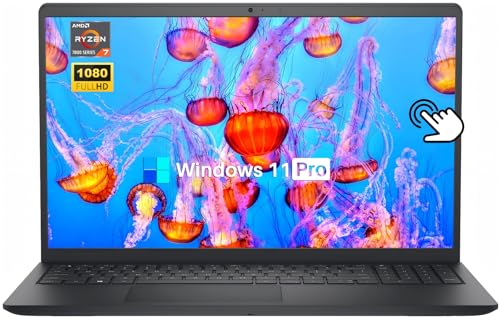
The Dell Inspiron 15 3535 is the multitasking pick in this guide. It is a 15.6-inch laptop with a full HD touchscreen display, an AMD Ryzen 7 7730U processor with eight cores, 16GB of DDR4 memory, and a 512GB SSD, running Windows 11 Pro. The faster processor, twice the memory of the two laptops above, and a larger SSD make it better suited to a busy day with many programs open at once. The product page also lists a weight of 3.59 pounds, a 720p webcam, an HDMI port, a USB-C port, and an SD card reader.
Windows 11 Pro is worth noting for agency work, because it includes business features that many employers use for managing devices and protecting data. The 16GB of memory gives more headroom for a case management system, email, a browser with many tabs, and a video call running together.
Who it suits: Social workers who keep many programs open, join frequent video calls, and want a larger screen and more memory for a full working day, including hospital social workers and team leaders.
Who should skip it: Workers who are on foot all day and need the lightest laptop possible should consider the 14-inch ThinkPad or the 13.6-inch MacBook Air below.
Lenovo ThinkPad E14 Gen 5 (B0BYBKZ7XD)
The Lenovo ThinkPad E14 Gen 5 is the durable field-work pick in this guide. It is a 14-inch business laptop with a full HD+ display, an AMD Ryzen 7 7730U processor, 16GB of memory, a 512GB SSD, a fingerprint reader, a backlit keyboard, and Windows 11 Pro. The smaller screen makes it easier to carry than the 15.6-inch laptops above, and the ThinkPad line is known for a firm keyboard, a steady hinge, and a design meant to be used every day in professional settings. The fingerprint reader gives a quick, secure way to unlock the laptop between visits.
The 14-inch size fits more easily on small tables, in cars, and in crowded meeting rooms. The backlit keyboard helps during evening visits and in dimly lit rooms. Windows 11 Pro fits agency-managed setups, and HDMI and wired network connectivity in this line are useful in older offices where wireless connections are unreliable.
Who it suits: Field-based social workers, child protection workers, and community social workers who carry a laptop all day and need a durable, portable machine with a good keyboard and strong security features.
Who should skip it: Workers who prefer a larger screen for long documents, or who want a touchscreen for form filling, may prefer the Dell Inspiron 15 above, because the 14-inch display shows less of a long form at once.
Apple MacBook Air 13 with M4 chip (B0DZDC3WW5)
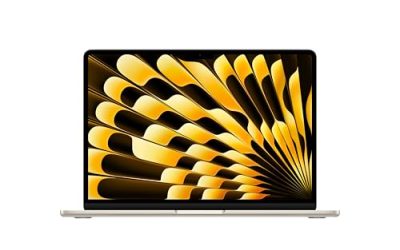
The Apple MacBook Air 13 with the M4 chip is the lightweight travel pick in this guide. It has a 13.6-inch Liquid Retina display, an Apple M4 chip, 16GB of unified memory, and a 256GB SSD, with a 12MP Center Stage camera and Touch ID. It is the lightest and most portable laptop in this list, and its efficient chip is designed to give long battery life for ordinary office tasks, web browsing, and video calls. The clear display and good webcam make it well suited to remote meetings, and Touch ID gives a quick way to unlock the machine securely.
It slips easily into a bag, it is quiet in use, and it is comfortable to use on a small table or on your lap during a visit. The 16GB of unified memory handles multitasking well, and the M4 chip is more than capable of running a browser, email, a word processor, and a video calling app at the same time.
Who it suits: Social workers who travel between visits all day, who value light weight and long battery life above a large screen, and whose agency systems work well in a browser or on macOS.
Who should skip it: Workers whose agency requires Windows-only case management software should check compatibility first. Partial-fit flag: macOS is not the same as Windows, and some agency systems are built for Windows only. The 256GB of storage is also modest if you store many large files locally.
What to Check Before You Buy
First, confirm what your employer or placement provider requires. Some agencies provide a laptop and do not allow personal devices for client records. Others allow a personal laptop but require specific security software, encryption, or a Windows Pro edition. Ask before you spend anything, and get the answer in writing if you can. Second, check the operating system and the software you must use. If your case management system only works on Windows, a MacBook will not help, however light it is.
Third, check the ports and connectivity. You may need HDMI for a meeting room display, USB-C for a modern dock, USB-A for an older printer, and a headphone socket for confidential calls. A laptop with only USB-C ports will need an adapter, which is one more thing to carry and lose. Fourth, think about where you will work. If you often work in a car, a bright screen and a good battery matter more than a large screen. If you work in homes with poor Wi-Fi, good wireless reception and enough local storage for offline forms will be more useful than a machine that depends on a constant connection.
Finally, set the laptop up properly before your first working day. Turn on full-disk encryption, set a strong password or PIN, enable automatic updates, and make sure your files are backed up to your agency’s approved system, not just to the laptop itself. Learn how to lock the screen quickly and how to use the webcam shutter.
Frequently Asked Questions
What is the best laptop for a social worker who does home visits all day?
A light 14-inch or 13.6-inch laptop with long battery life, a comfortable keyboard, and at least 8GB of memory is usually the best choice for all-day home visits. The Lenovo ThinkPad E14 Gen 5 and the Apple MacBook Air 13 in this guide are the most portable options here.
How much memory and storage does a social worker need?
For most social work, 8GB of memory is enough for writing, email, browsing, and video calls, but 16GB is better if you keep many programs open at once. A 256GB SSD is enough for documents and web-based work, but 512GB gives more room for training materials, downloaded forms, and offline files.
Is a touchscreen useful for social work?
A touchscreen can be useful, but it is not essential. It makes it easy to tap through forms, scroll through long case notes, and select items without using the trackpad. It can also help when you are showing a document to a client. A touchscreen adds weight and uses more battery, and most social work can be done just as well with a good keyboard and trackpad.
Should a social worker choose Windows or macOS?
Most social workers should choose Windows, because most agency case management systems, security tools, and office setups are built for Windows. Windows 11 Pro is often the safer choice for agency-managed devices. macOS is a good choice if your agency uses web-based tools that work in any browser, if you already use Apple devices, and if you value light weight and long battery life.
Do social workers need a powerful laptop for case management systems?
No, most case management systems do not need a powerful laptop. They need enough memory to run alongside a browser, email, and a video calling app, a fast SSD so files open quickly, and a reliable Wi-Fi connection. A modern Ryzen 5 or Ryzen 7 processor, or an Apple M4 chip, is more than enough for this kind of work.
Bottom Line
The best laptops for social workers are not the most powerful laptops you can buy. They are the laptops that fit a working day spent between an office, a car, a client’s home, and a community centre. For most workers, that means a light, durable machine with a comfortable keyboard, a clear full HD display, at least 8GB of memory, a fast SSD, and a battery that lasts through a long day away from a socket. If you do mostly office work, choose the Dell Inspiron 15 3535 or the Acer Aspire 3. If you are out on visits all day, choose the Lenovo ThinkPad E14 Gen 5, or the Apple MacBook Air 13 if your agency systems work well on macOS. If you need a straightforward laptop for documentation, the Lenovo IdeaPad Slim 3 covers the basics well.
Disclosure: As an Amazon Associate, we may earn from qualifying purchases.
Related guides
More from Amazon
Programs that pair well with the guide above. Offers and eligibility are set by Amazon and may change.
Free shipping on eligible items, Prime Video and more. Eligible new members can start with a free trial.
Start a Prime free trialAd-free music streaming. Eligible new subscribers can start with a free trial.
Try Music Unlimited freeA Prime membership for ages 18-24 with a trial period. Eligibility is set by Amazon.
See Prime for Young AdultsAudiobooks and podcasts to listen to on the go. Eligible new members can start with a free trial.
Try Audible freeAs an Amazon Associate we earn from qualifying purchases.





Write Your Review
No reviews yet. Be the first to share your experience!