
Key takeaways
- Find the best tablet laptops under 500 with touchscreens, 360-degree hinges, and solid everyday specs. Compare five 2-in-1 picks for school, work, and travel.
What's inside
As an Amazon Associate I earn from qualifying purchases. This post may contain affiliate links at no extra cost to you.
Introduction
The best tablet laptops under 500 give you two devices in one body: a full laptop for typing and a tablet for reading, note-taking, and watching video.
The quick answer is that the Lenovo Flex 5i Chromebook Plus (B0FHGYJYD9) is the strongest all-round pick here for most buyers who are happy with ChromeOS, while the ASUS Vivobook S 14 Flip (B09T5QWMD8) is the strongest Windows pick for buyers who need full Windows software. The HP Pavilion x360 14 (B085B5XW5C) suits buyers who want a familiar Windows convertible with a large SSD, the Lenovo Flex 3i Chromebook (B0CWB3QTGF) suits buyers who want the largest screen here, and the ASUS Vivobook Flip 14 (B07RXLK19Y) suits buyers who want a compact Windows 2-in-1 with a fingerprint reader.
Quick Picks
Our Short List of 3
All 4 Picks at a Glance
| Product | Specs | Action |
|---|---|---|
 Introduction | Check price on Amazon | |
 3. HP Pavilion x360 14 (B085B5XW5C) | Check price on Amazon | |
 4. Lenovo Flex 3i Chromebook (B0CWB3QTGF) | Check price on Amazon | |
 5. ASUS Vivobook Flip 14 (B07RXLK19Y) | Check price on Amazon |
How to Choose
The 360-Degree Hinge and Tablet Mode
A tablet laptop earns its name from the hinge. A 360-degree hinge lets the screen fold all the way back, so the keyboard sits against the underside and the touchscreen becomes the main control surface. In tablet mode, it works for reading, annotating documents, and watching video. Tent mode props the screen up on a desk, and stand mode turns it toward someone across from you. A hinge that is too loose will wobble when you tap the screen, while one that is too stiff will be hard to fold. Weight matters more in tablet mode, because you hold the whole machine. A 14-inch convertible is usually the sweet spot: large enough for split-screen work, yet still comfortable to hold.
Touchscreen Quality and Stylus Support
Every pick in this guide has a touchscreen, but touchscreens are not all the same. A 1920 x 1080 Full HD panel is the practical baseline for this tier, while a 1920 x 1200 WUXGA panel adds a little extra vertical space for documents and web pages. An IPS panel generally gives wider viewing angles than a basic TN panel, which matters when you tilt the screen in tent mode or share it with someone beside you. Stylus support is a separate question. Some convertibles include a pen, some support a pen that is sold separately, and some have no pen support at all. If you plan to handwrite notes, annotate PDFs, or sketch, confirm pen support before you buy, and confirm whether a pen is included in the box.
Processor and Memory for Everyday Work
The processor and the memory decide whether a tablet laptop feels smooth or sluggish when several apps are open. In this tier, an Intel Core i3 or Core i5, an AMD Ryzen 5, or a recent Intel Pentium chip can all handle web browsing, documents, video calls, and streaming. The difference shows up under load: a stronger processor keeps more tabs responsive and copes better with video conferencing alongside a browser and a document editor. Memory matters just as much. 8GB of RAM is the sensible baseline for this roundup, and every pick here meets it. With 8GB, a machine can keep a browser with many tabs, a word processor, and a video call open at the same time without constant reloading. Also check whether the memory is soldered, because soldered memory cannot be increased later.
Storage: SSD Size and Type
Storage decides how many apps, files, and photos you can keep on the machine itself. A solid-state drive is the baseline to look for, because it opens the system and apps faster than an older hard drive or a small eMMC module. In this roundup, 256GB is a practical starting point, and 512GB gives comfortable headroom for a larger app library, offline files, and photos. 128GB can work if most of your files live in cloud storage and you install only a small set of apps, but it needs regular housekeeping. The Lenovo Flex 3i Chromebook in this guide is the clearest example: its 128GB SSD suits a cloud-first workflow, yet buyers who keep large offline libraries should think carefully before choosing it.
Operating System: ChromeOS or Windows
The operating system is the biggest fork in the road for a tablet laptop in this tier. ChromeOS is built around the browser, web apps, and cloud storage. It opens quickly, updates in the background, and includes built-in protection against many common threats. Chromebooks in this guide suit students, writers, and everyday users whose work lives in a browser, a cloud drive, and web-based office apps. Windows gives you a wider software library. If you need a specific desktop program for work, study, or creative tasks, Windows is the safer choice. Before you decide, list the three programs you use most and check which operating system runs each one.
Battery Life, Weight, and Ports
Battery life decides whether a tablet laptop is genuinely portable or merely movable. The listings in this guide state battery life figures of around 9 to 12 hours, depending on the model, but those figures depend on screen brightness, Wi-Fi use, and workload. Treat them as a guide to relative endurance rather than a guarantee, and carry the charger on long trips. Weight and ports shape daily comfort in smaller ways that add up. A lighter convertible is easier to carry and to hold in tablet mode, while a heavier one can still be fine if it mostly stays on a desk. Ports decide what you can connect without an adapter: USB-C, USB-A, HDMI, and a headphone jack cover the most common needs, and a microSD card reader is useful for expanding storage on some Chromebook models.
Screen Size and Keyboard Comfort
Screen size is a trade-off between workspace and portability. A 14-inch screen is the most balanced choice in this tier: it fits in most bags, leaves room for a full-size keyboard, and still shows two documents side by side. A 15.6-inch screen gives more room for spreadsheets and video, but it adds bulk and weight, and it is less comfortable to hold as a tablet. Keyboard comfort matters because a tablet laptop still spends much of its life in laptop mode. Look for a backlit keyboard if you work in dim rooms. A fingerprint reader, where included, adds a quick way to sign in without typing a password each time.
The Best Best Tablet Laptops Under 500 Reviewed
1. Lenovo Flex 5i Chromebook Plus (B0FHGYJYD9)
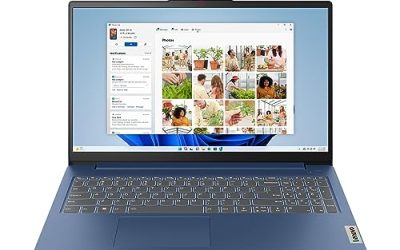
The Lenovo Flex 5i Chromebook Plus is the best all-round Chromebook pick in this roundup, and the first choice for buyers who want a fast, simple tablet laptop for school, study, and everyday work. It pairs a 14-inch WUXGA touchscreen with an Intel Core i3-1315U processor, 8GB of RAM, and a 256GB PCIe SSD, running ChromeOS. The 360-degree hinge folds the screen back into tablet mode for reading, props the machine up in tent mode for video, and stands it up for sharing the screen. The listing describes a 14-inch WUXGA multi-touch display with an IPS panel, Corning Gorilla Glass, and an anti-glare finish, plus a full-size backlit keyboard, Wi-Fi 6E, Bluetooth, and a camera with a privacy shutter. Battery life is listed at up to 10 hours from a 51Wh battery, and the machine weighs 3.48 pounds. Ports include two USB Type-C ports, one USB Type-A port, a microSD card reader, and a headphone and microphone combination jack. This Chromebook suits students, writers, and everyday users who live in a browser and a cloud drive. It is less suited to buyers who need traditional Windows desktop software, because ChromeOS does not run those programs.
2. ASUS Vivobook S 14 Flip (B09T5QWMD8)
The ASUS Vivobook S 14 Flip is the strongest Windows pick in this roundup, and it suits buyers who want a full Windows 2-in-1 with a strong processor and generous storage. It has a 14-inch WUXGA touchscreen with a 1920 x 1200 resolution, an AMD Ryzen 5 5600H processor, 8GB of DDR4 RAM, and a 512GB SSD, running Windows 11 Home. That specification gives it headroom for multitasking, larger files, and a wider range of desktop software than the Chromebook picks here. The 14-inch NanoEdge touchscreen has an 85 percent screen-to-body ratio and Corning Gorilla Glass NBT for scratch resistance in everyday use, according to the listing, and the 16:10 aspect ratio adds vertical space for documents. The ASUS NumberPad 2.0 touchpad supports number entry, and the machine includes a fingerprint sensor and a webcam shield. One point needs care: the Amazon listing shows conflicting figures in different places, including a weight figure in the technical table that does not match the weight in the manufacturer comparison on the same page, and a graphics entry that does not match the AMD processor. Treat the core specification as Ryzen 5 5600H, 8GB of RAM, a 512GB SSD, and a 14-inch 1920 x 1200 touchscreen, and confirm the weight and graphics details on the listing you open.
3. HP Pavilion x360 14 (B085B5XW5C)
The HP Pavilion x360 14 is a familiar Windows convertible that suits buyers who want a straightforward 2-in-1 with a large SSD and a backlit keyboard. It has a 14-inch Full HD touchscreen with a 1920 x 1080 resolution, an Intel Core i5-1035G1 processor, 8GB of DDR4 RAM, and a 512GB SSD, running Windows 10 Home. The 360-degree hinge lets it work as a laptop, a tablet, a tent, or a stand. 8GB of memory supports a browser with many tabs alongside a document editor and a video call, while the 512GB SSD leaves room for a larger app library and offline files. The backlit keyboard helps in dim rooms, and the machine weighs 3.5 pounds. Battery life is listed at 9.25 hours, which suits a working day of mixed use, although real-world endurance will depend on brightness and workload. This is an older model, and that is the main point to weigh. The listing identifies it as a 2020 model with a 10th-generation Intel Core i5 processor and Windows 10 Home. Buyers should confirm Windows 11 compatibility and the update position for this exact configuration before buying. This pick suits buyers who want a Windows convertible with a large SSD and a familiar HP design, and who are comfortable with an older-generation machine.
4. Lenovo Flex 3i Chromebook (B0CWB3QTGF)
The Lenovo Flex 3i Chromebook is the largest-screen pick in this roundup, and it suits buyers who want a big touchscreen for reading, video, and split-screen work. It has a 15.6-inch Full HD touchscreen with a 1920 x 1080 resolution, an Intel Pentium N6000 processor, 8GB of LPDDR4X RAM, and a 128GB SSD, running ChromeOS. ChromeOS keeps the experience simple: the system opens quickly, updates in the background, and works well with web apps and cloud storage. Battery life is listed at 10 hours, and the machine has three USB 3.0 ports plus Wi-Fi 6. The trade-offs are clear. The Intel Pentium N6000 is an entry-level processor, so it suits everyday browsing, documents, and streaming rather than heavy multitasking. The 128GB SSD is the smallest storage in this roundup, so it suits a cloud-first workflow where most files live online, and it will need regular housekeeping if you install many apps or keep large offline files. This pick suits students and everyday users who want the largest screen here and work mainly in a browser.
5. ASUS Vivobook Flip 14 (B07RXLK19Y)
The ASUS Vivobook Flip 14 is a compact Windows 2-in-1 that suits buyers who want a portable convertible with a fingerprint reader and a large SSD. It has a 14-inch Full HD touchscreen, an Intel Core i7-8565U processor, 8GB of RAM, and a 512GB PCIe NVMe SSD, running Windows 10 Home. The model number is TP412FA-DB72T, and the finish is grey. The 360-degree hinge gives it four viewing modes: laptop, tablet, tent, and stand. The 512GB PCIe NVMe SSD leaves comfortable room for apps and offline files, and the fingerprint reader adds a quick way to sign in. Windows 10 Home gives access to a wide range of desktop software, which suits buyers who need programs that ChromeOS does not run. This is also an older-generation machine, and that needs a clear note. The Intel Core i7-8565U is an 8th-generation processor, and the machine runs Windows 10 Home. This pick suits buyers who want a compact Windows convertible with a large SSD and a fingerprint reader, and who are comfortable with an older processor generation.
What to Check Before You Buy
Start with the operating system, because it decides which software you can run. List the programs you use most and check whether each one runs on ChromeOS or needs Windows. Next, confirm the exact configuration on the listing you open. Convertible laptops are sold in many similar configurations with the same model name, and the processor, memory, storage, and operating system can vary between listings.
FAQ
What is a tablet laptop?
A tablet laptop, often called a 2-in-1 convertible, is a laptop with a touchscreen and a hinge that folds back so the machine can work as a tablet. In laptop mode, you type on the keyboard. In tablet mode, you tap and swipe on the screen for reading, note-taking, and video.
Is a Chromebook or a Windows tablet laptop better?
Neither is better for everyone. A Chromebook suits buyers whose work lives in a browser, web apps, and cloud storage, because it opens quickly and stays simple to maintain. A Windows tablet laptop suits buyers who need specific desktop software, offline programs, or compatibility with a workplace system. List the three programs you use most and check which operating system runs each one; that list will usually settle the choice.
How much RAM and storage do I need in a tablet laptop?
8GB of RAM is the sensible baseline in this tier, and every pick in this guide meets it. It supports a browser with many tabs alongside documents and video calls. For storage, 256GB is a practical starting point, and 512GB gives comfortable headroom for a larger app library and offline files.
Can a tablet laptop replace a regular laptop?
Yes, for most everyday work. A 2-in-1 convertible has a full keyboard, a touchscreen, and a processor and memory specification similar to a standard laptop in the same tier, so it can handle browsing, documents, spreadsheets, video calls, and streaming.
Do I need a stylus for a tablet laptop?
Not necessarily. A touchscreen is useful on its own for tapping, scrolling, and pinching to zoom, and many buyers never use a pen. A stylus is worth having if you handwrite notes, annotate PDFs, or sketch, because it gives finer control than a finger.
Bottom Line
The best tablet laptops under 500 in this guide all share the same core idea: a touchscreen, a 360-degree hinge, and enough hardware for everyday work in one portable body. The Lenovo Flex 5i Chromebook Plus (B0FHGYJYD9) is the strongest all-round pick for most buyers who are happy with ChromeOS, thanks to its 14-inch WUXGA touchscreen, Intel Core i3-1315U processor, 8GB of RAM, and 256GB SSD. The ASUS Vivobook S 14 Flip (B09T5QWMD8) is the strongest Windows pick, with a Ryzen 5 5600H processor, 8GB of RAM, and a 512GB SSD. Choose the HP Pavilion x360 14 (B085B5XW5C) if you want a familiar Windows convertible with a large SSD and are comfortable with an older-generation machine. Choose the Lenovo Flex 3i Chromebook (B0CWB3QTGF) if you want the largest screen here and work mainly in a browser with cloud storage. Choose the ASUS Vivobook Flip 14 (B07RXLK19Y) if you want a compact Windows 2-in-1 with a fingerprint reader and a large SSD.
Disclosure: As an Amazon Associate, we may earn from qualifying purchases.
Related guides
More from Amazon
Programs that pair well with the guide above. Offers and eligibility are set by Amazon and may change.
Free shipping on eligible items, Prime Video and more. Eligible new members can start with a free trial.
Start a Prime free trialAd-free music streaming. Eligible new subscribers can start with a free trial.
Try Music Unlimited freeA Prime membership for ages 18-24 with a trial period. Eligibility is set by Amazon.
See Prime for Young AdultsAudiobooks and podcasts to listen to on the go. Eligible new members can start with a free trial.
Try Audible freeAs an Amazon Associate we earn from qualifying purchases.








Write Your Review
No reviews yet. Be the first to share your experience!