
Key takeaways
- Discover the best laptops with Nvidia graphics for gaming, video editing, and AI work, with RTX 4050, RTX 4060, and RTX 4070 models compared in this guide.
What's inside
As an Amazon Associate I earn from qualifying purchases. This post may contain affiliate links at no extra cost to you.
The best laptops with Nvidia graphics give you one machine that can handle gaming, video editing, 3D work, and AI-accelerated tasks without needing a separate desktop. A dedicated Nvidia GeForce RTX graphics card takes the heavy visual work away from the main processor, so games run more smoothly, video timelines respond faster, and creative apps can use hardware acceleration for rendering, effects, and upscaling.


The quick answer is to start with the graphics card, then match the rest of the laptop to how you will use it. For smooth 1080p gaming and everyday creative work, an RTX 4050 laptop is a sensible starting point. For higher settings and larger projects, an RTX 4060 laptop is the balanced middle ground for most buyers. For demanding games at higher resolutions and heavier creative workloads, an RTX 4070 laptop provides extra headroom. The picks below cover all three levels in 15.6-inch and 16-inch models.
Quick Picks
Our Short List of 3
All 5 Picks at a Glance
| Product | Specs | Action |
|---|---|---|
| ASUS TUF Gaming A15 (2023) (B0CJSY4PLN) | Check price on Amazon | |
| Lenovo LOQ 15 (B0CWB2LWRN) | Check price on Amazon | |
 HP Victus 15 (B0G2LWJ8YP) | Check price on Amazon | |
 MSI Katana 15 B13VGK-2000US (B0CT4BHS2M) | Check price on Amazon | |
 ASUS ROG Strix G16 (B0CRDCXRK2) | Check price on Amazon |
How to Choose
Choose the Right Nvidia Graphics Card
The graphics card is the heart of this decision. An RTX 4050 is the entry point in the current 40-series laptop range, with 6GB of dedicated graphics memory. It suits 1080p gaming at medium to high settings, photo editing, light video editing, and AI features in supported apps. An RTX 4060 moves up to 8GB of graphics memory and a stronger graphics processor, which helps with higher settings, more detailed textures, and larger creative projects. An RTX 4070 also has 8GB of graphics memory, but it is a more powerful chip, so it suits higher-resolution displays, demanding games, and heavier rendering work. Also check total graphics power, sometimes listed as TGP, because the same RTX model can run at different power levels in different laptops.
Match the Processor to the Graphics Card
A strong graphics card needs a capable processor beside it, otherwise the processor can hold it back. For gaming, a modern six-core or eight-core processor is a good match for an RTX 4050 or RTX 4060. For heavier multitasking, streaming while gaming, video encoding, and 3D rendering, an eight-core processor or a higher-end Intel HX-series processor gives more headroom. The picks here pair AMD Ryzen 7 and Intel Core i7 processors with their graphics cards, a balanced approach for mixed gaming and creation use. Choose the processor for the heaviest task you do regularly, not the lightest one.
Get Enough Memory and Storage
For a laptop with Nvidia graphics, 16GB of memory is the sensible minimum. That amount handles gaming, browser tabs, chat apps, and creative software at the same time without constant slowdowns. Some laptops here use DDR5 memory, which is faster and more efficient than older DDR4 memory. If you edit large videos or run virtual machines, look for a model that can be upgraded to 32GB later. A 512GB solid-state drive is enough for the operating system, several games, and a modest media library, but modern games and video projects fill storage quickly. A 1TB drive gives far more room. All the laptops here use fast NVMe solid-state storage, which means quicker boot times and faster game loading.
Pick the Display for Gaming and Creation
Match the display to the graphics card. A 15.6-inch Full HD display with a 144Hz refresh rate suits an RTX 4050 or RTX 4060, because those cards can drive high frame rates at that resolution. A higher refresh rate makes motion smoother in fast games and makes scrolling feel more responsive. Resolution and colour coverage matter more for creators. A QHD display, such as the 2560 by 1600 panel on the MSI Katana 15 here, shows more detail and gives more room for timelines and toolbars. A display that covers the full sRGB colour space shows colours more accurately than a narrow-gamut panel.
Think About Cooling, Battery Life, and Portability
Nvidia graphics cards generate heat under load, so cooling affects real performance. A laptop with larger fans, more heat pipes, and well-placed vents can sustain higher graphics power for longer, keeping frame rates steadier during long gaming sessions. A thin laptop with limited cooling may run the same graphics card at lower power, so it can be quieter and lighter but less powerful in sustained use. Battery life is another trade-off: gaming laptops rarely last as long away from a charger as thin ultrabooks. A 70Wh or 90Wh battery generally lasts longer for light tasks than a smaller 52Wh or 60Wh battery.
Check Ports, Wi-Fi, and Upgrade Options
Look for at least one USB-C port, several USB-A ports, an HDMI port for an external monitor, and an Ethernet port if you play online games on a wired connection. USB-C with DisplayPort support is useful for a second monitor, while Thunderbolt support, found on some Intel models, adds faster data transfer. Wi-Fi 6 or Wi-Fi 6E helps with fast wireless downloads and smoother online gaming, and Bluetooth is useful for wireless headphones, mice, and controllers. Upgrade options protect your purchase: a laptop with two memory slots and an extra storage slot is easier to expand than one with soldered memory.
The Best Laptops With Nvidia Graphics Reviewed
ASUS TUF Gaming A15 (2023) (B0CJSY4PLN)
The ASUS TUF Gaming A15 (2023) is a balanced RTX 4060 laptop for buyers who want strong gaming performance without moving to the most powerful graphics tier. It pairs an Nvidia GeForce RTX 4060 laptop graphics card with 8GB of dedicated graphics memory and an AMD Ryzen 7 7735HS processor, along with 16GB of DDR5 memory and a 1TB PCIe solid-state drive. The 15.6-inch Full HD display runs at 144Hz and covers the full sRGB colour space, which makes it suitable for both fast games and colour-conscious creative work.
This laptop suits gamers who play at 1080p and want higher settings, creators who edit photos and short videos, and students who need one laptop for classwork and play. The 1TB drive holds the operating system, a library of games, and project files without constant cleanup. Buyers who should skip it are those who need a higher-resolution display for detailed creative work, or those who want the extra graphics headroom of an RTX 4070. It is a gaming-first design, so buyers who want a slim, quiet ultrabook for light office work may prefer a thinner machine.
Lenovo LOQ 15 (B0CWB2LWRN)
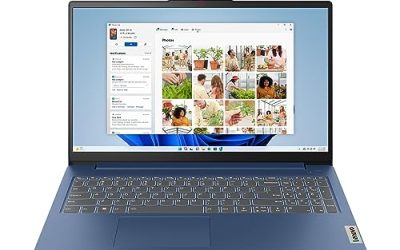
The Lenovo LOQ 15 is a well-rounded RTX 4050 laptop that puts colour accuracy and everyday usability first. It uses an Nvidia GeForce RTX 4050 laptop graphics card with 6GB of GDDR6 graphics memory, an AMD Ryzen 7 8845HS processor, 16GB of DDR5 memory, and a 512GB solid-state drive. The 15.6-inch Full HD IPS display runs at 144Hz, offers wide colour coverage, and includes G-Sync support, which helps keep fast motion smooth and free from tearing.
This laptop suits first-time RTX buyers, students, and creators who work mainly at 1080p and want a display they can trust for colour work. The Ryzen 7 processor gives enough power for multitasking and editing, while the RTX 4050 handles modern games at sensible settings and accelerates creative apps. Buyers who should skip it are those with large game libraries who need more than 512GB of storage, and those who play the most demanding games at maximum settings, where an RTX 4060 or RTX 4070 would give more headroom.
HP Victus 15 (B0G2LWJ8YP)
The HP Victus 15 is a practical RTX 4050 laptop for buyers who want longer unplugged use and a straightforward 15.6-inch design. It pairs an Nvidia GeForce RTX 4050 laptop graphics card with 6GB of dedicated graphics memory and an AMD Ryzen 7 7445HS processor, along with 16GB of DDR5 memory and a 512GB solid-state drive. The 15.6-inch Full HD IPS display runs at 144Hz with an anti-glare finish, and the laptop includes a backlit keyboard, DTS:X Ultra audio, Wi-Fi 6, and a 70Wh battery. That larger battery is a useful advantage for a gaming laptop, giving more time for browsing, classes, and light work away from a charger.
This laptop suits students and everyday users who game in the evening and carry the laptop during the day, as well as creators who need a capable machine for photo editing and light video work. Buyers who should skip it are those who need 1TB of storage from the start, those who want a higher-resolution display, and those who need the extra graphics power of an RTX 4060 or RTX 4070. Note that this listing is sold with an ICP Hub accessory mentioned in the title, so confirm that the laptop configuration matches the specification above before ordering.
MSI Katana 15 B13VGK-2000US (B0CT4BHS2M)
The MSI Katana 15 B13VGK-2000US is the most powerful graphics pick in this guide, built for higher-resolution gaming and heavier creative workloads. It uses an Nvidia GeForce RTX 4070 laptop graphics card with 8GB of GDDR6 graphics memory, a 13th-generation Intel Core i7-13620H processor, 16GB of DDR5 memory, and a 1TB NVMe solid-state drive. The 15.6-inch display stands out with a QHD resolution of 2560 by 1600 pixels and a 165Hz refresh rate, which shows more detail than a Full HD panel and gives more room for editing timelines and toolbars.
This laptop suits gamers who want to play at higher resolutions and higher settings, video editors who work with detailed timelines, and 3D artists who need extra graphics power for rendering. The QHD display is a real advantage for creators, and the 1TB drive holds large projects and game libraries. Buyers who should skip it are those who mainly play at 1080p and would not use the extra graphics power, those who want the longest battery life, and those who prefer a lighter laptop, because this is a full gaming machine with a 52Wh battery and a focus on performance over portability.
ASUS ROG Strix G16 (B0CRDCXRK2)
The ASUS ROG Strix G16 is a high-power RTX 4060 laptop in a larger 16-inch body, for buyers who want strong sustained performance and more screen space. It pairs an Nvidia GeForce RTX 4060 laptop graphics card with 8GB of graphics memory at 140W maximum graphics power and a 13th-generation Intel Core i7-13650HX processor, along with 16GB of DDR5 memory and a 1TB PCIe Gen4 solid-state drive. The 16-inch Full HD display runs at 165Hz, covers the full sRGB colour space, and includes Pantone validation, which helps creators who care about colour accuracy.
This laptop suits gamers who want a larger display and a high-power RTX 4060, creators who edit video and photos on the go, and users who run demanding apps for hours at a time. The 90Wh battery is larger than the batteries in most laptops here, which helps for light tasks away from a charger. Buyers who should skip it are those who want the lightest possible laptop for daily travel, those who need a QHD or higher-resolution display, and those who would be better served by an RTX 4070 for the most demanding games at higher resolutions.
What to Check Before You Buy
Before you order, confirm the exact configuration in the listing, because the same model name can cover several different graphics cards, processors, memory amounts, and storage sizes. Check the graphics card model and its graphics memory, the processor model, the memory amount, the storage size, and the display resolution and refresh rate. A listing that says RTX 4060 in the title but shows a different card in the specification table should not be ordered until the difference is resolved. Also confirm the operating system, because some laptops ship with Windows 11 Home and others with Windows 11 Pro.
Next, check the warranty, the return policy, and the seller, and keep the order confirmation and model number for future support. Check the power adapter and battery size, because a larger adapter adds weight to your bag. Measure your bag and desk space if you are choosing between a 15.6-inch and a 16-inch model.
FAQ
Is an RTX 4050 laptop good enough for gaming?
An RTX 4050 laptop is good enough for smooth 1080p gaming at medium to high settings in most modern games, and it also handles photo editing, light video editing, and AI features in supported apps. It has 6GB of graphics memory, which is workable at 1080p but gives less headroom than an 8GB card for higher settings and future games. If you play mainly at 1080p and want a capable all-round laptop, an RTX 4050 is a sensible choice. If you want higher settings or higher resolutions, consider an RTX 4060 or RTX 4070 instead.
What is the difference between RTX 4060 and RTX 4070 laptops?
Both cards here have 8GB of graphics memory, but the RTX 4070 is a more powerful graphics chip than the RTX 4060, so it delivers higher frame rates in demanding games and faster rendering in creative apps. The RTX 4060 is the balanced middle ground for most buyers, offering strong 1080p performance, while the RTX 4070 is better suited to higher-resolution displays and heavier workloads. The RTX 4070 also tends to appear in laptops with higher-resolution displays, such as the QHD panel on the MSI Katana 15 here. Choose the RTX 4070 when your work or games regularly push the graphics card hard, and the RTX 4060 when you want strong performance with a more balanced specification.
Do laptops with Nvidia graphics work well for video editing and AI tasks?
Yes, laptops with Nvidia graphics work well for video editing and AI tasks, because many creative apps use the graphics card to accelerate rendering, effects, playback, and AI features. The graphics card helps with timeline smoothness, faster exports in supported apps, and local AI tools that use the GPU for image generation, upscaling, and background removal. For video editing, also look for at least 16GB of memory, a fast solid-state drive with enough space for project files, and a display with wide colour coverage. For AI work, more graphics memory helps with larger models, so an 8GB card gives more headroom than a 6GB card.
How much RAM do I need in a laptop with Nvidia graphics?
For most gaming and creative use, 16GB of memory is the recommended minimum in a laptop with Nvidia graphics. That amount handles games, browsers, chat apps, and creative software running together without constant slowdowns. If you edit long videos, work with large photo libraries, run virtual machines, or keep many heavy apps open at once, 32GB gives more headroom. Check whether the laptop can be upgraded later, because a model with two memory slots is easier to expand than a model with soldered memory.
Should I choose a 15.6-inch or 16-inch laptop with Nvidia graphics?
A 15.6-inch laptop is a good choice if you carry the laptop often and want a familiar size that fits most backpacks and laptop sleeves. A 16-inch laptop gives more screen space for gaming, editing, and multitasking, and it often has a slightly larger chassis that can fit a bigger battery or better cooling. The difference in weight is usually small, but the larger display is noticeable when you work with timelines, spreadsheets, or multiple windows. Choose the 15.6-inch size for portability and the 16-inch size for screen space and sustained performance.
Bottom Line
The best laptops with Nvidia graphics are the ones that match the graphics card to your real workload, then support it with enough memory, storage, and display quality to use that power every day. An RTX 4050 laptop like the Lenovo LOQ 15 or the HP Victus 15 is a strong starting point for 1080p gaming and everyday creation. An RTX 4060 laptop like the ASUS TUF Gaming A15 or the ASUS ROG Strix G16 is the balanced choice for most buyers, with 8GB of graphics memory, strong 1080p performance, and enough headroom for larger projects. An RTX 4070 laptop like the MSI Katana 15 is the pick for higher-resolution gaming and heavier creative work.
Disclosure: As an Amazon Associate, we may earn from qualifying purchases.
Related guides
More from Amazon
Programs that pair well with the guide above. Offers and eligibility are set by Amazon and may change.
Free shipping on eligible items, Prime Video and more. Eligible new members can start with a free trial.
Start a Prime free trialAd-free music streaming. Eligible new subscribers can start with a free trial.
Try Music Unlimited freeA Prime membership for ages 18-24 with a trial period. Eligibility is set by Amazon.
See Prime for Young AdultsAudiobooks and podcasts to listen to on the go. Eligible new members can start with a free trial.
Try Audible freeAs an Amazon Associate we earn from qualifying purchases.








Write Your Review
No reviews yet. Be the first to share your experience!