
Key takeaways
- The 5 best apps for laptops running Windows 10, from Microsoft 365 and Norton 360 to Photoshop Elements, Malwarebytes, and McAfee Total Protection.
What's inside
As an Amazon Associate I earn from qualifying purchases. This post may contain affiliate links at no extra cost to you.
A Windows 10 laptop is only as useful as the software on it. The real decision is not which app has the longest feature list, but which ones cover the daily jobs that matter: writing documents, staying safe online, editing photos, and keeping the machine clean. Five well-chosen apps can make an older laptop feel current, while a dozen overlapping tools just slow it down.

This guide is for Windows 10 laptop owners who want a practical software kit without trial clutter or duplicate tools. Every pick below is a real app sold on Amazon, chosen from the names and specifications listed on its Amazon product page, with the license terms, device count, and included features taken from the listing itself.
Quick Picks
As an Amazon Associate we earn from qualifying purchases
| Product | Best for | Key spec from title |
|---|---|---|
| Microsoft 365 Personal | Documents, spreadsheets, and cloud storage | 12-month subscription, 1 person, Word, Excel, PowerPoint |
| Norton 360 Deluxe 2027 | All-round protection for several devices | 5 devices, antivirus, VPN, dark web monitoring |
| Adobe Photoshop Elements 2025 | Photo editing without a subscription habit | 3-year term license, PC/Mac, photo editing |
| Malwarebytes Premium | A second layer against malware | 18 months, 2 devices, Amazon Exclusive |
| McAfee Total Protection | Security plus identity monitoring | 1 device, 1-year subscription, VPN, password manager |
How to Choose
Start with the jobs, not the brand names
List what your laptop actually does each day before you buy anything. Most Windows 10 owners need four things: an office suite, antivirus, a photo editor, and a cleanup or backup tool. Buying apps to match those jobs keeps you from paying for overlapping features, such as two antivirus programs or two cloud storage plans. If an app does not map to a job on your list, skip it. A photo editor you open once a month does not need the same budget as the office suite you open every morning.
Read the license terms before the feature list
Software licenses decide how long the app works and on how many devices, so read them carefully on the listing. A 12-month subscription covers one year and then asks for renewal, while a 3-year term license like Photoshop Elements 2025 lasts longer without a monthly charge. Check the device count too: a 5-device license can cover a laptop, a phone, and a family computer, while a 1-device license covers only the laptop. Also check whether the license allows installation on a second machine, since some single-device licenses forbid it entirely.
Check Windows 10 compatibility on the listing
Most current apps still support Windows 10, but some newer versions ask for Windows 11, so confirm the supported systems on the product page before buying. Also check whether the app is a download, a key card, or a boxed copy with a download code, since the delivery method changes how you install it. A download code usually arrives by email, while a key card ships in the mail. If the listing says download only, you will need a stable connection and a Microsoft or vendor account to activate it.
Avoid running two apps that do the same job
Two antivirus programs running at once can slow a laptop and cause false warnings, so pick one security suite and stick with it. The same rule applies to cleanup tools and cloud storage: one of each is enough. If you already pay for a suite that includes a VPN and cloud backup, you do not need a separate app for either, so read the included features before adding another subscription. When two tools overlap, uninstall the weaker one rather than letting both run in the background and slow the machine.
The 5 Best Options
Microsoft 365 Personal
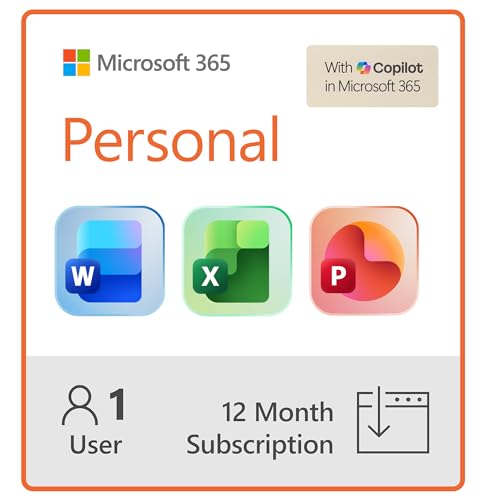
Microsoft 365 Personal is the foundation of this kit because it covers the apps most laptop owners open every day: Word, Excel, PowerPoint, and Outlook, plus 1TB of OneDrive cloud storage. The 12-month subscription is for one person and works on PC and Mac, with instant download and activation after purchase. Cloud storage also means your documents survive a laptop failure, which matters more than any single feature in the suite.
Specs
- 12-month subscription, 1 person
- Word, Excel, PowerPoint, Outlook
- 1TB OneDrive cloud storage
- Works on PC and Mac
- Instant download, activation required
Best for: Anyone who writes documents and wants cloud backup built in.
Watch out for: The subscription renews after 12 months, so note the renewal date and decide in advance whether to keep it.
Norton 360 Deluxe 2027
Norton 360 Deluxe 2027 covers five devices with antivirus, a secure VPN, dark web monitoring, and parental controls in one subscription. The 5-device allowance means one license can protect a Windows 10 laptop alongside a phone and another computer, and the 50GB of PC cloud backup adds a safety net for important files. It is the all-round security pick for households with more than one device. It also blocks unsafe links in search results, which helps when a family member clicks without checking first.
Specs
- 5 devices, 1-year subscription
- Antivirus, malware, spyware, and ransomware protection
- Secure VPN for online privacy
- Dark web monitoring
- Parental controls
- 50GB PC cloud backup
Best for: Households that want one security subscription for several devices.
Watch out for: The subscription auto-renews, so check the renewal terms on the listing and set a reminder before the renewal date.
Adobe Photoshop Elements 2025
Photoshop Elements 2025 is the photo-editing pick for people who want real editing tools without a monthly subscription. The 3-year term license covers photo editing on PC and Mac, and the boxed copy includes a download code with activation required. It handles cropping, color correction, object removal, and organizing a photo library, which covers the editing most laptop owners actually do. The organizer view keeps photos sorted by date and event, so finding an old picture takes seconds instead of minutes.
Specs
- Photo editing software
- 3-year term license
- PC and Mac
- Box with download code
- Activation required
Best for: Photo enthusiasts who want editing tools without a monthly fee.
Watch out for: The license lasts three years, so check what happens when the term ends and whether your edits stay accessible.
Malwarebytes Premium
Malwarebytes Premium works as a second layer of defense alongside a main antivirus, catching malware, spyware, and malicious websites that slip through. This Amazon Exclusive version covers two devices for 18 months and works on Windows, Mac, Android, iOS, and Chrome, delivered as a software key card. It is a good fit for a laptop that visits unfamiliar websites or downloads files from many sources. Real-time protection runs quietly in the background and flags malicious downloads before they finish.
Specs
- 18-month subscription, 2 devices
- Windows, Mac, Android, iOS, Chrome
- Amazon Exclusive
- Software key card
Best for: Laptop owners who want extra malware protection beyond their main antivirus.
Watch out for: A key card ships physically, so allow delivery time before you can install and activate it.
McAfee Total Protection
McAfee Total Protection covers one device for a year with antivirus, AI scam detection, a VPN, a password manager, and identity monitoring. The 1-device license suits a single Windows 10 laptop, and the auto-renewal keeps protection running without a gap. The password manager is a practical bonus, since reused passwords are one of the most common ways accounts get compromised. The VPN protects your connection on public Wi-Fi, which matters when you work from cafes or airports.
Specs
- 1 device, 1-year subscription
- Antivirus software for Windows PC and Mac
- AI scam detection
- VPN and password manager
- Identity monitoring
- Auto-renewal, download
Best for: A single laptop owner who wants security plus identity monitoring in one app.
Watch out for: The license covers one device only, so a second computer or phone needs its own license or a multi-device plan.
Which One Fits Your Situation
You just set up a Windows 10 laptop and need the basics
Start with Microsoft 365 Personal and one security suite, either Norton 360 Deluxe or McAfee Total Protection. Those two cover documents, email, cloud storage, and antivirus, which is the whole foundation. Add the other apps only when a specific job comes up. Microsoft 365 keeps documents synced, while the security suite guards the machine, so the two together cover most daily needs.
You have several devices to protect
Pick Norton 360 Deluxe 2027. Its 5-device license covers a laptop, a phone, and other computers under one subscription, and the VPN and dark web monitoring extend the protection beyond the laptop itself. The 50GB of cloud backup is a useful extra for family files. One dashboard shows the protection status of every device, so you can see at a glance whether anything needs attention.
You edit photos regularly
Pick Adobe Photoshop Elements 2025. Its 3-year term license avoids a monthly charge, and it covers the editing most people do: cropping, color fixes, object removal, and organizing. Pair it with Microsoft 365 Personal so your edited photos back up to OneDrive. The 3-year license means you will not face a renewal bill for a while, and the organizer keeps your photo library tidy.
You download files from many sources
Pick Malwarebytes Premium as a second layer beside your main antivirus. The 18-month, 2-device license gives you time to judge whether the extra scanning catches anything your main suite misses, and it works across Windows, Mac, and mobile devices. It runs quietly in the background, so you will barely notice it until it catches something your main antivirus missed.
Common Mistakes
- Installing two antivirus programs at once, which slows the laptop and triggers false warnings.
- Buying a subscription without reading the renewal terms, then being surprised by an automatic charge.
- Choosing an app that needs Windows 11 when the laptop still runs Windows 10.
- Paying for a separate VPN or cloud backup when the security suite already includes both.
- Downloading free tools from unfamiliar websites instead of buying a licensed copy from a known seller.
Frequently Asked Questions
Do I still need antivirus on Windows 10?
Yes. Windows 10 includes built-in protection, but a dedicated security suite adds layers such as a VPN, dark web monitoring, identity monitoring, and parental controls that the built-in tools do not cover. One suite is enough, though; running two antivirus programs at once causes conflicts and slows the machine.
Is Microsoft 365 Personal worth it on a Windows 10 laptop?
It is worth it if you write documents, build spreadsheets, or need cloud storage. The 12-month subscription includes Word, Excel, PowerPoint, Outlook, and 1TB of OneDrive storage, which also backs up your files. If you only write occasional notes, a free office alternative may be enough, but the cloud backup alone justifies it for many owners.
Can I use Photoshop Elements 2025 on Windows 10?
Yes, Photoshop Elements 2025 supports Windows 10 as well as Mac, according to its listing. It is sold as a 3-year term license with a download code, so you install it from Adobe after activation. Check the system requirements on the listing before buying, since older machines with very little memory may struggle with large photo files.
What is the difference between Norton 360 and McAfee Total Protection?
Both are all-round security suites with antivirus, a VPN, and identity features. Norton 360 Deluxe covers five devices and includes parental controls and 50GB of cloud backup, which suits households. McAfee Total Protection in this guide covers one device and includes AI scam detection and a password manager, which suits a single laptop owner.
How do I avoid subscription overload on my laptop?
List the jobs your laptop does, then buy one app per job and check for overlap before adding another. Many suites already include a VPN, cloud backup, and a password manager, so a separate app for any of those is redundant. Set calendar reminders for renewal dates, and cancel any subscription you have not used in the past month.
Related guides
More from Amazon
Programs that pair well with the guide above. Offers and eligibility are set by Amazon and may change.
Free shipping on eligible items, Prime Video and more. Eligible new members can start with a free trial.
Start a Prime free trialAd-free music streaming. Eligible new subscribers can start with a free trial.
Try Music Unlimited freeA Prime membership for ages 18-24 with a trial period. Eligibility is set by Amazon.
See Prime for Young AdultsAudiobooks and podcasts to listen to on the go. Eligible new members can start with a free trial.
Try Audible freeAs an Amazon Associate we earn from qualifying purchases.









Write Your Review
No reviews yet. Be the first to share your experience!