
Key takeaways
- The best laptops for media students combine a color-accurate screen, enough memory for editing, and a light frame that travels between lectures and shoots.
What's inside
As an Amazon Associate I earn from qualifying purchases. This post may contain affiliate links at no extra cost to you.
A media student asks a laptop to do several jobs at once. The same machine edits a short film in the morning, retouches photos after lunch, and plays back a presentation in front of a class by the afternoon. The real decision is not about the fastest chip on paper. It is about a screen that shows true color, enough memory to keep an editing timeline smooth, and a body light enough to carry between lectures, studios, and shoots.
This guide is for students studying film, photography, design, and journalism, and for parents buying their first serious creative machine. Each pick below comes from a name and a specification listed on its Amazon product page. All five balance screen quality, editing power, and portability, and each one suits a different kind of media work, from video editing to photo retouching to presenting.
Quick Picks
As an Amazon Associate we earn from qualifying purchases
| Product | Best for | Key spec from title |
|---|---|---|
| Apple MacBook Air M4 13-inch | Video editing with long battery life | 13.6-inch Liquid Retina display |
| HP Envy x360 14 | Sketching and presenting in tablet mode | 14-inch touch display, fingerprint reader |
| ASUS Vivobook S 14 OLED M5406WA | Color-critical photo work on OLED | 14-inch OLED, Ryzen AI 9 365 |
| Acer Swift Go 14 SFG14-73-58EP | A bright OLED screen in a light frame | 14-inch OLED 2880 x 1800 display |
| Lenovo IdeaPad Slim 5 16 | Large-screen editing with AI features | 16-inch FHD+ touchscreen display |
How to Choose
Start with the screen, not the processor
For media work, the display is the most important part of the laptop. A color-accurate panel shows photos and video the way they will look when published, while a dim or washed-out screen hides problems until it is too late. OLED panels and high-resolution IPS displays both serve this purpose, and the laptops in this guide lean on them for good reason. Check the panel type, resolution, and color coverage in the listing before comparing processors, because the screen is where the work happens.
Match memory to the editing timeline
Video editing and photo retouching both consume memory quickly, especially with several clips, layers, or browser tabs open. Sixteen gigabytes is the practical floor for media students, and 24GB gives real comfort when timelines grow. The Vivobook S 14 in this group carries 24GB, which shows in how smoothly it handles large photo libraries. When two laptops look similar, the one with more memory will feel better during a long editing session. Large photo libraries and 4K clips both reward extra memory, so treat 16GB as the floor and 24GB as comfortable.
Keep the machine light enough to carry
Media students move constantly: lectures, studios, location shoots, and group projects in different buildings. A laptop over four pounds becomes a burden by the end of the day, while a machine under three pounds disappears into a bag. The MacBook Air M4 in this group weighs about 2.7 pounds, and the Swift Go 14 is similarly portable. Check the listed weight before buying, because portability decides whether the laptop actually goes where the work is. A smaller machine also fits on crowded lecture desks and in a camera bag beside lenses and accessories.
Check ports and storage for real projects
Media files are large, and a student will move them between cameras, drives, and classmates constantly. A fast USB-C port, an SD card reader, and a 512GB solid-state drive make that workflow painless, while a small drive or a missing port creates daily friction. The Envy x360 in this group includes Thunderbolt 4 and an SD reader, which suits camera work. Count the ports on the listing and match them to the gear the student already owns. A card reader built into the laptop beats carrying a dongle, especially on a shoot where every extra item is one more thing to lose.
The 5 Best Options
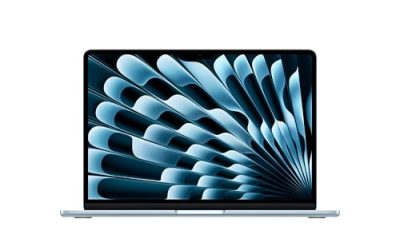
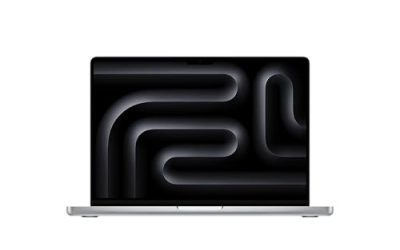
Apple MacBook Air M4 13-inch

The MacBook Air M4 is the most complete media student laptop here, pairing a 13.6-inch Liquid Retina display with the efficient M4 chip, 16GB of unified memory, and a 256GB drive in a body that weighs about 2.7 pounds. It edits video smoothly in Final Cut Pro and DaVinci Resolve, stays silent because it has no fan, and holds a charge through a full day of classes. The 12MP Center Stage camera keeps video calls sharp, and Touch ID makes signing in quick. It is the pick when battery life and portability matter as much as editing power.
Specs
- 13.6-inch Liquid Retina display
- Apple M4 chip
- 16GB unified memory
- 256GB SSD storage
- 12MP Center Stage camera
- Touch ID
- About 2.7 pounds, 0.44 inches thick
Best for: Students who edit video all day and need a silent, light machine.
Watch out for: The 256GB drive fills quickly with video projects, so plan for external storage.
HP Envy x360 14

The HP Envy x360 14 is the most versatile machine in this group, folding into tablet mode for sketching, annotating, and presenting. Its 14-inch Full HD touch display suits drawing and markup, and the fingerprint reader keeps the machine secure in shared spaces. The Intel Core 5 120U processor with 8GB of memory covers photo editing, writing, and light video work, while the 512GB drive holds projects without constant cleanup. It is the right pick for a student who presents often and wants one device for every kind of class.
Specs
- 14.0-inch Touch Full HD display, 1920 x 1080, 60 Hz
- Intel Core 5 120U processor, 10 cores
- 8GB RAM
- 512GB PCIe NVMe SSD storage
- Fingerprint reader
- Wi-Fi 6E, Bluetooth 5.3, backlit keyboard
- Windows 11 Home
Best for: Students who sketch, annotate, and present in tablet mode.
Watch out for: Some listings show upgraded memory and storage variants, so confirm the base 8GB and 512GB configuration on the exact listing.
ASUS Vivobook S 14 OLED M5406WA

The Vivobook S 14 OLED is the color pick, with a 14-inch OLED display that shows deep blacks and accurate color for photo retouching and video grading. Behind it sits a Ryzen AI 9 365 processor with 24GB of memory, the most in this group, which keeps large photo libraries and editing timelines smooth. The 512GB drive holds projects comfortably, and the customizable RGB keyboard adds a personal touch. It is the machine for a student whose work lives or dies on how accurately the screen shows color.
Specs
- 14-inch OLED display
- AMD Ryzen AI 9 365 processor, 10 cores
- 24GB RAM
- 512GB SSD storage
- Customizable RGB keyboard
- Neutral Black
Best for: Photo and video students who need accurate color and the most memory here.
Watch out for: The search evidence for this configuration comes from comparison sources, so verify the exact model on the listing.
Acer Swift Go 14 SFG14-73-58EP

The Acer Swift Go 14 pairs a sharp 14-inch OLED display at 2880 x 1800 resolution with an Intel Core Ultra 5 125H processor and Intel Arc graphics, making it a strong editing machine in a light frame. The OLED panel shows vivid color for photo work, and Wi-Fi 6E keeps large file transfers quick. With 8GB of memory and a 512GB drive, it covers class projects and editing assignments, and the Intel Evo badge signals fast wake times and long battery life. It is the pick for a student who wants an OLED screen without the heaviest machine.
Specs
- 14-inch OLED WQXGA+ display, 2880 x 1800
- Intel Core Ultra 5 125H processor
- Intel Arc graphics
- 8GB LPDDR5 RAM
- 512GB SSD storage
- Wi-Fi 6E
- Intel Evo Edition
Best for: Students who want a bright, sharp OLED screen in a portable frame.
Watch out for: The 8GB of memory is the floor for editing work, so close other apps during heavy timelines.
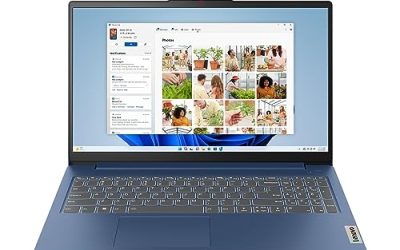
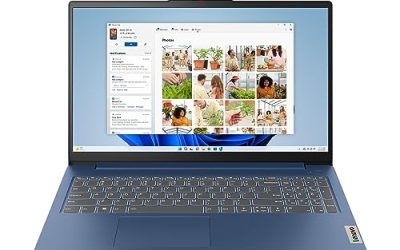
Lenovo IdeaPad Slim 5 16

The Lenovo IdeaPad Slim 5 16 gives media students a larger canvas, with a 16-inch Full HD+ touchscreen that makes editing timelines easier to read. The Ryzen AI 5 340 processor with 16GB of DDR5 memory and a 512GB drive handles photo and video work, and the Copilot+ PC features add AI tools for organizing and editing. The IR webcam keeps video calls clear, Wi-Fi 7 speeds up large uploads, and the backlit keyboard helps during late sessions. It is the pick when screen space matters more than the smallest possible bag.
Specs
- 16-inch FHD+ touchscreen display
- AMD Ryzen AI 5 340 processor
- 16GB DDR5 RAM
- 512GB SSD storage
- Copilot+ PC
- IR webcam, backlit keyboard
- Wi-Fi 7, Windows 11 Home
Best for: Students who want the biggest editing screen in this group.
Watch out for: The larger 16-inch body is heavier to carry, so check the weight against a 14-inch option.
Which One Fits Your Situation
You edit video all day and travel light
Choose the Apple MacBook Air M4. It is silent, light, and lasts through a full day of classes, while the Liquid Retina display and M4 chip handle video timelines smoothly. The fanless design means no noise during recording sessions, and the 12MP camera keeps video calls sharp. It is the most complete package for a film student on the move.
You sketch, annotate, and present
Choose the HP Envy x360 14. The tablet mode turns the laptop into a sketchpad and a presentation screen, and the fingerprint reader keeps it secure in shared spaces. The touch display suits drawing and markup, and the 512GB drive holds projects without constant cleanup. It is the most flexible machine here for practical media classes.
Your work depends on accurate color
Choose the ASUS Vivobook S 14 OLED. The OLED panel shows true blacks and accurate color for grading and retouching, and the 24GB of memory keeps large libraries smooth. The Ryzen AI 9 processor handles editing timelines without stutter, and the 512GB drive holds projects comfortably. It is the pick when the screen decides the quality of the work.
You want the biggest screen for timelines
Choose the Lenovo IdeaPad Slim 5 16. The 16-inch touchscreen gives editing timelines room to breathe, and the AI features help organize projects and speed up routine tasks. The 16GB of memory and 512GB drive cover photo and video work, and the IR webcam keeps video calls clear. It suits students who work at a desk more than on the move.
Common Mistakes
- Buying a laptop with a dim, low-resolution screen and discovering color problems only after publishing.
- Choosing 8GB of memory for heavy video work and watching the timeline stutter.
- Ignoring storage size and filling a 256GB drive with video projects in the first term.
- Picking a heavy laptop for a student who carries it between buildings all day.
- Forgetting to check ports and ending up without an SD reader for camera work.
Frequently Asked Questions
Is a MacBook or a Windows laptop better for media students?
Both work well, and the choice depends on the software the course uses. MacBooks suit Final Cut Pro and the Apple ecosystem, while Windows laptops offer more hardware choice and run Adobe apps equally well. Check which apps the course requires before deciding, since that matters more than the brand.
How much RAM does a media student need?
Sixteen gigabytes is the practical minimum for photo and video editing, and 24GB gives real comfort with large timelines and libraries. Eight gigabytes can work for light photo work and writing, but video editing will push past it quickly. Choose 16GB or more when the budget allows.
Does an OLED screen matter for media work?
Yes, an OLED screen shows deeper blacks and more accurate color than a standard panel, which helps with photo retouching and video grading. It is not essential for writing or presenting, but for color-critical work it makes a visible difference. Both the Vivobook S 14 and the Swift Go 14 in this guide use OLED panels.
What size laptop is best for a media student?
A 14-inch laptop is the best balance of screen space and portability for most media students. A 13-inch machine travels lightest, while a 16-inch screen gives editing timelines more room. Choose 14 inches for daily carrying, and 16 inches when the laptop mostly stays on a desk.
Related guides
More from Amazon
Programs that pair well with the guide above. Offers and eligibility are set by Amazon and may change.
Free shipping on eligible items, Prime Video and more. Eligible new members can start with a free trial.
Start a Prime free trialAd-free music streaming. Eligible new subscribers can start with a free trial.
Try Music Unlimited freeA Prime membership for ages 18-24 with a trial period. Eligibility is set by Amazon.
See Prime for Young AdultsAudiobooks and podcasts to listen to on the go. Eligible new members can start with a free trial.
Try Audible freeAs an Amazon Associate we earn from qualifying purchases.




Write Your Review
No reviews yet. Be the first to share your experience!