
Key takeaways
- Find the best laptops for work meetings: sharp webcams, clear microphones, long battery life and light designs for Zoom, Teams and Google Meet calls every day.
What's inside
- Quick Picks
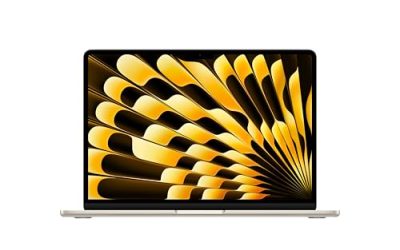
- 1. Apple MacBook Air 13-inch Laptop with M4 Chip — Best Overall for Meetings
- 2. Lenovo ThinkPad X1 Carbon Gen 12 — Best Business Laptop
- 3. ASUS Zenbook 14 OLED — Best Display for Presentations
- 4. Microsoft Surface Laptop 7 — Best Battery Life on Windows
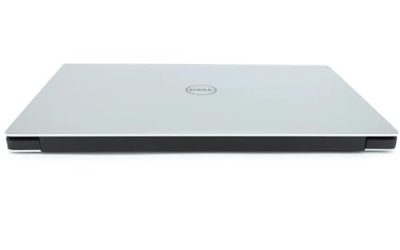
- 5. Dell XPS 14 9440 — Best Premium Windows All-Rounder
- Buying Guide: How to Choose a Laptop for Work Meetings
- Frequently Asked Questions
- Conclusion
As an Amazon Associate I earn from qualifying purchases. This post may contain affiliate links at no extra cost to you.
A laptop that is fine for spreadsheets can still be a poor choice for work meetings. Video calls expose every weakness a spec sheet hides: a grainy webcam, a microphone that picks up the keyboard more than your voice, and a battery that gives up halfway through a day of back-to-back calls. On a day of back-to-back Zoom, Teams and Meet sessions, the camera, the microphones, the battery and the weight of the machine matter at least as much as the processor inside it.


The best laptops for work meetings get those details right. They carry a high-resolution webcam, often with infrared for Windows Hello or a Center Stage-style framing feature, plus microphones designed to isolate your voice from background noise. They last a full working day without hunting for a power outlet, and they are light enough to carry from desk to conference room to home office. This guide compares five laptops that meet that bar, using the specifications published on their Amazon listings.
As an Amazon Associate, we earn from qualifying purchases made through links on this page, at no extra cost to you.
Quick Picks
Our Short List of 3
- 12MP Center Stage camera keeps you well framed on every call
- Long battery life covers a full day of meetings
- Silent, fanless design means no fan noise on the microphone
- Light at 2.7 pounds and easy to carry between rooms
- FHD+ IR camera with Windows Hello for sharp video and fast sign-in
- Extremely light at 2.37 pounds for a 14-inch business laptop
- Excellent keyboard for live note-taking during meetings
- vPro platform with business-grade security and manageability

- Outstanding battery life, rated up to 20 hours of video playback
- 1080p camera with Windows Studio Effects for automatic framing and background blur
- Sharp 13.8-inch 3:2 touchscreen shows more of a call grid or document
- Silent, cool-running design with no fan noise on calls
All 3 Picks at a Glance
| Product | Specs | Action |
|---|---|---|
| 1. Apple MacBook Air 13-inch Laptop with M4 Chip — Best Overall for Meetings |
| Check price on Amazon |
| 2. Lenovo ThinkPad X1 Carbon Gen 12 — Best Business Laptop |
| Check price on Amazon |
| 4. Microsoft Surface Laptop 7 — Best Battery Life on Windows |
| Check price on Amazon |
1. Apple MacBook Air 13-inch Laptop with M4 Chip — Best Overall for Meetings
- 12MP Center Stage camera keeps you well framed on every call
- Long battery life covers a full day of meetings
- Silent, fanless design means no fan noise on the microphone
- Light at 2.7 pounds and easy to carry between rooms
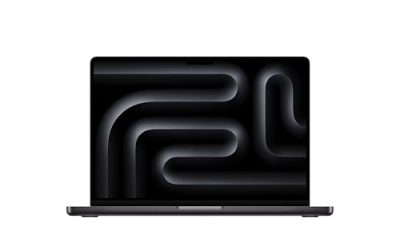
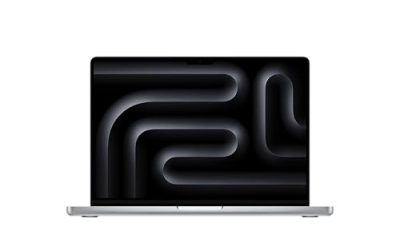
The MacBook Air with the M4 chip is the easiest recommendation on this list for anyone whose working day is mostly video calls. According to the Amazon listing, this configuration pairs the Apple M4 chip with 24GB of unified memory and a 512GB SSD, built around a 13.6-inch Liquid Retina display. The headline feature for meetings is the 12MP Center Stage camera, which keeps you framed even if you shift in your seat and delivers a noticeably sharper image than the 720p webcams still found on many business laptops.
Audio is the other half of the meeting equation. According to the Amazon listing, the machine carries a three-microphone array and a four-speaker sound system with support for Spatial Audio, for clear voice pickup and natural-sounding speakers. The fanless design is a genuine advantage on calls, because there is no fan noise for the microphones to pick up during a screen share. Battery life is a further strength: according to the Amazon listing, the MacBook Air is rated for up to 18 hours of video playback, which translates to a full day of meetings, email and documents without reaching for the charger. At 2.7 pounds, it is light enough to carry everywhere.
Pros:
Cons:
2. Lenovo ThinkPad X1 Carbon Gen 12 — Best Business Laptop
- FHD+ IR camera with Windows Hello for sharp video and fast sign-in
- Extremely light at 2.37 pounds for a 14-inch business laptop
- Excellent keyboard for live note-taking during meetings
- vPro platform with business-grade security and manageability
The ThinkPad X1 Carbon has been the default business laptop for years, and the Gen 12 model is built for exactly the kind of working day this guide is about. According to the Amazon listing, this configuration runs an Intel Core Ultra 7 165U vPro processor with 32GB of RAM and a 1TB Gen4 SSD, paired with a 14-inch WUXGA touchscreen covering 100 percent of the sRGB colour range. The vPro platform is aimed at corporate IT departments, with remote-management and security features that matter when a laptop is issued by an employer.
For meetings, the camera setup is the standout. According to the Amazon listing, the X1 Carbon Gen 12 carries an FHD+ camera with both infrared and RGB sensors, which means a sharper picture than a standard 1080p webcam plus Windows Hello facial recognition for instant, secure sign-in. The ThinkPad’s keyboard is widely regarded as one of the best on any laptop, which matters for live note-taking during meetings.
Portability is where the X1 Carbon earns its premium. According to the Amazon listing, it starts at 2.37 pounds, making it the lightest laptop on this list despite its 14-inch screen and full business feature set. The carbon-fibre chassis is built to military durability standards, so it survives the daily commute without babying.
Pros:
Cons:
3. ASUS Zenbook 14 OLED — Best Display for Presentations
If you present your screen as often as you appear on camera, the ASUS Zenbook 14 OLED deserves a close look. According to the Amazon listing, this model pairs an Intel Core Ultra 7 255H processor with 16GB of DDR5 memory and a 1TB SSD, and its centrepiece is a 14-inch WUXGA Lumina OLED touchscreen with 100 percent DCI-P3 colour coverage and up to 500 nits of HDR brightness. Slides and shared documents look vivid on this panel.
The meeting hardware is solid too. According to the Amazon listing, the Zenbook 14 OLED includes an FHD infrared camera with Windows Hello support, so you get a clear picture on calls and fast facial-recognition sign-in. Harman Kardon-tuned speakers are a welcome touch for a laptop this thin, and the AI noise-cancelling microphones filter out background sounds such as typing and nearby conversations — particularly useful in open-plan offices or busy households.
At roughly 2.82 pounds, it is easy to carry, and the display’s high brightness helps in bright rooms. The Intel Core Ultra 7 chip includes a neural processing unit for on-device AI features, including the background blur and eye-contact correction tools that video-call apps increasingly offer. Windows 11 Pro is included on this configuration, according to the Amazon listing, adding business features such as BitLocker encryption and remote desktop.
Pros:
- Gorgeous OLED touchscreen makes shared presentations look their best
- FHD IR camera with Windows Hello and AI noise-cancelling microphones
- Light at around 2.82 pounds with a slim, modern design
- Windows 11 Pro included for business use
Cons:
- OLED screens can be more reflective in very bright rooms
- Battery life is good but shorter than the MacBook Air and Surface Laptop 7 on this list
4. Microsoft Surface Laptop 7 — Best Battery Life on Windows
- Outstanding battery life, rated up to 20 hours of video playback
- 1080p camera with Windows Studio Effects for automatic framing and background blur
- Sharp 13.8-inch 3:2 touchscreen shows more of a call grid or document
- Silent, cool-running design with no fan noise on calls
The Surface Laptop 7 is the Windows answer to the MacBook Air, and for meeting-heavy days its biggest selling point is endurance. According to the Amazon listing, this 13.8-inch Copilot+ PC runs a Qualcomm Snapdragon X Elite processor with 16GB of RAM and a 1TB SSD, and Microsoft rates the battery at up to 20 hours of local video playback. That kind of stamina means a full day of Teams or Zoom calls without a charger, and the ARM-based Snapdragon chip stays cool and quiet while doing it, which keeps fan noise out of your audio.
The camera is built for exactly this use. According to the Amazon listing, the Surface Laptop 7 carries a 1080p camera with Windows Hello facial recognition, and the Snapdragon chip’s neural processing unit powers the Windows Studio Effects that video apps use for automatic framing, background blur and eye-contact correction. The 13.8-inch PixelSense Flow touchscreen has a 3:2 aspect ratio, which shows more of a document or a video-call grid at once than a standard 16:9 screen.
Build quality is strong, with a premium aluminium body and a comfortable keyboard. A price tracker recorded this configuration at $1,249.99 on Amazon in late November 2026, which puts it in the same bracket as the MacBook Air while offering a full Windows experience. Before buying, check software compatibility: the Snapdragon ARM processor runs most everyday apps natively, but a few specialist Windows programs may still run through emulation.
Pros:
Cons:
5. Dell XPS 14 9440 — Best Premium Windows All-Rounder
The Dell XPS 14 9440 rounds out this list as the premium Windows option for people who want a larger, more powerful machine that still works well in meetings. According to the Amazon listing, this configuration carries an Intel Core Ultra 7 155H processor, 16GB of memory and a 512GB SSD, with a 14.5-inch Full HD+ display and Windows 11 Pro. Its machined aluminium chassis looks serious in any boardroom.
For video calls, the XPS 14 9440 includes a 1080p webcam with Windows Hello support, and its four-speaker system is tuned for clear voice reproduction. The 14.5-inch display is larger than the other screens on this list, which is useful when a call involves a shared spreadsheet or a detailed document that is hard to read on a 13-inch panel. The Intel Evo platform certification means the laptop is designed to wake quickly, hold a charge through a working day and stay responsive when several apps are open at once — exactly the behaviour you want when a meeting link arrives with thirty seconds’ notice.
At 3.7 pounds, the XPS 14 is the heaviest laptop here, and that is the trade-off for its larger screen and more powerful processor. It suits desk-to-meeting-room use more than all-day carrying. If your meetings involve heavy multitasking — a video call plus a large spreadsheet plus a browser full of tabs — the Core Ultra 7 155H and 16GB of memory handle that load comfortably.
Pros:
- Larger 14.5-inch display is easier to read during shared-document calls
- Premium aluminium build with a professional boardroom look
- 1080p webcam with Windows Hello and a capable four-speaker system
- Intel Evo certification for fast wake and responsive multitasking
Cons:
- Heaviest laptop on this list at 3.7 pounds
- Higher price than the more portable options here
Buying Guide: How to Choose a Laptop for Work Meetings
Webcam quality comes first
The camera is the most important meeting feature, and it is the one most often overlooked. A 720p webcam produces a soft, noisy image, while a 1080p or higher camera keeps you sharp. Look for an FHD, 1080p or 12MP camera in the listing, and treat an infrared sensor as a bonus, since it enables Windows Hello facial recognition and usually indicates a higher-quality camera module.
Microphones and speakers
A good camera with a bad microphone still makes for a bad meeting. Look for a laptop that lists a microphone array rather than a single mic, and for noise-cancelling features that filter out keyboard clicks and background chatter. On the speaker side, two or more speakers with some form of audio tuning, such as Dolby Atmos or Harman Kardon, make other people’s voices easier to follow during long calls.
Battery life
A meeting-heavy day is a battery-heavy day, because video calls drain power far faster than word processing. Look for a manufacturer rating of at least 12 hours of video playback, and treat anything above 15 hours as genuinely all-day. ARM-based laptops such as the MacBook Air and the Surface Laptop 7 tend to last longest on calls, while Intel and AMD ultrabooks are catching up.
Weight and portability
If your meetings happen in different rooms, buildings or cities, weight is a daily concern rather than a spec-sheet footnote. Anything under 3 pounds is easy to carry all day; between 3 and 3.5 pounds is manageable; above that, you will feel it. A 13-inch or 14-inch screen is the sweet spot for meetings.
Screen quality for presenting
When you share your screen, your display quality affects your own experience directly: a bright, sharp panel makes it easier to read the document you are presenting and to follow the chat alongside it. An OLED or high-brightness IPS panel with at least Full HD resolution is a good baseline.
Performance and memory
Video calls themselves are not demanding, but meetings rarely happen in isolation. A modern processor from Apple, Intel or Qualcomm, paired with at least 16GB of memory, keeps a video call, a browser, a spreadsheet and a chat app running smoothly at the same time. For most meeting-focused buyers, 16GB is the right amount; 32GB is worth it if you regularly work with very large files or many open applications.
Operating system and software
The best meeting laptop is the one that runs the software your workplace uses. Zoom, Teams, Google Meet and Webex all run well on macOS and Windows, so the choice usually comes down to the other software your job needs. Windows laptops offer the widest compatibility with corporate tools, while macOS suits creative and mixed-platform workplaces.
Frequently Asked Questions
What is the most important feature in a laptop for work meetings?
The webcam is the most important single feature, followed closely by the microphone array and the battery. A 1080p or better camera, such as the 12MP Center Stage camera on the MacBook Air or the FHD+ IR camera on the ThinkPad X1 Carbon, makes you look clear and professional on every call. Pair it with noise-cancelling microphones and a battery rated for a full working day.
How much RAM do I need for video calls?
For video calls alone, 8GB of memory is enough, but meetings rarely happen in isolation. With a browser, email, documents and chat apps open alongside a call, 16GB is the practical minimum for smooth performance, and it is the amount included in most of the laptops on this list. Choose 32GB for very large files or dozens of open apps.
Is a MacBook good for work meetings?
Yes. The MacBook Air with the M4 chip is one of the strongest meeting laptops available, thanks to its 12MP Center Stage camera, three-microphone array, silent fanless design and long battery life. Zoom, Microsoft Teams and Google Meet all run well on macOS, so the MacBook Air fits into most workplaces.
Do I need a separate webcam or headset for work meetings?
Not necessarily. The laptops on this list all have capable built-in cameras and microphone arrays that are good enough for everyday meetings. A separate headset is still worth considering if you take calls in a noisy environment, because it improves both what you hear and what others hear from you.
How long should a meeting laptop’s battery last?
Look for a manufacturer rating of at least 12 hours of video playback, and treat 15 hours or more as genuinely all-day. A laptop rated for 18 to 20 hours, such as the MacBook Air or the Surface Laptop 7, covers a full day of back-to-back meetings.
Conclusion
The best laptops for work meetings are the ones that treat the camera, the microphones, the speakers and the battery as first-class features rather than afterthoughts. The Apple MacBook Air with the M4 chip is the best overall choice, combining a 12MP Center Stage camera, silent operation and outstanding battery life in a light, portable body. The Lenovo ThinkPad X1 Carbon Gen 12 is the best business laptop, with its FHD+ IR camera, featherweight design and corporate-ready vPro platform. The ASUS Zenbook 14 OLED is the pick for presenters, thanks to its vivid OLED display, while the Microsoft Surface Laptop 7 offers the longest battery life of any Windows laptop here. The Dell XPS 14 9440 rounds out the list as a premium all-rounder with a larger screen for shared-document calls.
Check the Amazon listing for the exact configuration before ordering, since memory, storage and screen options vary. Pick the laptop that matches the way you meet.
Related guides
More from Amazon
Programs that pair well with the guide above. Offers and eligibility are set by Amazon and may change.
Free shipping on eligible items, Prime Video and more. Eligible new members can start with a free trial.
Start a Prime free trialAd-free music streaming. Eligible new subscribers can start with a free trial.
Try Music Unlimited freeA Prime membership for ages 18-24 with a trial period. Eligibility is set by Amazon.
See Prime for Young AdultsAudiobooks and podcasts to listen to on the go. Eligible new members can start with a free trial.
Try Audible freeAs an Amazon Associate we earn from qualifying purchases.


Write Your Review
No reviews yet. Be the first to share your experience!