
Our Short List of 3

- Best for: Developers and creators who live in macOS and want one portable machine for code, photo, and video.
- Processor: Apple M4 Pro chip with 12-core CPU and 16-core GPU
- Memory: 24GB unified memory
- Storage: 512GB SSD
- Display: 14.2-inch Liquid Retina XDR, 3024-by-1964 resolution

- Best for: Windows-based creative developers who cut long timelines and run local servers or containers beside their editing apps.
- Processor: Intel Core Ultra 9 185H
- Graphics: NVIDIA GeForce RTX 4060 Laptop GPU
- Memory: 32GB RAM
- Storage: 1TB NVMe SSD

- Best for: 3D artists and programmers whose renders, simulations, or local AI work are GPU-bound.
- Processor: AMD Ryzen AI 9 365
- Graphics: NVIDIA GeForce RTX 4070
- Memory: 32GB LPDDR5x
- Storage: 1TB NVMe SSD
All 3 Picks at a Glance
| Product | Specs | Action |
|---|---|---|
| Apple MacBook Pro 14 with M4 Pro |
| Check price on Amazon |
| Lenovo Yoga Pro 9i 16 |
| Check price on Amazon |
| MSI Creator A16 AI+ |
| Check price on Amazon |
Key takeaways
- Four laptops that handle photo editing, video work, and coding in one machine, with color-accurate displays, strong multi-core CPUs, and ample memory.
What's inside
As an Amazon Associate I earn from qualifying purchases. This post may contain affiliate links at no extra cost to you.
Choosing a laptop for creative work and programming is a decision about one machine serving two masters that stress different hardware. Creative apps lean on the graphics chip and a display you can trust with color, while coding leans on multi-core processing, generous memory, and a keyboard that stays comfortable through long sessions. A laptop that only satisfies one half of that pair forces a compromise: either renders crawl, or builds stall, or the screen lies about the work. The right machine keeps both kinds of work fast at once, so switching from an editor to an IDE never feels like changing computers.
This guide is for creative developers who design and code, programmers who also edit photos and video, and freelancers whose day jumps between a timeline and a terminal. Every laptop below was picked from the name and specifications stated on its Amazon product page, favouring strong processors, ample memory, color-capable displays, and enough graphics power for real creative apps alongside serious coding.
Quick Picks
As an Amazon Associate we earn from qualifying purchases.
| Product | Best for | Key spec from title |
|---|---|---|
| Apple MacBook Pro 14 with M4 Pro | macOS photo, video, and app development in one machine | M4 Pro, 24GB unified memory, 512GB SSD |
| Lenovo Yoga Pro 9i 16 | Windows editing plus compiling and local servers | 16-inch 3.2K Mini-LED, RTX 4060, 32GB RAM |
| ASUS ProArt P16 | Color grading and touch-based design alongside scripting | 16-inch 4K OLED touch, RTX 4060, 32GB RAM |
| MSI Creator A16 AI+ | GPU-heavy 3D, rendering, and local AI work | RTX 4070, 16-inch UHD+ MiniLED, 32GB RAM |
How to Choose
Buy multi-core headroom for builds and renders
A creative programmer’s worst hour is rarely a single app running alone. It is a build running while a video exports, or a test suite compiling while a 3D preview renders. Multi-core processors spread that load, so look past the headline clock speed and count the cores: a 12-core or 16-core chip keeps a compile from freezing your editing timeline. The laptops below all carry modern multi-core processors, from the M4 Pro’s 12-core CPU to AMD’s 12-core Ryzen AI 9 chips. If your work regularly combines a build system with a render queue, the extra cores are the difference between parallel work and waiting in turn.
Treat 32GB of RAM as the working floor
Memory is where creative and programming workloads collide hardest. An IDE with indexing, a browser full of documentation, a local database, and a photo editor with layered files can consume well over 20GB before you notice. Sixteen gigabytes is a floor for one discipline at a time, not for both at once. Three of the four laptops here ship with 32GB, and the MacBook Pro’s 24GB of unified memory serves the same role in Apple’s architecture, with the memory shared efficiently between CPU and GPU. Check whether the memory is soldered, because on most thin creator machines the figure you buy is the figure you keep.
Judge the display by color, not size alone
A big screen means little if it misrepresents your work. For creative output, the display’s resolution, brightness, and color behavior matter more than its diagonal measurement: a 14.2-inch Liquid Retina XDR panel with 1600 nits peak brightness can be more trustworthy than a larger, dimmer screen. Look for the resolution and brightness figures printed on the listing, and prefer panels built for color work such as Mini-LED or OLED. For programming, the same panel pays off differently, with sharp text and room for an editor beside a preview. A poor display quietly creates rework in design and eye strain in code.
Check the keyboard, ports, and battery before the spec sheet
Specs sell laptops, but keyboards, ports, and battery decide whether you enjoy using one. You will type for hours, so a keyboard with decent travel and a sensible layout matters as much as the processor, and a large, accurate trackpad matters when you work away from a desk. Ports decide your desk setup: Thunderbolt or USB4, HDMI, and an SD card reader remove the dongle pile that slows down photo and video work. Battery life decides whether the machine survives a full day of meetings, builds, and edits without hunting for an outlet, and the MacBook Pro leads this group on that front.
The 4 Best Options
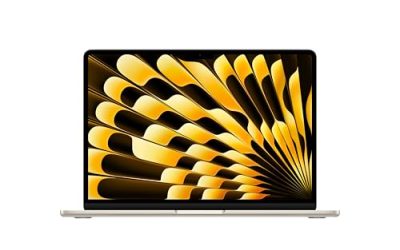
Apple MacBook Pro 14 with M4 Pro
- Best for: Developers and creators who live in macOS and want one portable machine for code, photo, and video.
- Processor: Apple M4 Pro chip with 12-core CPU and 16-core GPU
- Memory: 24GB unified memory
- Storage: 512GB SSD
- Display: 14.2-inch Liquid Retina XDR, 3024-by-1964 resolution
Developers and creators who live in macOS and want one portable machine for code, photo, and video.
The 512GB SSD fills quickly with footage and project files, and memory and storage cannot be upgraded after purchase, so confirm this configuration matches your library size.
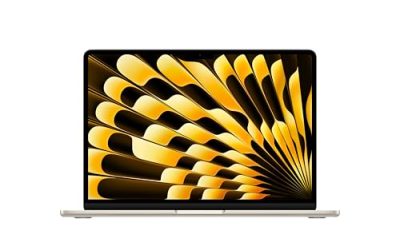
The 14-inch MacBook Pro is the natural single-machine answer for people who split their day between macOS development and creative work. Its Liquid Retina XDR display publishes the numbers color work depends on, with 3024-by-1964 resolution and up to 1600 nits peak brightness, so grading decisions hold up on other screens. The M4 Pro chip pairs a 12-core CPU with a 16-core GPU, and 24GB of unified memory keeps large Lightroom catalogs, layered Photoshop files, and an Xcode project with its simulator open at the same time. It is also the most portable machine here, and the most likely to last a full working day away from power.
Watch out for: The 512GB SSD fills quickly with footage and project files, and memory and storage cannot be upgraded after purchase, so confirm this configuration matches your library size.
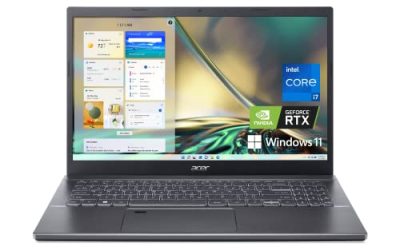
Lenovo Yoga Pro 9i 16
- Best for: Windows-based creative developers who cut long timelines and run local servers or containers beside their editing apps.
- Processor: Intel Core Ultra 9 185H
- Graphics: NVIDIA GeForce RTX 4060 Laptop GPU
- Memory: 32GB RAM
- Storage: 1TB NVMe SSD
Windows-based creative developers who cut long timelines and run local servers or containers beside their editing apps.
At 16 inches this is a desk-first machine, so if you edit and code on trains and planes, the smaller MacBook Pro travels better.
Lenovo’s Yoga Pro 9i is the Windows pick for creative programmers who want a large, bright screen and real graphics power without a gaming chassis. Its 16-inch Mini-LED panel runs at 3200-by-2000 resolution with a 165Hz refresh rate and 1200 nits of brightness, so timeline scrubbing feels fluid and HDR previews hold their highlights. Underneath, a Core Ultra 9 185H processor and GeForce RTX 4060 graphics give Premiere, Resolve, and Blender the hardware acceleration they expect, while 32GB of memory leaves room for an IDE, containers, and a browser full of references. Windows 11 Pro suits developers who need Hyper-V, WSL, and domain tooling alongside their creative apps.
Watch out for: At 16 inches this is a desk-first machine, so if you edit and code on trains and planes, the smaller MacBook Pro travels better.
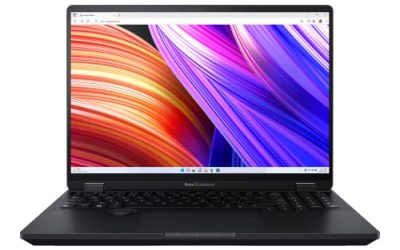
ASUS ProArt P16
The ProArt P16 is built around a 16-inch 4K OLED touch display, which suits colorists, retouchers, and designers who work directly on the image and want per-pixel contrast when judging shadow detail. This configuration pairs AMD’s Ryzen AI 9 HX 370, a 12-core processor, with an RTX 4060 carrying 8GB of GDDR6 memory, so GPU effects, AI-assisted tools, and 3D viewports have real hardware behind them. The 32GB of LPDDR5X memory is onboard, and storage is a 1TB PCIe 4.0 NVMe drive, which keeps large project folders and codebases close at hand. Touch input also helps when you sketch, mask, or grade by hand rather than by mouse.
Specs
- Processor: AMD Ryzen AI 9 HX 370, 12 cores, up to 5.1GHz
- Graphics: NVIDIA GeForce RTX 4060, 8GB GDDR6
- Memory: 32GB LPDDR5X (onboard)
- Storage: 1TB PCIe 4.0 NVMe SSD
- Display: 16-inch 4K OLED touch screen
- Operating system: Windows 11 Home
- Weight: 4.08 lbs
Best for: Colorists and designers who grade on a 4K OLED panel, use touch input, and write scripts or code beside their creative work.
Watch out for: This listing is an EXcaliberPC configuration with Windows 11 Home rather than Pro, and the memory is soldered, so check the exact configuration on the page before ordering.
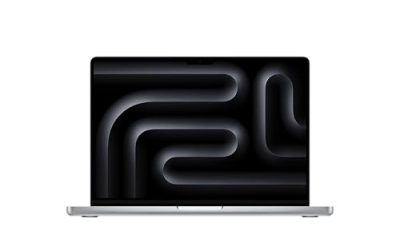
MSI Creator A16 AI+
- Best for: 3D artists and programmers whose renders, simulations, or local AI work are GPU-bound.
- Processor: AMD Ryzen AI 9 365
- Graphics: NVIDIA GeForce RTX 4070
- Memory: 32GB LPDDR5x
- Storage: 1TB NVMe SSD
3D artists and programmers whose renders, simulations, or local AI work are GPU-bound.
It runs Windows 11 Home rather than Pro, and at 4.63 lbs it is the heaviest machine here, so confirm the operating system edition suits your software licensing and that the weight suits your travel.
MSI’s Creator A16 AI+ is the rendering pick of this group, because it steps the graphics up to an RTX 4070 while keeping a creator-focused 16-inch UHD+ MiniLED panel at 120Hz. The Ryzen AI 9 365 processor and 32GB of LPDDR5x memory feed the GPU during long exports, and the 1TB NVMe SSD holds active project folders without immediate archiving. It is the machine here most comfortable splitting time between editing, Blender scenes, motion graphics, and local AI or machine-learning experiments that benefit from a stronger discrete GPU. WiFi 7 keeps large asset transfers fast when you work from a studio network or a fast home connection.
Watch out for: It runs Windows 11 Home rather than Pro, and at 4.63 lbs it is the heaviest machine here, so confirm the operating system edition suits your software licensing and that the weight suits your travel.
Which One Fits Your Situation
You live in macOS and switch between code and camera
Pick the MacBook Pro 14 with M4 Pro. It is the only machine here that runs Xcode and the wider Apple development toolchain natively, and its display is the most trustworthy in the group for color-critical work. The 14-inch size and strong battery life make it the best traveller, and 24GB of unified memory handles a simulator, an IDE, and a photo library together. Choose it when your workflow is Apple-first and portability matters as much as power.
You edit on Windows and run local servers or containers
Pick the Lenovo Yoga Pro 9i 16. Windows 11 Pro supports Hyper-V, WSL, and the virtualization tooling developers rely on, while the RTX 4060 and Mini-LED display cover serious editing. The 32GB of memory and 1TB SSD give containers, databases, and footage room to coexist. Choose it when your day mixes Docker, local servers, and long timelines on a desk.
You grade color and sketch directly on the screen
Pick the ASUS ProArt P16. Its 4K OLED touch panel is the most touch-friendly display here, with per-pixel contrast that makes shadow detail easy to judge and touch input that suits masking, sketching, and grading. The Ryzen AI 9 HX 370 and RTX 4060 keep effects and AI tools responsive. Choose it when the screen itself is your main instrument and you want touch as part of the workflow.
Your renders and model training are GPU-bound
Pick the MSI Creator A16 AI+. Its RTX 4070 is the strongest graphics chip in this group, which shortens 3D renders, GPU effects, and local AI experiments that would stall on integrated graphics. The Ryzen AI 9 365 and 32GB of memory keep the GPU fed during long jobs. Choose it when your bottleneck is the graphics card, not the processor, and you work mostly at a desk.
Common Mistakes
- Buying 16GB of RAM and expecting it to cover an IDE, a browser full of documentation, and a photo editor at the same time.
- Choosing a gaming laptop for its GPU and living with a washed-out display that misrepresents every color decision.
- Ignoring soldered memory and storage, then discovering the configuration you bought is the configuration you keep.
- Picking the wrong operating system for your toolchain, such as needing Xcode on a Windows machine or Windows-only software on a Mac.
- Skipping the port check and ending up with a dongle pile for an SD card reader, an external monitor, and a fast drive.
Frequently Asked Questions
How much RAM does a creative programmer actually need?
Treat 32GB as the working standard when creative apps and development tools run together, since an IDE, containers, a browser, and a photo or video editor stack memory quickly. The MacBook Pro’s 24GB of unified memory is an exception, because Apple shares it between the CPU and GPU. Sixteen gigabytes suits one discipline at a time, and it forces compromises once both kinds of work run side by side.
Is a discrete GPU necessary if I mostly write code?
Not for code alone, since compiling, editing text, and running servers are CPU and memory work that integrated graphics handles easily. A discrete GPU earns its place the moment video effects, 3D viewports, GPU-accelerated AI tools, or local model work enter the day. If your creative work is limited to light photo editing, you can skip the discrete card, but video and 3D work will feel slow without one.
Mac or Windows for creative programming?
Choose macOS if you build for iPhone, iPad, or Mac, since Xcode only runs on Apple hardware, and the Unix-based system suits many web and app workflows. Choose Windows if your creative tools rely on CUDA, your employer standardizes on Windows-only software, or you want a wider choice of hardware with discrete GPUs. Both platforms run the major editors, IDEs, and design apps well.
Can one laptop really replace a desktop for editing and compiling?
Yes, with the right configuration and realistic expectations about cooling. A modern multi-core laptop with 32GB of memory and a discrete GPU compiles large projects and exports 4K timelines without a desktop, especially paired with an external monitor and fast external storage. Sustained heavy renders will still run warmer and louder than a desktop, so plan for good airflow and an external display for long sessions.
Related guides
More from Amazon
Programs that pair well with the guide above. Offers and eligibility are set by Amazon and may change.
Free shipping on eligible items, Prime Video and more. Eligible new members can start with a free trial.
Start a Prime free trialAd-free music streaming. Eligible new subscribers can start with a free trial.
Try Music Unlimited freeA Prime membership for ages 18-24 with a trial period. Eligibility is set by Amazon.
See Prime for Young AdultsAudiobooks and podcasts to listen to on the go. Eligible new members can start with a free trial.
Try Audible freeAs an Amazon Associate we earn from qualifying purchases.


Write Your Review
No reviews yet. Be the first to share your experience!